
Shadow AI in Small Business: How to Find It and Fix It in 2026
Last updated:
Short answer: Shadow AI is any AI tool your team uses for work without the business approving or managing it, such as pasting company emails into a personal ChatGPT account. The fix is not a ban: give staff an approved AI option, write a short acceptable use policy, and use Microsoft 365 controls to see and limit where company data goes.
Picture your office manager at 4:45 on a Friday. A vendor dispute email needs a firm but polite reply, so she opens the ChatGPT app on her personal phone, pastes in the whole thread (names, invoice numbers, the customer’s account details), and gets a great draft in ten seconds. She sends it, feels good about it, and never thinks about it again.
Nobody did anything malicious. But company data just left your Microsoft 365 tenant for a personal account you do not control, cannot audit, and cannot delete. Multiply that by everyone on your team who has discovered how handy AI is, and you have shadow AI. For a small business, it is almost certainly already happening.
This guide is for owners and office leaders at companies under about 50 people in Portland, Lake Oswego, Beaverton, Hillsboro, Tualatin, and Vancouver WA. It covers what shadow AI is, why it shows up, how to find it without a witch hunt, and a 30-day plan to get it under control. For the written rulebook, see our AI acceptable use policy template. For the broader threat picture (AI phishing, deepfakes, and email fraud), see AI cybersecurity for small business. This post is about discovery and cleanup.
What shadow AI is (and what it is not)
Shadow AI is any AI tool used for company work that the business has not approved, set up, or secured. It is the AI version of “shadow IT,” like staff using personal Dropbox because the official tools were clunky.
Common examples in small offices:
- Personal ChatGPT, Claude, or Gemini accounts used to draft emails, summarize documents, or clean up spreadsheets
- AI apps on personal phones, including voice dictation and “scan this document” features
- AI browser extensions that promise to rewrite emails, summarize web pages, or “supercharge” Gmail and Outlook
- AI meeting notetakers that someone connected to their calendar, which now join (and record) every Teams or Zoom call
- “Sign in with Microsoft” AI apps that an employee granted access to their mailbox, OneDrive, or calendar
- AI features switched on inside other tools (CRM, accounting, design, or PDF software) that nobody reviewed
What shadow AI is not:
- It is not a sign of bad employees. Most people using unsanctioned AI tools are just trying to work faster.
- It is not every use of AI. A tool you chose, configured, and covered in your policy is sanctioned AI.
- It is not solved by a memo. Rules that slow people down push AI use onto personal devices where you cannot see it.
Why does shadow AI show up in small business?
In our experience working with Portland metro offices, shadow AI almost always comes from one of four places.
1. There is no approved option. If the company has not picked an AI tool, staff will pick one. The free version is one download away.
2. AI is blocked with no alternative. Blocking ChatGPT at the firewall does not stop AI use. It moves it to phones on cellular data, which is worse.
3. IT feels like a bottleneck. When asking for a new tool means a ticket that sits for two weeks, people stop asking.
4. Fear of falling behind. Nobody wants to be the one still writing everything from scratch, so people quietly experiment.
These are signals that the business has not given people a safe, easy path. That is good news: the fix is mostly a better option, not punishment.
What are the real risks of unsanctioned AI tools?
Plenty of personal ChatGPT use at work is harmless, like rewording a job posting. The risk is in what gets pasted, what gets connected, and what you cannot prove later.
Company data leaves your control
When someone pastes client details, pricing, HR notes, or financials into a personal AI account, that data lives under that person’s account and the vendor’s consumer terms. Those terms vary and change, and some allow conversations to be used to improve the service unless the user opts out. Even then, the data sits in chat history on an account the company does not own, and it leaves when the employee does.
No audit trail
If a customer, insurer, or regulator asks “where did this information go?”, shadow AI makes that impossible to answer. Company-managed tools give you admin controls and logs. Personal accounts give you nothing.
Malicious “AI helper” extensions and apps
This worries us most. Browser extensions can often read everything on the pages you visit, including email, banking, and Microsoft 365. Security researchers have repeatedly found fake or compromised “ChatGPT” and “AI assistant” extensions that steal login sessions or capture conversations. “Sign in with Microsoft” apps asking for broad mailbox permissions follow the same pattern: one click of “Accept” can give an unknown developer ongoing inbox access, and MFA does not stop an app the user already approved.
Inconsistent, unreviewed output
AI tools make confident mistakes. Five people using five tools with no shared guidance means quotes with wrong math and emails with invented details going out with no human review standard.
Compliance exposure
For some businesses, shadow AI is also a compliance problem:
- Healthcare practices: entering patient information into a tool without a Business Associate Agreement (BAA) can be a HIPAA problem. See AI and HIPAA for Portland healthcare practices.
- Law firms, CPAs, and financial advisors: confidentiality duties and rules like the FTC Safeguards Rule still apply when the tool is a chatbot.
- Anyone with cyber insurance: “We don’t know what AI tools our team uses” is not a great answer on a renewal form.
How do you find shadow AI without a witch hunt?
The goal is a clear picture, not a list of people to scold. Start with the human approach, use technical signals to fill gaps, and tell your team up front what you are doing and why.
Step 1: Ask, with amnesty
Send a short, anonymous survey. Keep it to five questions:
- Which AI tools have you used for work in the last month (including on your phone)?
- What do you use them for?
- Have you connected any AI tool to your work email, calendar, or files?
- Do you have any AI browser extensions installed on your work computer?
- What would you want from an approved company AI tool?
Pair it with a clear message: “No one is in trouble. We want to give you better tools and keep our data safe.” This survey captures phone and home use that no log file can see.
Step 2: Inventory browser extensions
Review which Chrome and Edge extensions are installed on company computers. A managed IT provider can usually pull this across every machine at once. Look for “AI,” “GPT,” “assistant,” “summarize,” or “writer” in the name, and anything that can “read and change all your data on all websites.”
Step 3: Check Microsoft 365 app consents and sign-ins
In Microsoft Entra ID (formerly Azure AD), review Enterprise applications to see which third-party apps users have granted access to and what permissions they hold. Sign-in logs show which apps people use with work accounts. AI notetakers and writing tools often show up here with far more mailbox and file access than they need.
Step 4: Look at DNS, firewall, or web filter logs
If you use DNS filtering or a firewall with web categories, look at traffic to generative AI services. Many products now have a dedicated AI category. It will not catch phones on cellular data, but it shows which tools are popular on company devices. Some higher-tier Microsoft licenses also include cloud app discovery that flags AI apps.
Step 5: Review devices and installed apps
Check your device inventory for desktop AI apps and unmanaged personal devices that access company email. If personal phones get work email, decide whether to enroll them or limit them to protected apps like Outlook.
What to do with what you find
Sort everything into three groups: adopt officially, allow for non-sensitive tasks, or remove. Follow through quickly, so people see that honesty led to better tools, not punishment.
How to fix shadow AI: sanctioned path first
The most effective shadow AI control is a good, approved AI tool. Blocking without an alternative fails almost every time.
Copilot vs personal ChatGPT: give people a business-grade option
If you run on Microsoft 365, you may already have a safer option. Microsoft 365 Copilot Chat, used with a work sign-in, includes enterprise data protection: prompts and responses fall under your Microsoft business agreement and are not used to train the underlying models. The paid Microsoft 365 Copilot add-on also works with your emails, files, and Teams chats, but it respects existing permissions, so clean up who can see what first. Our Microsoft 365 Copilot security guide covers that cleanup.
If your team prefers ChatGPT, a business ChatGPT plan gives you company-owned accounts, admin controls, and business data terms. The real Copilot vs personal ChatGPT question is not which AI is smarter. It is who owns the account, who can see the data, and who can shut it off when someone leaves.
For a broader look at which AI tools fit which jobs, see AI for small business: productivity tools and policies.
Put the rules on one page
Your AI policy should fit on one page and answer three questions: which tools are approved, what never goes into any AI tool, and when a human must review AI output. Our AI acceptable use policy guide has a template and a “never-paste” list.
Technical controls that back up the policy
Once people have a good option, these controls close the gaps:
- MFA everywhere. On Microsoft 365 and every business AI account. It will not stop a consented app, but it stops most stolen-password logins.
- Block user consent to unknown apps. In Entra ID, require admin approval before users can grant third-party apps access to mail and files, with a request workflow so people can still ask.
- Control browser extensions. Use Intune or browser policies to allow only approved extensions on company computers.
- Use DLP where licensed. Microsoft Purview data loss prevention can warn or block when sensitive information like card or Social Security numbers is shared in risky ways. Features depend on your Microsoft 365 plan.
- Protect data on phones. App protection policies keep company data inside Outlook and Teams and limit pasting into personal apps.
- Strengthen email security. AI-written phishing and fake “AI tool” invites arrive by email. On our Platinum plan, INKY flags impersonation and lookalike senders, alongside security awareness training.
- Keep endpoint protection current. Fake AI apps are a favorite wrapper for malware, and managed endpoint detection catches what users accidentally install.
The cultural fix matters as much as the technical one
Make “can I use this tool?” easy to ask and quick to answer. Name an internal AI point person, even if it is the owner, and share good examples of approved AI use. When people see the company wants them using AI safely, the reason to hide it disappears.
A 30-day plan to get shadow AI under control
You do not need a big project. Here is a realistic plan for a small business.
Days 1 to 7: Learn what is happening
- Send the anonymous five-question survey with an amnesty message
- Pull browser extension inventory from company computers
- Review Entra ID enterprise apps and consent grants
- Check DNS or firewall logs for AI services, if available
Days 8 to 14: Decide and provide
- Pick your approved AI tool (often Copilot Chat with work sign-in, or a business ChatGPT plan)
- Write or adapt a one-page AI policy using our AUP template
- Decide which discovered tools to adopt, allow for low-risk work, or remove
- Remove risky app consents and extensions you found
Days 15 to 21: Lock the doors
- Confirm MFA is enforced for every user
- Require admin approval for new third-party app consents
- Apply browser extension controls on company computers
- Turn on DLP policies and mobile app protection where your licensing supports them
Days 22 to 30: Train and settle in
- Hold a 30-minute team session: the approved tool, the never-paste list, how to request a new tool
- Collect policy acknowledgments
- Schedule a quarterly check of app consents, extensions, and approved tools
- Ask what is still missing, so the next shadow tool does not fill the gap
How a managed IT provider helps
Most small businesses do not have someone with time to dig through consent grants or build extension policies. At PDX Information Technology Services, we help Portland metro and Vancouver WA businesses:
- Run the discovery steps above and explain the results in plain English
- Set up Copilot Chat or business AI accounts properly, with MFA and sensible permissions
- Clean up SharePoint and OneDrive access before AI can surface the wrong files
- Configure app consent controls, extension policies, mobile app protection, and DLP where licensed
- Provide INKY email security, security awareness training, and monthly dark web monitoring on Gold and Platinum
- Review AI tools and settings regularly, because new AI features keep appearing in software you already own
Our managed IT services are priced plainly: Gold from $100 per user per month and Platinum from $180 per user per month, with a 90-day opt-out if the fit is not right. On-site support from Hillsboro to Gresham to Wilsonville and Vancouver WA comes with no trip fee. Comparing providers? See what to look for in managed IT services in Portland and our small business cybersecurity guide.
Want a second set of eyes on your shadow AI?
If you suspect your team is using AI tools you have not approved (most teams are), we are happy to talk through a quick, judgment-free discovery for your office. No pressure, just a practical conversation.
- Contact Us to set up a time with Steve
- Email sales@pdxittech.com
- Call 971-331-4871
FAQ: shadow AI in small business
What is shadow AI in a small business?
Shadow AI is any AI tool used for company work that the business has not approved or secured, such as personal ChatGPT accounts, AI browser extensions, or AI notetakers connected to work calendars. It usually comes from people trying to work faster, not bad intent.
Is it okay for employees to use personal ChatGPT at work?
For non-sensitive tasks like rewording a public job posting, the risk is low. But personal accounts belong to the employee, follow consumer terms, and give the company no admin control or audit trail. Client, financial, HR, or health information should only go into a company-approved, business-grade AI tool.
How do I find shadow AI in my company?
Start with an anonymous survey and an amnesty message, then check browser extensions on company computers, third-party app consents in Microsoft Entra ID, and DNS or firewall logs for AI services. The survey matters most because it captures phone use.
Should we just block ChatGPT and other AI tools?
Blocking without an approved alternative usually backfires, because people move to personal phones where you have even less visibility. Provide a sanctioned tool first, such as Copilot Chat with a work sign-in or a business ChatGPT plan, then restrict the risky tools.
Is Microsoft Copilot safer than personal ChatGPT?
With a work sign-in, Microsoft 365 Copilot Chat includes enterprise data protection under your Microsoft business agreement, and the company controls the account. A personal ChatGPT account is controlled by the employee. The difference is mostly account ownership, data terms, and admin control. The paid Microsoft 365 Copilot add-on needs a permissions cleanup first, because it can surface any file a user can already access.
Are AI browser extensions dangerous?
Some are. Extensions can often read everything on the pages you visit, including email. Researchers have found fake AI extensions that steal login sessions or capture conversations. Allow only approved extensions on company computers and review them regularly.
How long does it take to get shadow AI under control?
Most small businesses can make real progress in about 30 days: a week each for discovery, choosing an approved tool and policy, technical controls like MFA and app consent rules, and training. A quarterly review keeps it from drifting.
This article is general information about IT and security practices. It is not legal or compliance advice. For HIPAA, legal ethics, or regulatory questions, consult your compliance advisor or counsel.
Request an IT assessment
Tell us a little about your business and a PDX IT team member will follow up to schedule an assessment. Prefer to talk? Call 971-331-4871.

About the author: Steve Shaff
Steve Shaff is the owner of PDX Information Technology Services, a managed IT provider he founded in 2020. From the Tualatin office he helps businesses across Portland Metro & Southwest Washington with IT support, cybersecurity and compliance. More about Steve · Contact PDX IT

Holiday phishing scams are hitting Portland small businesses: fake shipping notices, gift card requests from the boss and delivery texts. How to stop them.
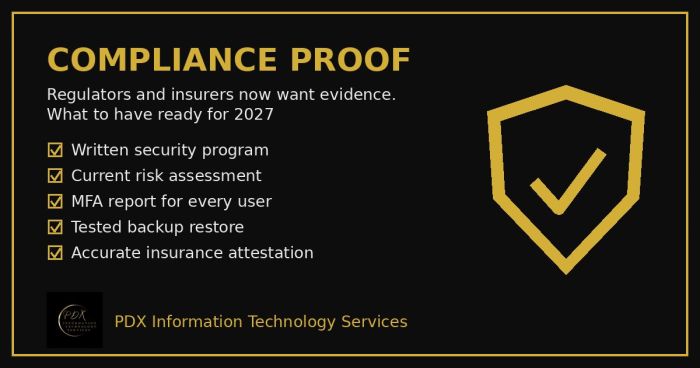
Cybersecurity compliance proof: HIPAA, CMMC, the FTC and cyber insurers now want documented evidence, not promises. See the checklist for 2027.
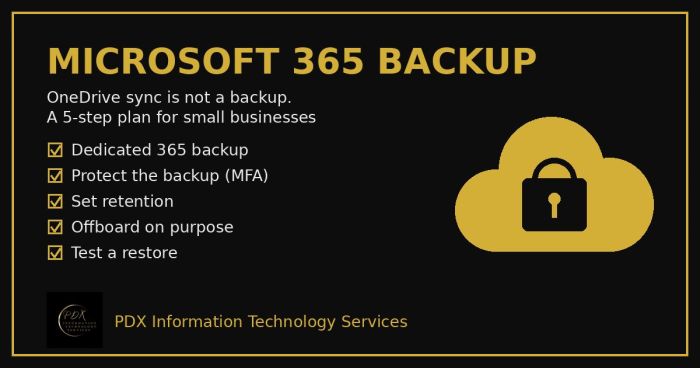
Microsoft 365 backup for small business: why OneDrive sync and the recycle bin aren’t a real backup, what can go wrong and a 5-step fix you can test.