
AI and HIPAA for Portland Healthcare Practices: What Clinics Must Get Right in 2026
Last updated:
AI tools are arriving in clinics faster than the policies that should govern them. A front-desk coordinator tries ChatGPT to rewrite a denial letter. A provider pastes a visit note into a free scribe app on a personal phone. A billing specialist asks Microsoft 365 Copilot to “summarize yesterday’s claims issues” from a SharePoint folder that was shared too broadly years ago. None of those people set out to violate HIPAA. They were trying to finish the day.
For small healthcare practices in Portland, Lake Oswego, Beaverton, Hillsboro, and Vancouver WA – clinics, dental offices, behavioral health groups, and specialty practices under about 50 employees – that gap between convenience and compliance is the real 2026 problem. AI HIPAA compliance healthcare is not a separate science fiction chapter. It is the same HIPAA Rules you already know, applied to tools that make it easier to move, summarize, and overshare electronic protected health information (ePHI).
This post is written for practice owners, office managers, and compliance leads who need a practical path – not a law review article. It builds on our HIPAA compliance IT guide for Portland healthcare and our compliance services offering. It is intentionally more clinical than our broader AI cybersecurity for small business playbook and our AI productivity tools and policies guide. For Microsoft 365 Copilot tenant hardening details, use our dedicated Copilot security for small business post as the companion – this article only covers clinical implications briefly.
HIPAA basics that still apply when AI is in the room
HIPAA did not invent a special exception for generative AI. If your practice is a covered entity (or your vendor is a business associate), the Privacy, Security, and Breach Notification Rules still apply when staff use AI to create, receive, maintain, or transmit ePHI.
Three principles matter most for clinic AI decisions:
- ePHI is ePHI. Patient identifiers mixed with clinical content – names, MRNs, visit notes, imaging reports, billing details, appointment lists – remain protected whether they live in your EHR, a PDF on SharePoint, a Teams chat, or a prompt pasted into an AI tool.
- Business Associate Agreements (BAAs) are not optional when a vendor handles PHI on your behalf. HHS guidance on cloud and vendor relationships is clear at a high level: when a service creates, receives, maintains, or transmits ePHI for you, that vendor is generally a business associate and needs a HIPAA-compliant BAA before PHI goes in. Consumer AI accounts rarely fit that model.
- Minimum necessary still applies. Staff should not dump a full chart into a tool when a de-identified snippet or a non-PHI question would do. AI makes oversharing frictionless; policy and training have to reintroduce friction on purpose.
A BAA does not make a tool automatically “safe.” It is necessary paperwork plus contractual safeguards – not a substitute for access controls, risk analysis, or workforce discipline. Treat marketing claims like “HIPAA ready” as a starting question, not a finished answer.
Where AI shows up in a small practice
In Portland metro clinics we support with managed IT Portland and cybersecurity, AI rarely arrives as a board-approved project. It shows up in the workflow:
- Ambient scribes and charting assistants that listen to or summarize encounters
- Public ChatGPT / Gemini / Claude-style chatbots used on personal or clinic browsers for letter drafting, coding questions, or “make this note clearer”
- Microsoft 365 Copilot (or Copilot Chat) summarizing email, Teams, and SharePoint content a user can already open
- Imaging and specialty AI embedded in radiology, dental imaging, or diagnostic workflows (often vendor-controlled)
- Billing and revenue-cycle helpers that rewrite denial appeals or suggest codes
- Patient-facing chat on websites or portals (scheduling bots, FAQ bots) that may collect health details
Each category has a different risk profile. An EHR-integrated scribe with a signed BAA and role-based access is a different animal from a free consumer chatbot with no BAA and model-training settings you do not control. Do not treat “AI” as one decision. Inventory the tools by name, account type, and data they touch.
The three risk lanes clinics actually face
Most clinic AI risk collapses into three lanes. Fixing only one leaves the other two open.
Lane 1 – Data leaving the practice
Staff paste ePHI into a consumer AI tool, a personal mobile app, or a vendor that never signed a BAA. Once that data leaves your controlled environment, you may have an impermissible disclosure – even if the employee meant well and even if the vendor’s privacy policy “sounds fine.”
Lane 2 – AI amplifying overshared ePHI inside Microsoft 365
This is the Copilot problem in clinical clothing. Copilot generally respects existing permissions; it does not invent access. If a SharePoint library of patient exports is open to the whole clinic, Copilot will happily summarize it for anyone who can already open those files. You have not “added AI.” You have made years of messy sharing searchable by chat. (Full tenant checklist: Microsoft 365 Copilot security.)
Lane 3 – AI-enhanced phishing and BEC against clinic staff
Attackers use AI to write better phishing, clone voices, and impersonate vendors or executives. Healthcare staff who already live in email – prior auth, imaging vendors, billing partners – are high-value targets. Layered email filtering matters. On our Platinum managed plans we use INKY for impersonation-aware protection; MFA and verification habits still do the rest. AI features in your productivity suite do not replace inbox defenses. For the broader SMB cyber baseline, see cybersecurity for small businesses (2026).
Shadow AI in clinics – and a one-page acceptable-use policy
Shadow AI means staff using AI tools the practice did not approve, often on personal accounts, because the approved path is slow, missing, or never explained. In a small clinic, shadow AI is less “rogue IT department” and more “someone found a faster way to finish notes at 6:15 p.m.”
Blocking every AI domain without offering an approved alternative usually fails. People work around blocks. A better approach:
- Inventory – ask managers and frontline staff what they already use (anonymously if needed).
- Classify – approved with BAA / approved for non-PHI only / prohibited.
- Publish a one-page acceptable-use policy people will actually read.
- Train with concrete examples, not abstract slides.
- Revisit quarterly as vendors and features change.
One-page acceptable-use outline (adapt to your practice)
- Purpose: Support care and operations without putting ePHI in unapproved AI tools.
- Approved tools: List by name (EHR module, Microsoft 365 features under your tenant/BAA, specific scribe vendor). Note account type (clinic SSO vs personal).
- Never paste into unapproved AI: Full notes, patient names + clinical details, MRNs, insurance IDs, images with identifiers, referral packets, denial letters with patient data.
- Allowed without PHI: Public clinical education questions with no patient identifiers; rewriting generic templates that contain no patient data.
- Human review required: AI output that affects coding, clinical documentation, or patient communication must be reviewed by a qualified person before it becomes the record or goes to a patient/payer.
- How to request a new tool: Who approves, what diligence is required (BAA, security questionnaire, risk analysis update).
- Consequences: Tie to existing HIPAA sanctions policy – shadow AI is a privacy issue, not a “tech preference.”
Keep it to one page. Laminate it near the front desk if that is what it takes.
BAAs and vendor diligence: what to ask before enabling a tool
Before any AI tool touches ePHI, walk a short diligence list with your IT Provider Portland / IT Consulting Oregon partner or internal IT owner:
- Will this product create, receive, maintain, or transmit PHI for us? If yes, treat it as a business associate candidate.
- Is a HIPAA-compliant BAA available for this exact product tier and environment? Consumer ChatGPT and free personal Copilot experiences are not the same as enterprise offerings that may support a BAA. Confirm the SKU, workspace, and features covered.
- Where is data processed and stored? Who are the subprocessors? Ask for a current list and how breach notification works under the BAA.
- Is patient data used to train foundation models for other customers? Get the vendor’s written position for your product tier – do not rely on a sales slide.
- How do identity and access work? Prefer clinic-controlled SSO (Microsoft Entra ID / Google Workspace) over shared personal logins.
- What logging and retention exist? Can you investigate a suspected improper disclosure?
- How does offboarding work? Return/destruction of ePHI when the contract ends.
- Does this change our HIPAA risk analysis? Document the decision. OCR expects ongoing risk analysis – adding AI that handles ePHI is a material change.
If a vendor cannot answer clearly, do not put ePHI in the tool while you “try it for a week.” Pilots with real patient data without a BAA are still disclosures.
Technical controls that actually matter
Policy without controls is wishful thinking. For small practices, prioritize controls you can operate:
Identity and access
- MFA on every account that can reach email, EHR, VPN, or Microsoft 365 – especially admins and billing
- Role-based access in the EHR and in SharePoint/Teams; least privilege for front desk vs clinical vs billing
- Same-day offboarding when staff leave (accounts, shared mailboxes, VPN, EHR, AI tool seats)
Email security (INKY)
Phishing remains one of the fastest ways ePHI leaves a clinic. Strengthen SPF/DKIM/DMARC, use layered filtering, and train people to verify unusual payment or chart requests. On Platinum plans, PDX IT includes phishing filtering with INKY for impersonation-aware protection. Pair that with a habit: unusual requests about patient records or wire changes get a callback on a known number.
Permissions before Copilot (or any tenant AI)
Clean SharePoint, OneDrive, and Teams membership for libraries that hold exports, scanned consents, or billing workbooks. Kill anonymous “Anyone with the link” sharing unless there is a documented need. Then consider Copilot seats – not the reverse. Details live in the Copilot security guide.
Labels and DLP where licensed
Sensitivity labels (for example Public / Internal / Confidential / Restricted-ePHI) help people recognize what they are handling. Where Microsoft Purview DLP licensing allows, start narrow: protect labeled ePHI libraries and run in audit mode before enforce. Broad DLP that blocks everything trains staff to work around it – often into shadow AI.
Endpoint and mobile
Clinic-managed devices with disk encryption, screen lock, and remote wipe beat unmanaged personal phones for any app that sees ePHI. If BYOD is unavoidable, use containerized/managed apps and clear rules – not vibes.
Backups and logging
Immutable or otherwise protected backups for systems that hold ePHI; tested restores. Audit logging for EHR admin actions and, where available, AI tool usage. You cannot investigate what you never logged.
Network basics
Segment guest Wi-Fi from clinical systems. Keep EHR workstations patched. These are boring – and they still stop real incidents.
None of this replaces a documented risk analysis and policies. It makes the policies enforceable. Continuous stewardship is the job of managed services, not a one-time “install AI” ticket.
Workforce training that sticks
Annual HIPAA videos alone will not stop a tired MA from pasting a note into a free app. Train with scenarios your staff recognize:
- “Rewrite this denial” with patient identifiers visible vs a redacted template
- “Summarize my afternoon patients” asked of Copilot when the user can open too many charts via a shared library
- A polished phishing email that looks like it came from your imaging vendor, asking for a “quick list” of today’s patients
- A personal phone scribe app that asks for microphone access during visits
- A well-meaning provider using public ChatGPT to “improve” a referral letter that still contains the patient’s name and diagnosis
Make the rule memorable: If it has patient identifiers, it does not go into an unapproved AI tool. Show the approved path in the same breath. Refresh quarterly when tools change. Include temporary staff and students – they often get the least training and the most “just help with the inbox” access.
A practical 30-day checklist for Portland metro practices
Use this with your office manager and Portland IT Support / IT Support Portland partner. Adjust timelines if you are mid-EHR migration.
Days 1-7 – See clearly
- Name an owner (practice admin + IT/MSP)
- Inventory AI tools in use (survey + browser history spot-checks on clinic devices)
- List systems that hold ePHI (EHR, imaging, billing, Microsoft 365, backups, patient chat)
- Confirm which vendors already have BAAs on file
- Review one recent phishing or suspicious email example with the full staff (10 minutes)
Days 8-15 – Close the obvious doors
- Draft and publish the one-page AI acceptable-use policy; require acknowledgment
- Disable or block the worst unapproved consumer AI destinations on clinic networks if feasible – after naming approved alternatives
- Verify MFA coverage on email, EHR, and VPN
- Review SharePoint/Teams sites that contain patient exports; fix “Everyone” and anonymous links
- Confirm email authentication (SPF/DKIM/DMARC) and filtering posture (INKY where on Platinum)
Days 16-23 – Vendor and Copilot decisions
- For any AI tool that will see ePHI: BAA status, product tier, SSO plan, training data stance – documented
- Pause clinical Copilot expansion until ePHI library permissions are role-correct (see Copilot companion post)
- Update your HIPAA risk analysis to include AI tools that handle or could handle ePHI
- Align sanction language so shadow AI is covered under existing privacy policy
Days 24-30 – Operate
- Run a 20-minute tabletop: “Staff pasted a note into ChatGPT – what do we do?”
- Schedule quarterly AI tool review on the compliance calendar
- Decide who approves new AI purchases (hint: not whoever found the discount code)
- Document what “good” looks like for your size clinic – then stick to it
This is proactive IT Services Portland work: shape the outcome before an OCR inquiry or a breach notification forces it.
Soft next step
If you want help inventorying shadow AI, tightening Microsoft 365 for clinical data, reviewing BAAs, hardening email with INKY, or building a 30-day plan your staff will follow, PDX Information Technology Services can help. We serve Portland, Lake Oswego, Vancouver WA, Hillsboro, Beaverton, and the wider metro with managed IT in Portland and cybersecurity built for SMBs and small healthcare practices under ~50 employees.
Plans are published plainly – Gold from $100/user, Platinum from $180/user (Platinum adds SOC/MDR, cloud protection, phishing filtering with INKY, training, and dark web monitoring). We also offer a 90-day opt-out if the fit is wrong with no penalties. Local cost context: Managed IT Services Cost Portland (2026).
- Book: pdxittech.com/contact
- Email: sales@pdxittech.com
- Call: 971-331-4871
FAQ
Can our clinic use ChatGPT if we remove patient names?
De-identifying helps, but it is easy to get wrong (dates, rare diagnoses, and combinations can still identify someone). Consumer ChatGPT accounts typically are not covered by a BAA. Prefer approved tools and keep real patient details out of unapproved AI entirely.
Do we need a BAA for every AI vendor?
If the vendor creates, receives, maintains, or transmits PHI on your behalf, you generally need a HIPAA-compliant BAA before PHI goes in. Confirm coverage for the specific product tier and workspace – not just the brand name.
Is Microsoft 365 Copilot HIPAA-safe for clinics?
Copilot can be part of a compliant Microsoft 365 environment when your Microsoft agreements, configuration, and permissions align with HIPAA expectations – but enabling seats on top of overshared ePHI libraries is still a serious risk. Harden permissions first; see our Copilot security post.
What is shadow AI in a healthcare practice?
Staff using AI tools the practice did not approve – often personal accounts – to chart, draft letters, or summarize work. It is common, usually well-intentioned, and a frequent source of ePHI leaving controlled systems.
How does INKY fit into clinic cybersecurity?
INKY is the impersonation-aware email security layer we include on Platinum managed plans. It helps catch phishing and look-alike threats that target busy clinic inboxes – complementary to MFA, training, and EHR controls.
What should be in our AI acceptable-use policy?
Approved tools, prohibited uses with ePHI, human-review rules for clinical/billing output, how to request new tools, and a pointer to your existing HIPAA sanctions policy. Keep it to one page.
Does adding AI change our HIPAA risk analysis?
Yes. When you introduce tools that can create, receive, maintain, or transmit ePHI – or when staff behavior shows they already are – update the risk analysis and document decisions, BAAs, and controls.
Can a managed IT provider help a Portland clinic with AI and HIPAA?
Yes. An MSP experienced with healthcare can inventory tools, fix Microsoft 365 oversharing, coordinate BAAs with vendors, harden email, train staff with real scenarios, and keep controls from drifting – continuous Portland IT Support rather than a one-time project.
Running a healthcare practice in Clark County? See our HIPAA IT services in Vancouver, WA. For day-to-day IT in Portland, see managed IT for healthcare in Portland.
PDX Information Technology Services – Tualatin office; serving the Portland metro, Lake Oswego and Vancouver WA.
Request an IT assessment
Tell us a little about your business and a PDX IT team member will follow up to schedule an assessment. Prefer to talk? Call 971-331-4871.

About the author: Steve Shaff
Steve Shaff is the owner of PDX Information Technology Services, a managed IT provider he founded in 2020. From the Tualatin office he helps businesses across Portland Metro & Southwest Washington with IT support, cybersecurity and compliance. More about Steve · Contact PDX IT
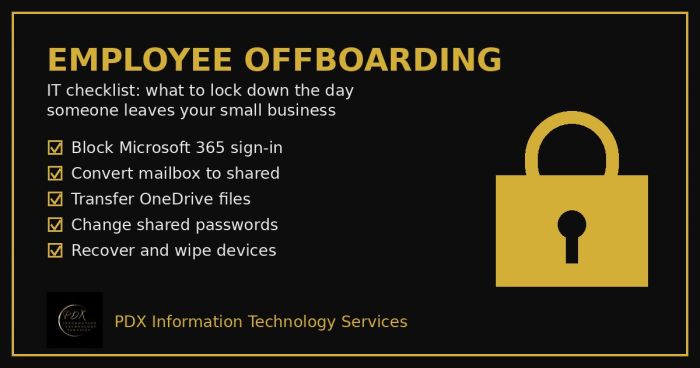
Portland employee offboarding IT checklist: lock Microsoft 365, save the mailbox and OneDrive files, change shared passwords and wipe company devices.

Holiday phishing scams are hitting Portland small businesses: fake shipping notices, gift card requests from the boss and delivery texts. How to stop them.
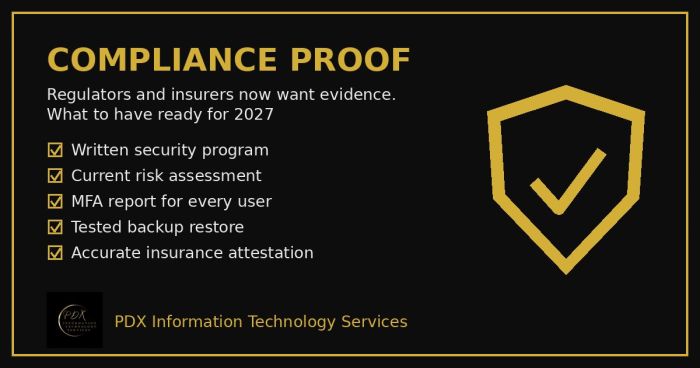
Cybersecurity compliance proof: HIPAA, CMMC, the FTC and cyber insurers now want documented evidence, not promises. See the checklist for 2027.