
AI for CPAs and Financial Advisors: Stay Productive Without Breaking FTC Safeguards (2026)
Last updated:
It is March in a Lake Oswego or Beaverton accounting office. A staff accountant is buried in K-1s and organizer packets. She opens a free ChatGPT tab, pastes a client’s W-2 summary and a messy email thread about estimated payments, and asks for a cleaner client update. Ten seconds later she has a polished draft. She sends it. Nobody meant to do anything wrong.
That is what AI for CPAs looks like in most Portland metro firms today: not a robot preparing returns, but everyday drafting and summarizing tools quietly touching Social Security numbers, income figures, investment holdings, and wire instructions in accounts the firm does not own and cannot audit.
For CPA practices, bookkeeping shops, enrolled agents, and RIAs / financial advisors across Portland, Lake Oswego, Beaverton, Hillsboro, Tualatin, and Vancouver WA, generative AI can cut hours off drafts and admin work. It also sits on top of duties you already have under client confidentiality, the FTC Safeguards Rule (GLBA), IRS expectations for tax professionals, and, for many advisors, SEC or state securities rules.
This is the accounting and advisory entry in our AI series. For tools and policy, see AI productivity tools and policies, AI cybersecurity, Microsoft 365 Copilot security, our AI acceptable use policy guide, and shadow AI in small business. This article stays on FTC Safeguards, tax client data, and money movement.
What useful AI looks like for CPA and advisory shops
For a firm with roughly 3 to 40 people, useful AI usually falls into a handful of categories:
- First drafts of client emails, engagement letter sections, status updates, meeting follow-ups, and internal checklists
- Summaries of long organizer packets, document requests, prior-year notes, and email threads you are allowed to process
- Rewriting dense tax or investment explanations into plain language for clients
- Admin and marketing help: job postings, website FAQs, newsletter outlines, and training agendas
- Process help: turning a messy procedure into a step list, or building a review checklist for a staff member
What it should not mean: letting a chatbot prepare or file a return, give investment advice, invent IRS citations, or send anything to a client, bank, custodian, or the IRS without a licensed professional reading it first.
The rule of thumb we give every firm is simple. AI drafts. Professionals decide. The CPA, EA, or advisor still owns the advice, the numbers, the filing, and the signature.
Healthcare practices face a parallel problem under HIPAA (briefly: AI and HIPAA for Portland healthcare). For accounting and advisory shops, the frame is usually FTC Safeguards plus professional confidentiality, not HIPAA.
Why FTC Safeguards and client data change the rules
A generic small business can treat personal ChatGPT as a productivity experiment. A CPA firm or RIA generally cannot, because customer information is regulated and extremely attractive to thieves.
FTC Safeguards Rule in plain English
Under the Gramm-Leach-Bliley Act, the FTC’s Standards for Safeguarding Customer Information (the Safeguards Rule) applies to many non-bank “financial institutions,” including tax preparation firms. The FTC and IRS both emphasize that tax return preparers need a written information security program (often called a WISP) with administrative, technical, and physical safeguards for customer information.
This post is not your compliance manual. Talk to counsel for firm-specific obligations. For AI planning, the direction of travel is clear:
- A written information security program, not undocumented habits
- Access controls, MFA, encryption, secure disposal, staff training, vendor oversight, and incident response scaled to your firm
- Responsibility for service providers that handle customer information, including AI vendors when client data goes into them
- Possible notification duties for certain security events involving customer information (see current FTC guidance)
If staff can paste a client’s tax organizer into a free chatbot, that decision belongs in your WISP and vendor oversight process.
Advisors, RIAs, and tax season
Registered investment advisors and many state-registered advisors already live under fiduciary, privacy, books-and-records, and vendor diligence expectations. Generative AI does not create an exemption. If an associate pastes holdings, estate notes, or wire instructions into a consumer AI account, the firm still answers for confidentiality and supervision.
From January through April (and often into October for extensions), Portland metro firms handle bulk SSNs, bank details, and prior-year returns. Temporary staff and late organizers raise the odds someone will “just paste it into ChatGPT.” Peak season is when never-paste rules and an approved tool path must already exist.
Consumer ChatGPT vs business AI and Copilot under a work account
Not all AI accounts handle data the same way.
Personal / free consumer accounts sit under consumer terms. Conversations may be retained and, depending on settings, used to improve the service. The account belongs to the person, not the firm. When they leave, so does the chat history of your clients’ data.
Business and enterprise plans typically offer stronger commitments: no training on your business data (verify current terms), admin controls, and clearer retention. Microsoft 365 Copilot Chat with a work sign-in keeps prompts and responses under your Microsoft business agreement with enterprise data protection. That beats a personal phone app, but it is not a free pass to dump every client file into chat.
In practice: approve one or two tools under firm-owned business accounts, file the data-use terms, discourage personal accounts for firm work, and put the path in your AI acceptable use policy. Blocking ChatGPT with no alternative usually pushes use onto personal phones. Give a sanctioned option first, then restrict the risky ones (same playbook as our shadow AI guide).
The never-paste list for tax and client financial data
Even in approved tools, some information should stay out unless the firm has made a deliberate, documented decision (and, where needed, gotten client consent or confirmed vendor terms cover that use). A practical starting list for CPA and advisory shops:
- Social Security numbers, ITINs, and employer identification numbers
- Full tax returns, W-2s, 1099s, K-1s, and organizer packets with identifying details
- Bank, brokerage, crypto, and credit card account numbers
- Client names combined with income, net worth, holdings, or tax positions
- Wire instructions, ACH details, and routing information
- Trust, estate, divorce, or business sale details that identify the parties
- Login credentials, MFA codes, and portal access links
- Anything covered by a protective order, NDA, or engagement-letter confidentiality clause that you have not cleared for AI processing
A useful habit is anonymizing before prompting: “Client A, an S-corp in Washington County with two owners” instead of real names, SSNs, and dollar amounts. It is not perfect, but it removes the most dangerous part of most prompts.
If the task truly needs the real numbers, keep it inside systems you already trust for client work (your tax software, document portal, Microsoft 365 with proper permissions) and have a human finish the product. Do not treat a public chatbot as a second tax engine.
Copilot and SharePoint: the oversharing risk for client files
Many Portland-area firms already run on Microsoft 365. Copilot works inside Outlook, Word, Teams, Excel, and SharePoint. Microsoft states that Copilot respects existing user permissions and that Microsoft 365 Copilot prompts and responses are not used to train its foundation models. That helps. It also means Copilot will summarize anything a user can already open.
If SharePoint is set so “everyone in the firm” can see every client folder, Copilot can surface one client’s details to someone who should never have been on that engagement. Temporary tax staff make this easy to get wrong.
Before a Copilot rollout: audit SharePoint, OneDrive, and Teams for “Everyone” and “Anyone with the link” sharing; organize by client or engagement; apply sensitivity labels and DLP for SSNs and account numbers where licensing allows; pilot with a small group; review licensing. The full checklist is in our Microsoft 365 Copilot security post. Skip the cleanup and Copilot becomes a polite search engine for every overshared client file.
AI-powered phishing, BEC, and wire fraud aimed at accounting firms
Accounting and advisory firms are prime targets because they move money, hold tax IDs, and communicate constantly with clients they may never meet in person. AI makes the scams more convincing.
Business email compromise and fake payment updates
BEC against CPA firms often looks like a client or payroll provider “updating” ACH or wire instructions, or a partner asking staff to push a same-day payment. AI writing tools have removed the bad grammar that used to give these emails away.
Controls that work: call-back verification for any payment-instruction change (phone number already on file, never from the email); dual control for wires and large ACH; INKY email security layered on Microsoft 365 for impersonation and lookalike domains; MFA on every mailbox.
Voice cloning and tax-season phishing
Voice cloning means a “partner” or “client” can call and sound right. Treat urgent payment requests the same way regardless of channel: verify on a second known path. A short internal code word for payment approvals is a cheap control.
Phishing that mimics IRS notices, state portals, and payroll systems spikes in tax season. Train staff on accounting-specific examples, and use email security that checks links at click time. See our AI cybersecurity guide for more attack patterns.
Vendor and AI tool diligence checklist
Before you put client work into any AI product (general chatbot, tax “assistant,” bookkeeping AI, meeting notetaker, or CRM feature), ask and document:
- Is our client data used to train your models? Can we get a written commitment that it is not?
- Where is data stored, how long is it retained, and how is it deleted when we leave?
- Who at the vendor can access our data, and is access logged?
- Do you support single sign-on and multi-factor authentication through our Microsoft 365 accounts?
- Do you have an independent security assessment such as a SOC 2 report?
- How do you handle subprocessors, and will you sign terms that fit our Safeguards / vendor oversight needs?
- What happens to our data if you are acquired or shut down?
- Can we control which users and client matters the tool can see?
Keep the answers with your vendor records and WISP. If a client, insurer, or regulator asks how you protected customer information in an AI tool, documented diligence beats “it seemed fine.”
A 30-day practical plan for a small CPA or advisory firm
Here is a starting plan for a firm with roughly 3 to 40 people.
Week 1: Find out what is already happening
- Ask staff, without blame, which AI tools they already use (including on phones) and for what
- Review browser extensions on firm devices and third-party app consents in Microsoft Entra ID
- List where client data lives: tax software, document portals, SharePoint, email, local drives, and advisory platforms
Week 2: Decide the rules
- Pick approved tools under firm-owned business accounts
- Write a short AI acceptable use policy covering the never-paste list, human review, client communication, and who to ask
- Align the policy with your WISP and engagement-letter language (with your compliance advisor)
Week 3: Put IT guardrails in place
- Enforce multi-factor authentication everywhere
- Clean up SharePoint and OneDrive sharing; set client- or engagement-based access
- Deploy email security (INKY) and payment verification procedures
- Manage devices so firm data stays in firm-managed apps where practical
Week 4: Train and pilot
- Run a short training with real examples: a fake “updated wire” email, a bad AI tax summary, and a never-paste drill
- Pilot approved AI tools with a small group (partners plus one or two staff)
- Schedule a review in 90 days to adjust the policy and tool list before the next busy season
How PDX IT helps Portland-area CPA and advisory firms
PDX Information Technology Services supports Portland metro accounting firms, bookkeepers, and financial advisors that need tight security without a full-time IT department. For firms adopting AI, that typically includes Microsoft 365 security reviews and permission cleanup before Copilot; email security with INKY, MFA, and security awareness training; help aligning technical controls with a written information security program (we implement the IT pieces; your counsel owns legal compliance); device management; backup and recovery; and monthly dark web monitoring on Gold and Platinum. For the full picture, see our page on managed IT for accounting and financial firms.
Learn more about our managed IT services, compliance services, and small business cybersecurity guide. Plans are priced plainly: Gold from $100 per user per month and Platinum from $180 per user per month, with a 90-day opt-out if the fit is not right. On-site support from Hillsboro to Gresham to Wilsonville and Vancouver WA comes with no trip fee. Comparing providers? See what to look for in managed IT services in Portland.
Talk through AI at your firm
If your CPA practice or advisory shop is trying to figure out where AI fits, or you suspect staff are already pasting client data into personal chatbots, we are happy to talk it through. No pressure and no long pitch, just a practical conversation about your setup.
- Contact Us to set up a time to talk
- Email sales@pdxittech.com
- Call 971-331-4871
FAQ: AI for CPAs and financial advisors
Can CPAs use ChatGPT for client work?
CPAs and staff can use generative AI for drafting and summarizing, but client confidentiality and the FTC Safeguards Rule still apply. In practice, that means firm-approved business accounts, a clear never-paste list for tax and financial identifiers, human review of every client-facing output, and vendor oversight that fits your written information security program. This is not legal advice; confirm details with your compliance advisor.
Does the FTC Safeguards Rule apply to tax preparation firms?
Yes. The FTC Safeguards Rule under GLBA covers many non-bank financial institutions, including tax preparation firms. Covered firms need a written information security program with safeguards for customer information, plus vendor oversight when service providers handle that data. Check current FTC guidance and talk to counsel for how the Rule applies to your specific practice.
Is Microsoft 365 Copilot safe for accounting firms?
Copilot can be a reasonable choice because it works inside your Microsoft 365 tenant and respects existing permissions. The risk is that it respects whatever permissions you have today, including overly broad client-folder access. Clean up SharePoint, OneDrive, and Teams permissions, organize by client or engagement, and pilot with a small group before a firm-wide rollout.
What should never be pasted into an AI chatbot?
As a starting point: SSNs and EINs, full tax returns and organizer packets, bank and brokerage numbers, wire instructions, login credentials, and client names paired with income or holdings. Prefer anonymized prompts for writing help, and keep real client numbers inside systems you already trust for tax and advisory work.
How do we stop staff from using personal ChatGPT during tax season?
Provide an approved business AI option first, write a short acceptable use policy, train before peak season, and use device and Microsoft 365 controls so firm data is harder to copy into unmanaged apps. Blocking without an alternative usually pushes use onto personal phones, which is worse.
What is the biggest AI-related risk for a small CPA firm?
For most small firms, the two biggest risks are customer tax and financial data going into unapproved AI accounts, and AI-assisted email or voice fraud that tricks staff into changing payment instructions. Both are addressed with firm-owned AI accounts, MFA, strong email security (we use INKY), call-back verification, and dual control for money movement.
Do financial advisors have different AI rules than CPAs?
Advisors often face overlapping confidentiality and cybersecurity expectations under SEC or state rules, plus firm policies on books and records and vendor diligence. The practical IT controls are similar: approved tools, never-paste lists for client holdings and wire details, permission cleanup before Copilot, and documented vendor review. Your compliance program should say how AI fits; IT makes the controls real.
How long does it take to get AI under control before busy season?
Most small firms can make real progress in about 30 days: discovery, policy and approved tools, technical guardrails, then training and a pilot. Start before January if you can. A 90-day review keeps the policy from drifting when new AI features appear in software you already own.
This article is general information about IT and security practices. It is not legal or compliance advice. For FTC Safeguards, IRS, SEC, or state securities questions, consult your attorney or compliance advisor.
Request an IT assessment
Tell us a little about your business and a PDX IT team member will follow up to schedule an assessment. Prefer to talk? Call 971-331-4871.

About the author: Steve Shaff
Steve Shaff is the owner of PDX Information Technology Services, a managed IT provider he founded in 2020. From the Tualatin office he helps businesses across Portland Metro & Southwest Washington with IT support, cybersecurity and compliance. More about Steve · Contact PDX IT
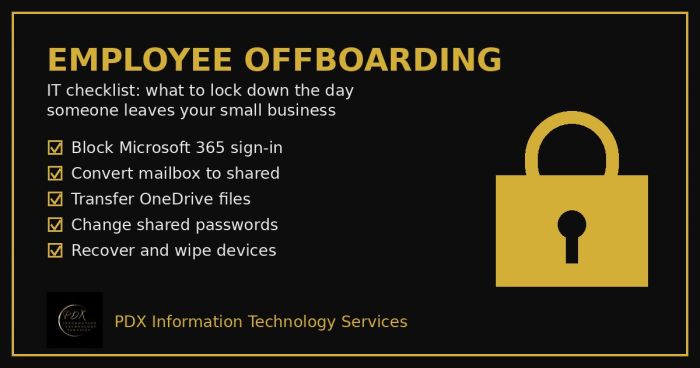
Portland employee offboarding IT checklist: lock Microsoft 365, save the mailbox and OneDrive files, change shared passwords and wipe company devices.

Holiday phishing scams are hitting Portland small businesses: fake shipping notices, gift card requests from the boss and delivery texts. How to stop them.
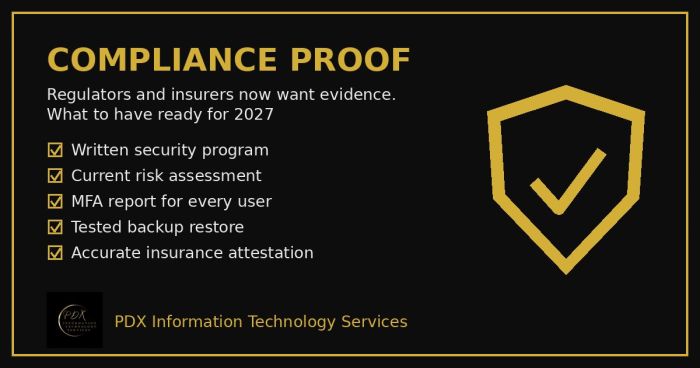
Cybersecurity compliance proof: HIPAA, CMMC, the FTC and cyber insurers now want documented evidence, not promises. See the checklist for 2027.