
AI Acceptable Use Policy for Small Business: A Practical Template for 2026
Last updated:
Your team is already using AI. The question is whether they are doing it inside a clear AI acceptable use policy — or inventing their own rules on personal ChatGPT accounts at 6:15 p.m.
For companies under about 50 employees in Portland, Lake Oswego, Beaverton, Hillsboro, and Vancouver WA, that gap is the real 2026 problem. Productivity posts tell you which tools to try. Cybersecurity posts warn about phishing and data leaks. Copilot guides harden the Microsoft 365 tenant. Healthcare posts dig into HIPAA. This article is different: it is the AI usage policy small business owners can hand to staff — what is approved, what is banned, what never gets pasted, how shadow AI gets handled, and how humans stay in the loop.
If you already use a Portland managed IT partner, treat this as the policy layer that sits on top of tools and technical controls. Pair it with our AI productivity tools and policies guide for tool choices, our AI cybersecurity for small business playbook for threats, and our Microsoft 365 Copilot security post for tenant hardening. Clinics needing ePHI and BAA detail should use the dedicated AI and HIPAA for Portland healthcare guide — this post stays industry-agnostic with brief stricter-rule nods.
Why small businesses need a written AI policy in 2026
Verbal "be careful with ChatGPT" is not a policy. Staff interpret it differently. One person uses Copilot only for meeting notes. Another pastes a customer contract into a free chatbot. A third signs up for a personal AI coding assistant with the company credit card and never tells IT.
A written AI policy for employees does three practical jobs:
- Removes guesswork. People know which tools and account types are allowed before they invent a workaround.
- Protects customers and the company. Confidential data, credentials, and regulated information stay out of tools you do not control.
- Supports enforcement and training. When something goes wrong, you can point to a rule people acknowledged — not a Slack message from last spring.
You do not need a 20-page legal treatise. You need one page people will read, plus a short approval path for new tools. That is an AI acceptable use policy done right for an SMB.
What an AI acceptable use policy should cover
Borrow the structure of your existing IT acceptable-use policy, then specialize it for generative AI and copilots:
- Purpose — why the company allows AI and what "acceptable" means
- Scope — employees, contractors, temps, interns; work devices and personal devices used for work
- Approved tools — named products, account type (company SSO vs personal), and allowed data classes
- Prohibited tools / uses — consumer accounts for company data, unapproved browser extensions, using AI to bypass security
- Never-paste list — concrete examples, not vague "sensitive data"
- Human review rules — when AI output must be checked before it leaves the building
- Shadow AI — how unapproved tools are handled
- Request process — who approves a new AI tool and what diligence is required
- Consequences — tied to existing HR / IT sanctions, not a separate drama document
- Review cadence — quarterly is realistic for SMBs; tools change fast
If your company already has a general computer-use policy, add an AI addendum rather than rewriting everything. Keep the AI page short enough to print.
Approve, restrict, or ban: a simple three-bucket model
Most SMB AI risk collapses when you invent a dozen categories. Use three buckets and put every tool in one of them.
Bucket A — Approved (company-controlled)
Examples many Portland metro SMBs use:
- Microsoft 365 Copilot or Copilot Chat under your tenant (after permissions hygiene — see our Copilot security guide)
- Company-paid ChatGPT Enterprise / Team, Claude Team, or Gemini for Workspace with admin controls and a clear data-use stance
- AI features built into apps you already license (Microsoft 365, Google Workspace, Adobe, CRM) when the admin has reviewed settings
Rules for Bucket A: company SSO preferred, MFA required, no pasting of items on the never-paste list into any tool that is not explicitly cleared for that data class.
Bucket B — Restricted (non-sensitive only)
Personal or free-tier tools may be allowed only for public or non-confidential work: brainstorming a blog outline with no client names, rewriting a generic job description template, learning a public concept.
Rules for Bucket B: no customer data, no internal financials, no credentials, no unpublished strategy. When in doubt, it is Bucket A or banned.
Bucket C — Banned for company work
Typical bans for SMBs:
- Pasting company or customer data into consumer AI accounts with no admin control
- Browser extensions that scrape email or documents into unknown AI backends
- AI tools that require disabling MFA, sharing admin passwords, or uploading full mailboxes
- Using AI to generate phishing, deepfakes, or anything that violates law or company ethics policies
- "Shadow" paid tools on personal cards that process company files without review
Publish the buckets with tool names, not vibes. "AI is fine if you are careful" is not enforceable. "Use company Copilot for internal drafts; do not paste customer contracts into free ChatGPT" is.
The never-paste list (print this)
Make this list memorable. Train on it. Put it on the one-pager.
Never paste into an unapproved AI tool:
- Customer or employee personal data (names + contact + financial or health details)
- Passwords, API keys, MFA codes, private keys, VPN configs
- Full contracts, NDAs, M&A materials, or unpublished pricing
- Bank account numbers, wire instructions, tax IDs, payroll registers
- Source code or configs that include secrets or proprietary IP your contracts protect
- Legal strategy, privileged attorney-client content (if applicable)
- Healthcare ePHI or anything that looks like it — clinics: see our AI HIPAA guide
- Internal incident reports, vulnerability details, or security architecture diagrams
- Anything you would not put on a postcard to a stranger
Usually OK in approved tools (with judgment):
- Public marketing copy with no confidential claims
- Generic process questions with placeholders instead of real names
- De-identified examples where identifiers are truly removed (and you understand re-identification risk)
- Meeting notes that contain no secrets — still prefer company Copilot / approved workspace AI
When someone asks "can I just remove the names?" — often the answer is still no for Bucket B tools. Dates, deal sizes, rare project details, and combinations still identify people and companies. Prefer approved tools or redacted templates.
Shadow AI policy: assume it exists, then replace it
Shadow AI means staff using AI tools the company did not approve — usually because the approved path is slow, expensive, blocked without an alternative, or never explained. In a 15-person firm it is rarely malice. It is a salesperson finishing a proposal on a phone, or a bookkeeper asking a free chatbot to "fix this QuickBooks export."
A workable shadow AI policy:
- Inventory first. Anonymous survey plus manager check-ins. Ask what people already use and why.
- Offer an approved path. Blocking ChatGPT with no company alternative drives traffic to personal phones.
- Classify and publish. Approved / restricted / banned with names.
- Amnesty window. Give people two weeks to disclose existing tools without punishment if they stop or migrate.
- Then enforce. After the window, unapproved use of company data in banned tools is a policy violation — same seriousness as emailing a customer list to a personal Gmail.
- Revisit quarterly. New features appear inside apps you already pay for; the list will drift.
Technical controls help — conditional access, extension management, DLP where licensed — but they do not replace the written rule. For the broader security baseline that sits under AI policy, see cybersecurity for small businesses (2026).
Human review rules that prevent expensive mistakes
AI drafts confidently. That is a feature for brainstorming and a liability for anything customer-facing or money-moving. Your AI usage policy small business should require human review before AI output becomes:
- External email, proposals, contracts, or public posts
- Invoices, payment instructions, or banking changes
- Legal, HR, or compliance decisions
- Code or scripts that touch production systems
- Anything that could look like professional advice in regulated industries
A simple rule staff remember: AI can draft; a human owns the send button.
For Microsoft 365 Copilot specifically, remember Copilot generally respects existing permissions. Messy SharePoint sharing plus Copilot is not "AI inventing access" — it is years of oversharing made searchable by chat. Fix permissions before you scale seats. Details: Microsoft 365 Copilot security for small business.
Email remains a top attack path even when your productivity suite has AI helpers. On Platinum managed plans, PDX IT includes phishing filtering with INKY for impersonation-aware protection. Pair that with a habit: unusual payment or vendor-change requests get a callback on a known number — AI-polished phishing is now the norm, not the exception.
How to roll out an AI policy without a mutiny
Week 1 — Decide and draft
- Name an owner (ops / HR + IT or MSP)
- List AI tools already in use
- Draft the one-page policy using the template below
- Decide Bucket A / B / C for each known tool
Week 2 — Socialize
- Walk managers through the draft (15 minutes)
- Adjust for real workflows (sales, accounting, project managers)
- Confirm who approves new tool requests (one named role, not "anyone with a credit card")
Week 3 — Train and acknowledge
- 20–30 minute all-hands: never-paste list, approved tools, three bad examples, one good example
- Collect written or LMS acknowledgment
- Include contractors and temps — they often get the least training and the most "just finish this" access
Week 4 — Enable and enforce
- Turn on approved tools with SSO/MFA
- Communicate the amnesty end date for shadow AI
- Add quarterly review to the calendar
- Spot-check: are people using company accounts, or still personal ones?
Training sticks when it uses your industry's examples — a construction change-order email, a law-firm client memo outline, a clinic denial letter (without real ePHI). Abstract slides about "responsible AI" do not change behavior at 6 p.m.
Sample one-page AI acceptable use policy structure
Copy this outline into a Word doc or intranet page. Fill in your tool names. Keep it to one printed page.
[Company Name] — AI Acceptable Use Policy (One Page)
- Purpose. We allow AI tools to improve drafting, research, and routine work while protecting customer data, company secrets, and trust.
- Scope. Applies to all employees, contractors, and temporary staff using AI for company work on any device.
- Approved tools (Bucket A). [List: e.g., Microsoft 365 Copilot under company tenant; ChatGPT Team company workspace]. Use company SSO. MFA required.
- Restricted (Bucket B). Personal/free AI tools may be used only for public or non-confidential content. No customer or internal confidential data.
- Banned (Bucket C). [List examples]. No company data in consumer AI accounts. No AI tools that require sharing passwords or disabling security controls.
- Never paste. Customer PII, credentials, contracts, wire details, payroll, privileged legal content, ePHI, security-sensitive internals — see attached never-paste list.
- Human review. A qualified person reviews AI output before external send, payment changes, legal/HR decisions, or production changes. AI drafts; humans own the outcome.
- Shadow AI. Unapproved tools processing company data are prohibited after [amnesty date]. Disclose existing tools to [owner] during the amnesty window.
- New tool requests. Submit to [role]. Required: business purpose, data types, admin/SSO options, vendor data-use stance, security review with IT/MSP.
- Consequences. Violations follow existing IT / HR acceptable-use and confidentiality policies.
- Review. This policy is reviewed at least quarterly or when major tools change.
- Acknowledgment. I have read and will follow this AI acceptable use policy. Signature / date / LMS checkbox.
Laminate the never-paste bullets if that is what it takes. Short policies get followed; long ones get ignored.
Stricter rules for some industries (brief)
This template is industry-agnostic. Some verticals need tighter buckets without changing the structure:
- Healthcare / clinics — treat ePHI as never-paste into unapproved AI; BAAs before PHI goes in; see AI and HIPAA for Portland healthcare practices.
- Legal / professional services — privilege, client confidentiality, and engagement letters may bar consumer AI entirely for matter work.
- Construction / field services — job costs, bid strategy, and owner data often belong only in Bucket A; phone-based shadow AI is common on jobsites — address it explicitly.
- Finance / wealth — customer financials and wire processes need human verification habits on top of the AI policy.
If you are unsure which bucket a workflow belongs in, default to more restrictive until IT and ownership decide. For how to evaluate a managed partner who will help you keep policy and controls aligned, see our buyer's guide to managed IT services in Portland.
Soft next step
If you want help drafting an AI acceptable use policy, inventorying shadow AI, choosing approved tools, tightening Microsoft 365 before Copilot, or hardening email with INKY, PDX Information Technology Services can help. We serve Portland, Lake Oswego, Beaverton, Hillsboro, Vancouver WA, and Clackamas with managed IT in Portland for SMBs under ~50 employees — on-site from Hillsboro to Gresham to Wilsonville to Vancouver WA, including Portland, Beaverton and Clackamas, with no trip fee.
Plans are published plainly — Gold from $100/user, Platinum from $180/user (Platinum adds SOC/MDR, cloud protection, phishing filtering with INKY, training, and dark web monitoring). We also offer a 90-day opt-out if the fit is wrong with no penalties. Local cost context: Managed IT Services Cost Portland (2026).
- Book: pdxittech.com/contact
- Email: sales@pdxittech.com
- Call: 971-331-4871
FAQ
What is an AI acceptable use policy?
An AI acceptable use policy is a short written rulebook for how employees may use generative AI and copilots at work: approved tools, banned uses, never-paste data, human review, and how to request new tools.
How is an AI usage policy different from a normal IT AUP?
It is a specialized addendum. A general IT AUP covers email, internet, and devices. An AI usage policy small business teams need calls out chatbots, copilots, browser AI extensions, shadow AI, and the unique risk of pasting confidential text into third-party models.
Do we really need an AI policy for employees if we are under 50 people?
Yes. Smaller companies often adopt AI faster and with less process. A one-page AI policy for employees prevents well-meaning people from putting customer data into free tools — and gives you something to train on.
What should a shadow AI policy say?
Acknowledge that unapproved tools exist, offer an amnesty + approved alternative, then prohibit company data in banned tools after a clear date. Blocking everything with no alternative usually increases shadow AI on personal phones.
Can staff use personal ChatGPT for work?
Only if your policy puts personal accounts in Restricted (non-confidential only) or Banned. Many SMBs allow personal AI for public brainstorming and ban it for anything with customer or internal confidential data. Company-controlled accounts are safer for real work.
What belongs on the never-paste list?
Credentials, customer PII, contracts, wire/bank details, payroll, privileged legal content, ePHI, and security-sensitive internals. If you would not put it on a postcard, keep it out of unapproved AI.
Does Microsoft 365 Copilot need special policy language?
Yes — note that Copilot uses data the user can already access, so overshared SharePoint/Teams content becomes an AI risk. Require permission hygiene and human review of external outputs. See our Copilot security post.
How does INKY relate to an AI acceptable use policy?
The policy governs how your team uses AI. INKY is the impersonation-aware email security layer on our Platinum plans that helps catch AI-polished phishing aimed at those same people. Policy and inbox defenses work together.
Who should approve new AI tools?
One named role (owner, ops lead, or IT/MSP) with a short diligence checklist: business purpose, data types, SSO/admin options, vendor data-use stance, and security review. Do not let tool sprawl follow whoever found a discount code.
Can a Portland managed IT provider help write and enforce this?
Yes. An MSP can help draft the one-pager, inventory shadow AI, configure Microsoft 365 and approved tools, train staff with real scenarios, and keep the policy from drifting — continuous managed services rather than a one-time PDF.
Law firm? See managed IT for law firms in Portland. Construction company? See managed IT for construction companies in Portland.
PDX Information Technology Services — Tualatin office; serving the Portland metro, Lake Oswego and Vancouver WA.
Rolling out an AI policy is easier with a plan behind it. Our IT consulting in Portland covers AI readiness, permissions cleanup and staff training, and our guide to AI meeting notetakers covers one of the most common tools staff ask about.
Request an IT assessment
Tell us a little about your business and a PDX IT team member will follow up to schedule an assessment. Prefer to talk? Call 971-331-4871.

About the author: Steve Shaff
Steve Shaff is the owner of PDX Information Technology Services, a managed IT provider he founded in 2020. From the Tualatin office he helps businesses across Portland Metro & Southwest Washington with IT support, cybersecurity and compliance. More about Steve · Contact PDX IT
Most stolen passwords never get cracked. They get reused. Credential stuffing is how criminals turn an old breach at some unrelated website into a login to your company email. Here is how it works and how Portland-area small businesses can shut it down.
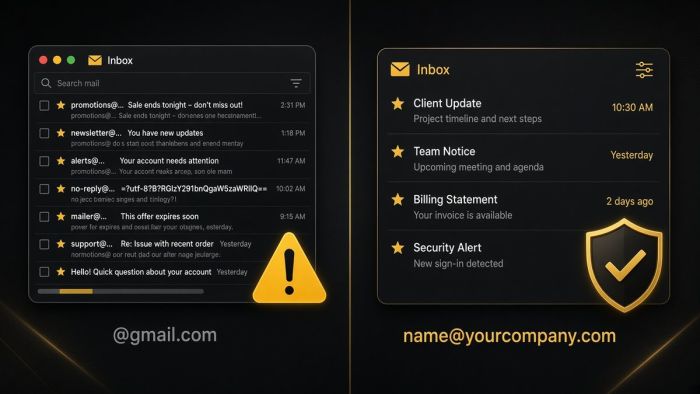
If your business email ends in @gmail.com, you are taking on risks you may not see until something goes wrong. Here is what they are, and how Portland-area businesses move to professional email on their own domain.
AI meeting notetakers can give every small business a perfect memory of its calls. They also record, transcribe, and store conversations that may include client details, HR issues, and passwords. Here is how Portland metro businesses can get the time savings without the privacy mess.