
AI Cybersecurity for Small Business: Phishing, Deepfakes, ChatGPT Leaks & What to Do
Last updated:
Artificial intelligence did not invent cybercrime. It made the old plays cheaper, faster, and harder to spot. For owners of companies under about 50 employees in Portland, Lake Oswego, Beaverton, Hillsboro, or Vancouver WA, AI cybersecurity for small business is not a futuristic research topic. It is whether your bookkeeper trusts a polished invoice email, whether someone pastes a customer export into ChatGPT, and whether a “urgent” call or message can move money without a second check.
This post covers the broader AI threat surface: AI phishing, business email compromise (BEC), public LLM data leakage, shadow AI, malicious “AI helper” tools, and deepfake-assisted social engineering – without turning into a clone of our existing voice-on-the-phone deepfake guide. Where voice cloning matters, we point to process controls and link out; here the focus is the full stack of AI-era risk and a defense checklist you can actually run.
What changed: attackers got a productivity suite too
Security researchers and vendors tracking inbox threats report that AI is now commonly used inside phishing campaigns – polishing language, personalizing lures, and generating convincing landing pages. KnowBe4’s phishing threat reporting for 2026 has described the large majority of observed campaigns as using AI in some form. Separate industry monitoring (including Hoxhunt’s holiday 2025-2026 analysis) has documented sharp spikes in AI-generated phishing volume as the tools became easy for criminals to use.
You do not need the exact percentage to manage risk. You need to assume:
- Grammar and spelling are no longer reliable red flags
- The email may reference real vendors, real projects, or real org charts scraped from your website and LinkedIn
- The attack may bounce between email, SMS, Teams/Slack, and phone
- The goal is still usually credentials, mailbox access, or a payment change
That is the core of AI cybersecurity for small business: identity, email, process, backups, and training – upgraded for a world where “it sounded professional” proves nothing.
Threat 1: AI-enhanced phishing (inbox and beyond)
What it looks like
Classic phishing asked you to “verify your password” from a clumsy domain. AI phishing still does that – and also:
- Executive or vendor impersonation with matching tone
- Fake invoice PDFs that look identical to your real template
- Callback phishing (“call this number to resolve your account”) that routes you to a criminal
- QR-code lures on printed flyers or PDF attachments
- Threads that continue convincingly after the first reply
Why SMBs get hit
Small teams share inboxes, approve payments quickly, and often lack a dedicated security analyst. Attackers know a 15-person firm will sometimes prioritize speed over verification.
Defenses that work
- Advanced email security that flags impersonation and display-name spoofing (on our Platinum managed plans we use INKY for this layer – not just generic spam filtering)
- MFA on email and admin accounts (prefer authenticator apps or phishing-resistant options over SMS when feasible)
- Banner warnings on external email
- Short, recurring awareness training with current examples – not an annual slide deck
- A habit: hover links, verify domains, and treat unexpected attachments as hostile until proven otherwise
For the wider control baseline, see our cybersecurity for small businesses (2026) guide.
Threat 2: Business email compromise (BEC), now AI-assisted
BEC remains one of the most expensive categories of cybercrime for businesses of every size because it often needs no malware – only trust and a payment workflow gap.
Common BEC patterns in 2026
- CEO / owner fraud: “I’m in meetings – send this wire today.”
- Vendor bank-change fraud: A real supplier’s name, new routing numbers, urgency about “updated ACH details.”
- Attorney / escrow impersonation: Especially painful for professional services and real estate-adjacent firms.
- Mailbox rule abuse: After a password spray or phish, attackers hide folders and monitor threads to time the ask.
- Multi-channel follow-up: Email starts it; SMS or a voice message “confirms” it.
AI helps criminals draft the lure and sometimes generate the supporting documents. The kill shot is still a human approving money or credentials without an out-of-band check.
Non-negotiable process controls
- Dual approval for wires and new payees above a set dollar amount
- Callback on a known phone number (not the number in the email) before changing bank details
- A shared phrase or code for truly urgent executive requests
- Cooling-off period for new vendor banking information
- Disable legacy email protocols you do not need; monitor forwarding rules
If you only implement one policy this quarter, make it verify before you pay.
Threat 3: Deepfake and synthetic media (keep it process-first)
Deepfake audio and video are real enough that finance and help-desk teams must treat “I recognize the voice” as insufficient for high-risk actions. We cover voice cloning in depth in The Voice on the Phone Isn't Who You Think It Is and the broader synthetic-media overview in Deepfakes, Synthetic Media & Human-Centered Threats.
For this checklist-focused post, the SMB takeaway is simple:
- Do not authorize money, credentials, or MFA resets based on a call or video alone
- Use callback-to-known-number and dual control
- Limit public audio/video that makes cloning trivial when you can (or at least train staff that public clips exist)
- Include deepfake scenarios in security awareness – not only “spot the bad URL”
Detection software for fake voices is improving but is not a substitute for process. Process does not need to win an arms race; it needs to make a convincing voice insufficient.
Threat 4: ChatGPT data leaks and public LLM misuse
ChatGPT data leak business risk is usually not a Hollywood breach. It is an employee pasting:
- A customer list “to write a segmented email”
- Meeting notes with deal terms
- Source code or firewall configs with secrets
- HR documents
- ePHI or other regulated data into a consumer chatbot
Depending on the product tier and settings, that content may be retained, used to improve models, visible to the vendor under their terms, or exposed if the employee’s personal account is compromised. Even when a vendor offers opt-outs, the business often has no contract, no admin logs, and no deletion workflow for personal accounts.
Practical controls
- Approve business AI tools (Microsoft 365 Copilot, Google Workspace AI, ChatGPT Team/Enterprise, etc.) and ban personal accounts for company data
- Publish a never-paste list (credentials, PII, health data, payroll, privileged legal content, full customer exports)
- Use data loss prevention (DLP) and sensitivity labels where your tenant supports them
- Train with concrete examples – people remember stories better than policy PDFs
- Make reporting accidental pastes easy and non-punitive
Healthcare and other regulated firms in the Portland metro should assume public LLMs are out of bounds for regulated data. Pair this with HIPAA-focused IT guidance and compliance services.
For the productivity side of approved AI use, see the companion post: AI for small business – tools and policies.
Threat 5: Shadow AI and malicious AI tools
Shadow AI is unauthorized use of AI apps and extensions. Malicious AI tools go further: fake “AI productivity” sites, browser extensions, and OAuth apps that request access to Google or Microsoft mail and Drive.
How the scam usually works
- Ads or LinkedIn posts for a free AI resume writer / email writer / meeting notetaker
- “Sign in with Microsoft” or “Sign in with Google”
- Over-broad permissions granted
- Quiet exfiltration of mail, files, or contacts
- Or a binary that is plain malware wrapped in AI branding
Defenses
- Application allowlisting / extension control where practical
- Block third-party OAuth apps except an approved list
- Conditional Access and MFA on Microsoft 365 / Google Workspace
- Endpoint detection and response (EDR) on every workstation
- Teach staff: new AI tool = IT review before login
This is classic vendor and identity risk with a trendy label. Treat unknown AI apps like unknown remote-access tools.
Threat 6: AI used against your help desk and identity desk
Attackers increasingly social-engineer password resets, MFA resets, and mailbox access by impersonating employees – sometimes with AI-written scripts or voice. Small businesses without a formal help desk still face this when “IT” is one person or an outsourced ticket queue.
Harden identity recovery
- Require more than caller-ID or a “known voice” for resets
- Use manager approval or a second factor the attacker cannot fake easily
- Log and alert on unusual MFA changes and inbox rules
- Prefer phishing-resistant MFA for admins (security keys / passkeys where feasible)
Defense checklist: AI-era cybersecurity for SMBs
Use this as a working list. Check items off with your internal owner or MSP.
Identity and access
- MFA on email, VPN, banking, payroll, and all admin accounts
- Prefer authenticator apps or FIDO2/passkeys over SMS for privileged users
- Conditional Access / context rules for cloud logins where licensed
- Least privilege on SharePoint, Drive, and finance systems
- Same-day offboarding for users and vendors
Email and collaboration
- Advanced phishing / impersonation protection (e.g., INKY on our Platinum plans)
- External sender warnings
- Monitor automatic forwarding and suspicious inbox rules
- DMARC, DKIM, and SPF correctly configured for your domains
Endpoints and network
- Managed EDR on every PC/Mac that touches business data
- Patching on a schedule, not “when we remember”
- Disk encryption and screen-lock policies
- Restrict local admin rights
Backups and recovery
- Backups for endpoints and Microsoft 365 / Google Workspace as needed
- Immutable or otherwise ransomware-resistant copies
- Restore tests at least periodically – untested backups are fiction
- Documented RTO/RPO that leadership agrees with
People and process
- Written verify-before-you-pay policy
- Dual control for wires and bank-detail changes
- Security awareness that includes AI phishing and deepfake scenarios
- One-page AI acceptable-use policy (approved tools + never-paste list)
- Incident contacts: IT/MSP, bank, legal, cyber insurance
Vendors
- Inventory vendors with access to mail, files, or finance systems
- Require MFA and offboarding for vendor accounts
- Review OAuth / third-party app grants quarterly
- BAAs / DPAs where regulated data is involved
If you want the architectural “why,” our overview of AI-driven security and AI-powered threats pairs with this checklist.
What “good” looks like for a Portland metro SMB
A 20-person firm in Lake Oswego or Beaverton does not need a Fortune 500 SOC on payroll. It needs:
- Someone watching detections (SOC/MDR capability on a managed plan)
- Email filtering that understands impersonation
- Backups that restore
- Policies people can recite
- A local partner who answers the phone when something feels wrong
That is proactive managed cybersecurity – the opposite of break-fix “call us when ransomware hits.” Details and inclusions live on our managed services page; pricing context is in Managed IT Cost Portland (2026).
30-day hardening plan (no theater)
Days 1-7
- Turn on / verify MFA everywhere that matters
- Inventory AI tools in use (ask people; check OAuth grants)
- Freeze new bank-detail changes without callback verification
Days 8-14
- Review email security settings; enable external banners
- Clean obvious oversharing in cloud file stores
- Draft AI acceptable-use + payment verification one-pagers
Days 15-21
- Run a short phishing/deepfake awareness session
- Confirm backup jobs and perform one restore test
- Remove unused admin accounts and stale vendor logins
Days 22-30
- Approve a short list of AI tools for work
- Document who approves wires
- Schedule quarterly review of OAuth apps, MFA coverage, and training
You will not eliminate risk in a month. You will remove the easy wins attackers rely on.
Soft next step
If you want a second set of eyes on AI phishing exposure, Copilot/ChatGPT risk, email security, and backups, PDX Information Technology Services can help. We serve Portland, Lake Oswego, Vancouver WA, Hillsboro, Beaverton, and the wider metro with managed IT and cybersecurity built for SMBs under ~50 employees. Prefer to start in a room with other business owners? Our free Cyber Secure Summit in downtown Portland on October 16, 2026 covers practical email and network security, plus a free dark web scan.
Plans are published plainly – Gold from $100/user, Platinum from $180/user (Platinum adds SOC/MDR, cloud protection, phishing filtering with INKY and training; dark web monitoring is included in both Gold and Platinum). We also offer a 90-day opt-out if the fit is wrong with no penalties.
- Book: pdxittech.com/contact
- Email: sales@pdxittech.com
- Call: 971-331-4871
Classic Phishing Warning Signs Still Apply
AI makes phishing more convincing, but many attacks still share the same tells: urgency or pressure (“pay today”, “your account will be closed”), requests to change payment or banking details, unexpected attachments or shared-file links, sender addresses that are close to but not exactly a real domain, and login pages reached from an email link. Train staff to pause, verify requests through a known phone number or a separate channel, and report suspicious messages instead of just deleting them.
FAQ: AI cybersecurity for small business
What is AI cybersecurity for small business?
It is the practice of defending SMBs against AI-enhanced attacks (phishing, BEC, deepfakes) and against AI-related self-inflicted risk (pasting secrets into public chatbots, shadow AI, malicious AI apps) using identity controls, email security, backups, training, and clear process.
How do I stop AI phishing emails?
Combine layered email filtering (impersonation-aware tools such as INKY), MFA, DMARC, and frequent short training. Assume perfect grammar. Verify unexpected payment or credential requests out-of-band.
Are deepfake scams a real risk for small businesses?
Yes. You do not need to be famous; attackers clone voices from short public clips and target whoever can approve money or resets. Process controls (callback, dual approval) matter more than buying a magic deepfake detector. See our voice scam deep dive for more.
Can ChatGPT leak my business data?
If employees paste confidential content into consumer AI tools, that data can leave your control. Use approved business AI platforms, never-paste rules, and DLP where available. Treat accidental pastes as incidents.
Is MFA enough against AI attacks?
MFA is essential but not sufficient. Session theft, MFA fatigue, BEC (no malware required), and deepfake-driven social engineering all bypass “we turned on MFA” as a complete strategy. Pair MFA with email security, least privilege, payment verification, and monitoring.
What should we tell cyber insurers about AI risk?
Be ready to show MFA coverage, email security, backup testing, awareness training records, and written payment-verification procedures. Insurers increasingly ask about these controls; AI does not replace them – it makes them more urgent.
How can an MSP help with AI cyber risk?
A managed provider can deploy and monitor EDR, harden Microsoft 365/Google Workspace, run phishing protection and training, enforce MFA, manage backups, and help write workable AI and payment policies – continuously, not as a one-time project.
AI-driven attacks often start with credentials that have already leaked, so dark web monitoring for Portland businesses is a sensible first check. IT compliance support helps if your industry has audit requirements.
Request an IT assessment
Tell us a little about your business and a PDX IT team member will follow up to schedule an assessment. Prefer to talk? Call 971-331-4871.

About the author: Steve Shaff
Steve Shaff is the owner of PDX Information Technology Services, a managed IT provider he founded in 2020. From the Tualatin office he helps businesses across Portland Metro & Southwest Washington with IT support, cybersecurity and compliance. More about Steve · Contact PDX IT
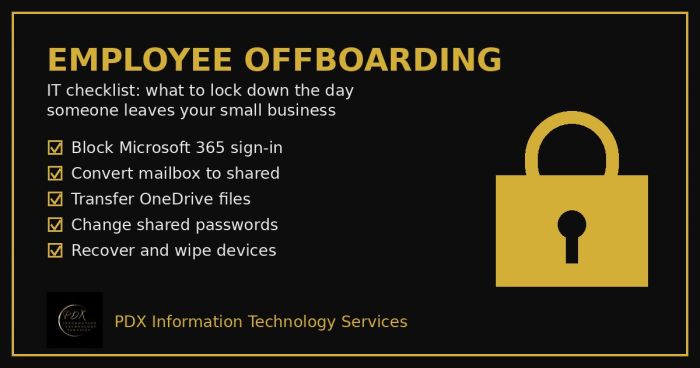
Portland employee offboarding IT checklist: lock Microsoft 365, save the mailbox and OneDrive files, change shared passwords and wipe company devices.
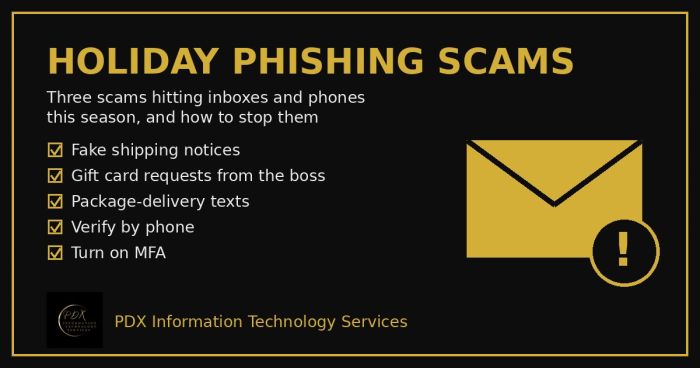
Holiday phishing scams are hitting Portland small businesses: fake shipping notices, gift card requests from the boss and delivery texts. How to stop them.
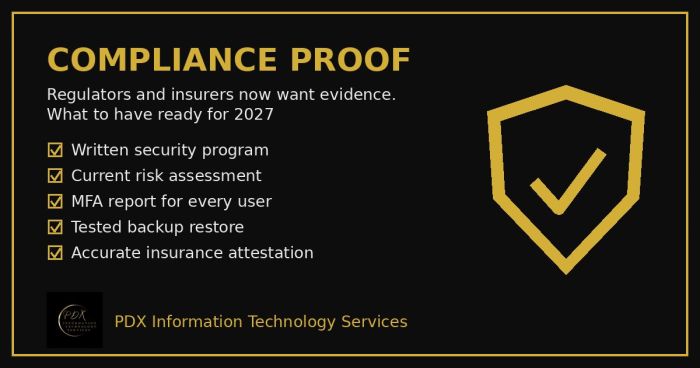
Cybersecurity compliance proof: HIPAA, CMMC, the FTC and cyber insurers now want documented evidence, not promises. See the checklist for 2027.