
Microsoft 365 Copilot Security for Small Business: What to Fix Before You Roll Out
Last updated:
If your company already lives in Microsoft 365 – email, Teams, SharePoint, OneDrive – Microsoft 365 Copilot can feel like the obvious next upgrade. Draft faster. Summarize meetings. Pull answers from your own files. For owners of firms under about 50 employees in Portland, Lake Oswego, Beaverton, Hillsboro, or Vancouver WA, that productivity pitch lands hard.
Here is the part that usually gets skipped: Microsoft 365 Copilot security is mostly a permissions and oversharing problem, not a “teach people better prompts” problem. Copilot does not magically invent access. It works with what the signed-in user can already open. If your SharePoint library is open to “Everyone,” Copilot will treat that library as fair game for answers. Turn Copilot on before you clean that up, and you have not added AI – you have amplified years of messy sharing.
This guide is for owners and managers who want Copilot for Microsoft 365 without inheriting broken access. It covers how Copilot grounds answers in your tenant, where SharePoint/OneDrive/Teams oversharing bites, what Microsoft Purview and DLP can realistically do for a small business, licensing realities, and a pilot-to-expand checklist. It is intentionally narrower than our broader AI cybersecurity for small business playbook and more security-first than our AI productivity tools and policies guide.
Why Copilot security is a permissions problem first
Think of Copilot as a very fast research assistant sitting next to each user. It can read email the user can read, open files the user can open, and summarize chats the user can join. Microsoft’s documented model is straightforward: Copilot operates inside your Microsoft 365 trust boundary, respects existing permissions, and does not use your tenant content to train foundation models for other customers.
That sounds reassuring – and it is, if permissions are intentional.
In a typical SMB tenant, they are not. Common patterns we see when hardening Microsoft 365 for clients:
- HR folders shared with the whole company “so people can find the handbook”
- Finance workbooks left in Teams channels that every employee joined once for a project
- “Anyone with the link” sharing turned on years ago and never revisited
- Former employees’ OneDrive content still reachable through group membership
- Guest accounts lingering in Teams after a vendor engagement ended
None of that is a Copilot bug. Copilot simply makes oversharing discoverable by chat. A curious or careless user can ask, “Summarize our salary spreadsheet,” and get an answer if their account can already open that file. Before Copilot, finding that file took hunting. After Copilot, finding it takes a sentence.
So the first rule of Copilot data protection: clean access, then enable AI – not the reverse.
What Copilot can access in a typical SMB tenant
Copilot for Microsoft 365 (the seat-based experience in Word, Excel, Outlook, Teams, PowerPoint, and Copilot Chat) grounds responses in Microsoft Graph content the user is allowed to see. In plain English, that usually includes some mix of:
- Exchange / Outlook: mail and calendar items the user can access
- OneDrive: the user’s files, plus files others shared with them
- SharePoint: sites and libraries where the user has permissions
- Teams: chats, channels, and files tied to teams the user belongs to
- Meetings: transcripts and related content when available and permitted
What Copilot generally does not do:
- Bypass SharePoint or OneDrive permissions
- Read encrypted content the user cannot decrypt (legacy IRM and certain encryption setups can block grounding)
- Export your company data into a public ChatGPT-style training corpus for other tenants
What it will do, reliably:
- Surface content buried in poorly named folders if the user has rights
- Summarize sensitive material into chat answers that are easy to copy or forward
- Cite sources so the user (or someone shoulder-surfing) learns where the sensitive file lives
That last point matters for small teams. In a 15-person firm, people share desks and screens more than they admit – Copilot answers are another place sensitive text can leave the intended silo.
For the wider control baseline – MFA, email security, backups – see our cybersecurity for small businesses (2026) guide. Copilot sits on top of that foundation; it does not replace it.
Oversharing: SharePoint, OneDrive, and Teams risks before enablement
SharePoint oversharing is the number-one Copilot readiness issue for SMBs. OneDrive and Teams inherit much of the same model.
SharePoint site and library sprawl
Small companies often create a site per project, then never retire it. Membership expands (“add the whole office so they can see the proposal”). External sharing stays on default. Months later, payroll templates, client contracts, and strategy decks live in places that feel private but are not.
Before Copilot seats go live, inventory:
- Sites with “Everyone,” “Everyone except external users,” or very large security groups
- Libraries with unique permissions that nobody remembers reviewing
- Files shared with “Anyone” links (anonymous access)
- Ownerless or inactive sites still holding current data
- Sites that mix public marketing assets with restricted HR/finance content
OneDrive “quick shares” that never expire
Users share a OneDrive file for a weekend deadline and leave the link forever. Copilot can still ground on that content for anyone who retained access. Prefer specific-people links, shorter expiration, and block anonymous links unless there is a real business need.
Teams channels as accidental document stores
Teams is where work happens, so files land in channel folders automatically. Broad membership equals broad Copilot visibility. Private channels help only if owners use them – treat company-wide “General” channels as semi-public.
Guests and former staff
Vendor guests and leftover licenses after offboarding expand the blast radius. Same-day offboarding is part of Copilot security even though it never appears on a Copilot marketing slide.
A practical pre-enablement cleanup (one afternoon for many SMBs)
- Export or review SharePoint sharing reports / oversharing insights if available in your licensing tier
- Fix the worst five libraries first (HR, payroll, finance, legal, executive)
- Convert anonymous links to specific people
- Remove guests who finished their projects
- Confirm MFA and Conditional Access basics so stolen accounts cannot drive Copilot either
You do not need a Fortune 500 data classification project to start. You need the obvious open doors closed.
Controls that matter: MFA, Conditional Access, labels, and Purview/DLP
Permissions are the floor. These controls are the walls. For Microsoft Purview small business reality: not every SMB has E5-level licensing. Prioritize what you can deploy with Business Premium / Copilot-eligible stacks and add Purview capabilities as licensing allows.
1. Identity: MFA and Conditional Access
If an attacker steals a mailbox, they inherit that user’s Copilot view of the company. MFA on every user – especially admins – is non-negotiable. Prefer authenticator apps or phishing-resistant methods for privileged accounts over SMS when feasible. Conditional Access (available with many Business Premium and higher setups) can require compliant devices, block risky sign-ins, and limit legacy protocols.
Copilot does not invent identity risk. It multiplies whatever identity posture you already have.
2. Sensitivity labels (Information Protection)
Sensitivity labels classify and, when configured, encrypt or restrict content. A common SMB set: Public, Internal, Confidential (client data, pricing, contracts), and Restricted (HR, payroll, health, legal).
Labels tell people what they are handling. With the right policies, they also feed DLP and can limit Copilot processing. Microsoft documents that Purview DLP can exclude items with specific sensitivity labels from Copilot grounding – the file may still appear as a citation in some cases, but the content is not used in the answer. Useful for regulated libraries once labels are applied consistently.
Start with manual labeling on high-risk libraries, then expand. Auto-labeling needs clean examples and licensing; do not expect day-one auto-magic on every SMB tenant.
3. Data Loss Prevention (DLP) for Copilot
Microsoft Purview DLP for Microsoft 365 Copilot can:
- Exclude labeled files/emails from Copilot processing
- Detect sensitive information types in prompts (for example government IDs or payment card patterns you define)
- Restrict external web grounding when a prompt contains sensitive data, while still allowing internal Microsoft 365 grounding where permitted
For SMBs, a realistic first DLP policy set is narrow: protect payroll identifiers, patient/client ID patterns you care about, and a short list of “never in Copilot” labels. Audit mode first, then enforce. Broad DLP that blocks everything will train people to work around it.
4. Restricted discovery (when licensed)
Better-licensed tenants can use Restricted Content Discovery / Restricted Access Control to keep sensitive sites out of Copilot discovery. Use them for HR and finance during pilot if available; otherwise hard permission cleanup still works.
5. Teams and meeting hygiene
Limit who can record/transcribe when transcripts feed summaries. Keep private topics out of company-wide channels. Review app permissions so random “AI helper” bots are not sitting next to Copilot with broad Graph access.
6. Email security still matters
Copilot will happily summarize a phishing thread that landed in the inbox. Layered email filtering (on our Platinum managed plans we use INKY for impersonation-aware protection) plus MFA remains part of the Copilot story. AI features do not replace inbox defenses.
7. Logging and review
Enable auditing for Copilot interactions where compliance requires it. Use admin usage reports for adoption; use Purview/audit for security and oversharing investigations – do not confuse the two.
For continuous stewardship rather than a one-time project, that is the role of managed services – proactive configuration and review, not break-fix cleanup after a bad prompt.
Licensing reality for SMBs (without the brochure gloss)
Copilot for Microsoft 365 is a paid add-on on top of eligible Microsoft 365 plans. Exact SKUs and list prices change; treat vendor quotes as living documents. What does not change for small business planning:
- Seats are per user. Buying Copilot for everyone on day one is rarely wise.
- Security features are uneven across licenses. Business Premium covers a strong baseline (including Conditional Access in many setups). Advanced Purview capabilities often require higher or add-on licensing. Plan controls around what you actually own.
- IT time is part of the cost. Permission cleanup, label design, pilot training, and DLP tuning take hours. Fold that into managed IT or budget internal time honestly. Context on local pricing patterns lives in our Managed IT Services Cost Portland (2026) guide.
- Shadow AI does not disappear when you buy Copilot. People still paste into personal ChatGPT if Copilot feels locked down without explanation. Pair technical controls with a one-page acceptable-use policy (covered in our productivity post) so sanctioned Copilot use wins.
Buy fewer seats, clean permissions, train a pilot group, then expand. That sequence protects both data and budget.
Admin rollout checklist: pilot â expand
Use this as a working list with your internal owner or Portland IT support partner.
Phase 0 – Decide scope (before purchasing seats)
- Confirm business goals (meeting summaries, email drafting, Excel help – pick two)
- Name an owner (operations lead + IT/MSP)
- Identify high-risk data domains (HR, finance, health, legal, customer PII)
- Confirm eligible Microsoft 365 licenses and Copilot prerequisites
- Draft a one-page Copilot acceptable-use addendum (approved use, never-ask list, human review)
Phase 1 – Secure the foundation (1-2 weeks)
- MFA coverage verified for all users and admins
- Conditional Access basics reviewed (block legacy auth where possible)
- External sharing defaults tightened (no anonymous links unless required)
- Guest access review completed
- Offboarding checklist includes OneDrive/SharePoint/Teams access removal
- Worst overshared sites cleaned (start with HR/payroll/finance)
- Sensitivity label taxonomy agreed (even if only four labels)
- Apply labels to known sensitive libraries
- Email security posture checked (SPF/DKIM/DMARC + filtering; INKY where on Platinum)
Phase 2 – Pilot (2-4 weeks, 5-10 users)
- Assign Copilot seats to a cross-functional pilot (ops, sales, admin – not only executives)
- Optionally restrict Copilot discovery to an allow list of sites if your tooling supports it
- Enable DLP for Copilot in audit mode for key labels / sensitive info types
- Train pilot users: what Copilot can see equals what they can see; verify before sending
- Collect weekly feedback: useful wins, wrong answers, near-miss data exposure
- Review audit/usage for unexpected access patterns
Phase 3 – Enforce and expand
- Move DLP policies from audit to enforce where false positives are low
- Expand seats by role, not by FOMO
- Add onboarding module for new hires with Copilot seats
- Quarterly review: sharing reports, guest list, label coverage, DLP hits
- Retire unused sites and stale Teams
Phase 4 – Operate
- Document who approves new Copilot seats
- Include Copilot in cyber insurance / compliance questionnaires where relevant
- Revisit permissions after org changes (mergers, new departments, office moves)
This is proactive IT Services Portland / managed IT Portland work: shape the outcome before users invent risky workarounds.
HIPAA and other regulated verticals (short note)
Clinics and other regulated practices in the Portland metro should treat Copilot like any other system that can surface ePHI: Business Associate Agreement coverage, least privilege, and documented policies matter. Copilot that can summarize a SharePoint library full of patient exports is a compliance event waiting for a curious prompt – even from an authorized staff member who should not see that site.
Do not enable broad Copilot access on clinical or billing roles until:
- Access to ePHI libraries is role-correct
- Labels and DLP cover the regulated content you care about
- Workforce training covers “do not ask Copilot for patient lists / full charts”
- Your Microsoft and MSP paperwork aligns with HIPAA expectations
For the fuller healthcare IT picture, see The Critical Role of IT in HIPAA Compliance and our compliance services page. This Copilot post is the tenant-hardening companion, not a replacement for that guide.
What “good” looks like for a Lake Oswego or Vancouver WA SMB
A 20-person professional services firm does not need a dedicated data governance team. It needs SharePoint/Teams membership that matches real roles, MFA and sane Conditional Access, a short label scheme people actually use, Copilot seats for roles that benefit (not a vanity company-wide buy), and someone – internal or MSP – who reviews sharing and DLP hits on a schedule.
That is enterprise-level Copilot data protection scaled to SMB reality: the opposite of flipping Copilot on Friday and hoping.
Soft next step
If you want a Copilot readiness pass – oversharing cleanup, Purview/DLP scoping, pilot design, and Microsoft 365 hardening – PDX Information Technology Services can help. We serve Portland, Lake Oswego, Vancouver WA, Hillsboro, Beaverton, and the wider metro with managed IT in Portland and cybersecurity built for SMBs under ~50 employees.
Plans are published plainly – Gold from $100/user, Platinum from $180/user (Platinum adds SOC/MDR, cloud protection, phishing filtering with INKY, training, and dark web monitoring). We also offer a 90-day opt-out if the fit is wrong with no penalties.
- Book: pdxittech.com/contact
- Email: sales@pdxittech.com
- Call: 971-331-4871
FAQ
Does Microsoft 365 Copilot train on our company data?
Microsoft states that Copilot keeps your prompts and tenant content within your Microsoft 365 trust boundary and does not use your organizational data to train foundation models for other customers. Your bigger risk is usually internal oversharing – not Microsoft “learning” your files for the public internet.
Can Copilot see files a user cannot open?
Generally no. Copilot grounds on content the signed-in user is already permitted to access. That is why fixing SharePoint, OneDrive, and Teams permissions is the core of Microsoft 365 Copilot security.
What is SharePoint oversharing in the Copilot context?
It means too many people (or anonymous links) can access libraries that should be limited. Copilot then makes that content easy to discover through natural-language questions. Cleanup before rollout is cheaper than incident response after.
Do we need Microsoft Purview to use Copilot safely?
You can improve safety a lot with permission hygiene, MFA, and careful seat assignment alone. Purview sensitivity labels and DLP add stronger controls – especially for excluding labeled content from Copilot processing – and are worth planning as licensing allows.
Should every employee get a Copilot license?
Usually not at first. Pilot with roles that gain clear productivity value, prove controls, then expand. Company-wide seats before permission cleanup maximizes both cost and risk.
How does Copilot security differ from blocking ChatGPT?
Consumer ChatGPT risk is often data leaving your tenant into a personal account. Copilot risk is mostly amplifying access inside your tenant. You still want an acceptable-use policy for all AI tools; the technical fixes differ. See our AI productivity and AI cybersecurity posts for the complementary angles.
Can a managed IT provider help with Copilot rollout?
Yes. An MSP can harden Microsoft 365, clean oversharing, configure labels/DLP where licensed, run the pilot, and monitor sharing drift – continuous stewardship rather than a one-time “install Copilot” ticket.
Running a healthcare practice in Clark County? See our HIPAA IT services in Vancouver, WA. For day-to-day IT in Portland, see managed IT for healthcare in Portland.
PDX Information Technology Services – Tualatin office; serving the Portland metro, Lake Oswego and Vancouver WA.
Before turning on Copilot, it helps to have someone review sharing and licensing with you; that is part of our IT consulting for Portland businesses. If your team also records meetings, read our guide to AI notetaker apps in Teams and Zoom.
Request an IT assessment
Tell us a little about your business and a PDX IT team member will follow up to schedule an assessment. Prefer to talk? Call 971-331-4871.

About the author: Steve Shaff
Steve Shaff is the owner of PDX Information Technology Services, a managed IT provider he founded in 2020. From the Tualatin office he helps businesses across Portland Metro & Southwest Washington with IT support, cybersecurity and compliance. More about Steve · Contact PDX IT
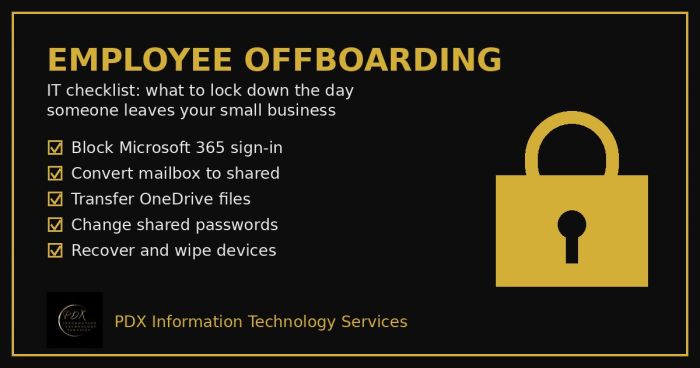
Portland employee offboarding IT checklist: lock Microsoft 365, save the mailbox and OneDrive files, change shared passwords and wipe company devices.
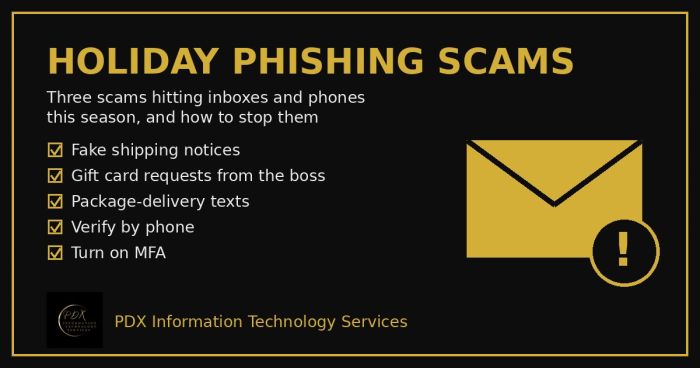
Holiday phishing scams are hitting Portland small businesses: fake shipping notices, gift card requests from the boss and delivery texts. How to stop them.
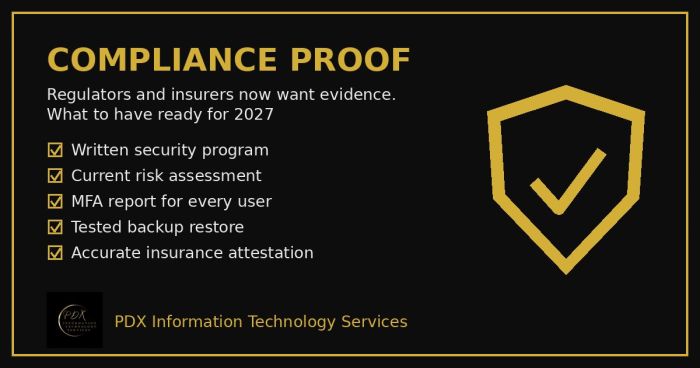
Cybersecurity compliance proof: HIPAA, CMMC, the FTC and cyber insurers now want documented evidence, not promises. See the checklist for 2027.