
AI for Small Business in 2026: Practical Productivity Without the Hype
Last updated:
If you run a company under about 50 employees in Portland, Lake Oswego, Beaverton, Hillsboro, or Vancouver WA, you have probably heard the same pitch twice this year: AI will transform your business – and AI will get you sued or breached. Both are half-true. The useful middle path is simpler: treat AI for small business like any other business tool. Pick a few jobs it does well, write clear rules, keep sensitive data out of public chatbots, and let your IT partner handle the security settings so your team does not invent shadow AI on personal accounts.
This guide is for owners and managers who want AI productivity for small business without fluff, invented case studies, or a 40-page “AI strategy.” It covers what to use, how to roll it out, what never to paste into ChatGPT, and where a managed service provider (MSP) fits – especially if you already live in Microsoft 365.
Why SMBs are adopting AI faster than the headlines suggest
Adoption numbers vary by survey definition, but the direction is consistent. Intuit’s 2026 AI Impact Report found that regular AI use among U.S. small and midsize businesses rose from 48% in mid-2024 to 77% by January 2026. The U.S. Chamber of Commerce reported that 58% of small businesses used generative AI in 2025 – up sharply from prior years. Meanwhile, the U.S. Census Bureau’s stricter “AI used in production of goods or services” measure remains much lower, which is a useful reminder: most SMB AI use is still drafting, research, customer replies, and back-office help – not fully automated factories.
For a 12- or 30-person firm in the Portland metro, that usually means:
- Marketing drafts and social posts
- First-pass customer service replies
- Meeting notes and action lists
- Spreadsheet formulas and data cleanup
- Job descriptions, SOPs, and training outlines
- Bookkeeping categorization and invoice follow-ups (with human review)
You do not need a data science team. You need AI tools for small businesses that fit the apps you already pay for, plus policies your people will actually follow.
What “AI for small business” should mean in practice
Ignore vendor decks that promise autonomous agents running the company. For SMBs, good AI looks like this:
- It saves time on repetitive writing and research – not judgment calls about customers, legal risk, or money movement.
- A human always reviews anything that leaves the building (emails, proposals, public posts, contracts).
- Company data stays in approved tools with admin controls – not free personal ChatGPT accounts.
- Access is intentional. Not every role needs the same AI features.
- Security and compliance stay first-class – especially for healthcare, legal, finance, and any firm handling customer PII.
That is the opposite of break-fix IT culture: you do not wait until someone pastes a client spreadsheet into a public model and then scramble. You set the rails first.
ChatGPT for small business: where it helps (and where it does not)
ChatGPT for small business is often the first stop because it is familiar. Used well, it is a drafting assistant. Used poorly, it is a confidential-data vacuum.
Strong use cases
- Rewrite a rough email so it is clearer and shorter
- Outline a blog post, newsletter, or RFP response (then rewrite in your voice)
- Turn bullet notes into a meeting summary with owners and due dates
- Generate interview questions or onboarding checklists
- Explain a technical concept in plain English for a non-technical teammate
- Brainstorm names, subject lines, or FAQ answers (always fact-check)
Weak or risky use cases
- Legal advice, HR termination language, or tax conclusions without a professional
- “Analyze this full client list / patient list / payroll export”
- Anything that must be 100% accurate without verification (pricing, SLA numbers, medical claims)
- Decisions that move money, change banking details, or grant system access
Public ChatGPT (consumer accounts) is not a business system of record. If your team is already using it on personal logins, you already have a shadow AI problem – more on that below.
Microsoft 365 Copilot and Google Workspace AI: better defaults for SMBs
If your company already runs Microsoft 365, Copilot is usually a better productivity bet than a stack of unrelated AI apps – if licensing, permissions, and data boundaries are set correctly. Google Workspace has its own Gemini-powered features with a similar story: convenience rises when AI sits next to email, Docs/Drive, and calendars; risk rises when permissions are messy.
Why Copilot can beat random chatbots for SMB work
- It works inside Word, Excel, Outlook, Teams, and PowerPoint – where the work already happens
- It can summarize long email threads and meeting transcripts
- It can draft from your files – which is powerful and dangerous if SharePoint/OneDrive permissions are loose
- Admins can apply tenant controls, sensitivity labels, and DLP in ways consumer ChatGPT cannot
What most SMBs get wrong with Copilot
- Buying seats before cleaning up overshared folders (“Everyone” access to HR or finance libraries)
- Enabling Copilot for all users on day one, including roles that handle regulated data
- Assuming Copilot “won’t see” a file because it is buried three folders deep – if a user can open it, Copilot often can too
- Skipping security awareness so people treat Copilot outputs as gospel
An MSP’s job here is not to sell AI licenses for sport. It is to make AI productivity small business deployments boring and safe: least privilege, labels, MFA, monitoring, and a clear acceptable-use policy.
A practical AI toolkit for companies under ~50 employees
You do not need twenty tools. Start with a short list and expand only when a workflow sticks.
Core writing and research
- Microsoft Copilot or Google Gemini in Workspace (if licensed and governed)
- ChatGPT Team / Enterprise or similar business plan only if you need a general chatbot with admin controls – prefer business tiers over free personal accounts
- Built-in AI in tools you already use (grammar helpers, CRM email assists, helpdesk suggested replies)
Meetings and knowledge
- Meeting transcription/summary features in Teams or Zoom (with disclosure where required)
- A shared “approved prompts” library in SharePoint or a company wiki so people reuse good patterns instead of reinventing risky ones
Operations
- Spreadsheet formula help and data cleanup (always validate totals)
- Ticket categorization suggestions in your helpdesk or PSA (human closes the loop)
- Document templates: proposals, SOPs, onboarding packs
What to skip early
- Autonomous “AI agents” with broad access to email and banking
- Random browser extensions that inject AI into every page (data leakage risk)
- Unvetted “free AI productivity” sites that ask for OAuth into your Microsoft or Google account
Policies that make AI usable (one page is enough)
Write a one-page Acceptable Use of AI policy. Post it where people already look (intranet, handbook, new-hire packet). Keep the language plain.
Include these rules
- Approved tools only. List the company-approved AI tools. Personal ChatGPT / Claude / Gemini accounts are not for company work unless explicitly allowed.
- No secrets in public models. Passwords, API keys, SSNs, bank details, full customer lists, health information, legal strategy, unpublished financials – never paste.
- Human review required. AI drafts are drafts. The sender owns the final message.
- Disclose when it matters. Customer-facing content and regulated communications may need human authorship standards; follow industry rules.
- No AI for money movement. Wires, ACH changes, gift cards, payroll changes, or vendor bank updates are human-only processes with verification.
- Report mistakes. If someone pastes something sensitive by accident, they tell IT immediately – no blame culture that drives hiding.
- Vendors. Freelancers and agencies handling your data must follow the same rules (and preferably sign a DPA/BAA where relevant).
Sample “never paste” list (print this)
- Client or patient identifiers and full records
- Payroll, W-2s, offer letters with compensation
- Credentials, MFA codes, VPN configs, firewall rules
- Source code or configs with embedded secrets
- Attorney-client privileged material
- Acquisition, layoff, or litigation drafts
- Anything covered by HIPAA, PCI, or a customer NDA
Healthcare practices in the Portland area should treat public LLMs as out of bounds for ePHI. If AI assists clinical or billing workflows, it needs a Business Associate Agreement and a controlled environment – not a free chatbot. See our HIPAA compliance guidance for Portland healthcare and compliance services.
Shadow AI: the quiet productivity tax
Shadow AI is when employees use personal AI accounts because work tools feel slow, blocked, or nonexistent. It feels productive. It creates:
- Unlogged copies of customer data on third-party servers
- Inconsistent quality and brand voice
- No admin visibility when a tool is breached or changes terms
- Training data risk depending on the vendor’s settings
Fix it by offering a sanctioned path, not by pretending bans alone work. Give people an approved Copilot/ChatGPT Team option, teach three safe workflows, and block or discourage the rest through policy plus browser/app controls where appropriate.
Rollout plan for a 10-50 person company (30 days)
Week 1 – Decide and designate
- Pick 2-3 use cases (email drafting, meeting summaries, marketing outlines)
- Name an internal owner (office manager + IT partner is fine)
- Inventory who already uses AI informally
Week 2 – Secure the foundation
- Confirm MFA on Microsoft 365 / Google Workspace
- Review sharing on SharePoint/Drive folders AI might touch
- Choose approved tools and license tiers
- Draft the one-page AI policy
Week 3 – Pilot with a small group
- 5-8 people across roles (sales, ops, admin)
- Shared prompt library
- Weekly 20-minute feedback huddle: what saved time, what produced junk
Week 4 – Train and expand
- 45-minute all-hands: demos + “never paste” rules
- Expand seats deliberately
- Add AI questions to onboarding
- Schedule a 90-day review of usage, cost, and incidents
This is proactive IT: you shape the outcome instead of cleaning up after a leak.
How an MSP helps with AI productivity (not just “install Copilot”)
PDX Information Technology Services works with SMBs across the Portland metro who want enterprise-level controls without an enterprise IT department. For AI specifically, managed IT support typically includes:
- Microsoft 365 / Google Workspace hardening so Copilot or Gemini does not inherit broken permissions
- Identity and MFA so AI features are not bolted onto weak accounts
- Endpoint and email security so malicious “AI tools” and phishing that pretend to be AI helpers get blocked
- Policy and training that match how small teams actually work
- Monitoring and patching so the rest of the stack stays healthy while you experiment with AI
- Compliance alignment when HIPAA, PCI, or cyber insurance questionnaires enter the chat
Compare that to break-fix: someone enables Copilot on Friday, permissions explode on Monday, and you pay hourly to unwind it. Proactive managed services exist to prevent that pattern. Learn more on our managed IT services page and the related cybersecurity for small businesses guide.
Measuring whether AI is worth it
Skip vanity metrics (“prompts per week”). Track:
- Hours saved on defined tasks (e.g., first-draft proposals)
- Error rate / rework on AI-assisted documents
- Adoption of approved tools vs. shadow AI
- Security incidents related to AI pasting or fake AI apps
- License cost vs. time saved (honest, not aspirational)
If a tool does not move one of those needles in 90 days, cancel it. Productivity software should earn its seat.
Local reality: Portland metro SMBs and AI
Firms in Lake Oswego, Portland, Beaverton, Hillsboro, and Vancouver WA often share the same constraints: lean teams, Microsoft 365 or Google Workspace, a mix of office and hybrid work, and customers who expect fast communication. AI helps most when it shortens drafting and meeting follow-up – the daily grind – without creating a second full-time job called “AI babysitting.”
If your industry is healthcare, professional services, construction, or specialty retail, start narrower: one department, one workflow, clear data rules. Breadth comes after trust.
Soft next step if you want help setting this up
If you want a practical AI readiness check – approved tools, Copilot/M365 security settings, and a one-page policy your team will follow – talk with PDX IT. We publish clear managed plans (Gold from $100/user, Platinum from $180/user) and a 90-day opt-out so you are not locked into a bad fit.
- Book: pdxittech.com/contact
- Email: sales@pdxittech.com
- Call: 971-331-4871
Also useful: Managed IT cost in Portland (2026) for pricing context, and our companion post on AI cybersecurity for small business when you are ready to harden the risk side.
FAQ: AI for small business
Is ChatGPT safe for small business use?
It can be, if you use a business plan with admin controls, ban sensitive pastes, and keep humans in the loop. Free personal accounts are a poor fit for company data. Prefer Microsoft 365 Copilot or Google Workspace AI when those are already your platforms and permissions are clean.
What is the best AI tool for small businesses in 2026?
There is no single winner. The best tool is usually the one inside software you already trust – Copilot in Microsoft 365 or Gemini in Google Workspace – plus a short list of approved specialty tools. Start with drafting and meeting summaries before buying niche AI products.
How do we stop employees from pasting confidential data into AI?
Combine policy, training, and technical controls. Publish a never-paste list, offer an approved alternative, use data loss prevention where available, and make reporting accidents safe. Blocking without a sanctioned option just drives shadow AI.
Does Microsoft 365 Copilot see all our company files?
Copilot generally works with content the signed-in user can already access. That is why overshared SharePoint and OneDrive libraries are dangerous. Clean permissions before wide Copilot rollout.
Will AI replace our staff?
For most SMBs under 50 people, AI replaces tasks, not roles – first drafts, summaries, research scaffolding. Judgment, relationships, and accountability stay human. Plan training, not pink slips.
How much does it cost to add AI productively?
Expect software licenses (Copilot or business chatbot seats) plus the IT time to configure security and train people. Many Portland SMBs fold the security and policy work into managed IT rather than treating AI as a one-off project. See our managed IT cost guide.
Should healthcare or legal firms use public AI chatbots?
Generally no for regulated or privileged content. Use tools covered by appropriate agreements (e.g., BAA for HIPAA) and controlled tenants. Public consumer chatbots are the wrong place for ePHI or privileged material.
Law firm? See managed IT for law firms in Portland.
For a closer look at one popular category of AI tools, see our guide to AI meeting notetakers for small business. If you want help planning an AI rollout, our IT roadmap and AI planning work is built for small teams.
Request an IT assessment
Tell us a little about your business and a PDX IT team member will follow up to schedule an assessment. Prefer to talk? Call 971-331-4871.

About the author: Steve Shaff
Steve Shaff is the owner of PDX Information Technology Services, a managed IT provider he founded in 2020. From the Tualatin office he helps businesses across Portland Metro & Southwest Washington with IT support, cybersecurity and compliance. More about Steve · Contact PDX IT

Holiday phishing scams are hitting Portland small businesses: fake shipping notices, gift card requests from the boss and delivery texts. How to stop them.
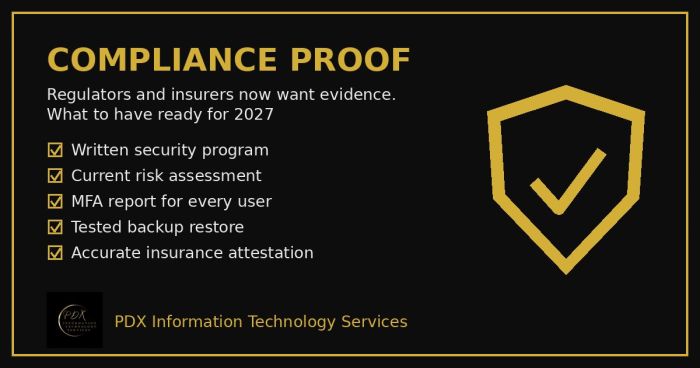
Cybersecurity compliance proof: HIPAA, CMMC, the FTC and cyber insurers now want documented evidence, not promises. See the checklist for 2027.
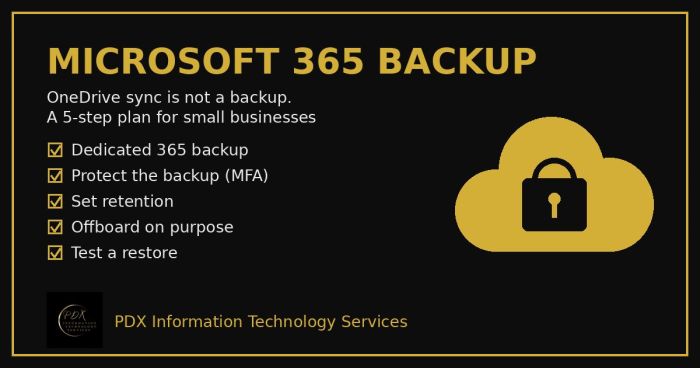
Microsoft 365 backup for small business: why OneDrive sync and the recycle bin aren’t a real backup, what can go wrong and a 5-step fix you can test.