
Small Business Cybersecurity Checklist (2026): Best Practices That Stick
Last updated:
If you run a small or mid-size business in Portland, Lake Oswego, Beaverton, or Hillsboro, cybersecurity can feel like a moving target. Headlines talk about Fortune 500 breaches. Your reality is tighter: a bookkeeper, a few cloud apps, Microsoft 365 or Google Workspace, and a team that just wants to get work done.
Here is a plain-English guide to cybersecurity for small businesses — the practices that matter, and what to look for if you hire help. This checklist covers the cybersecurity basics a small business needs: multi-factor authentication, email protection such as INKY, tested backups and staff training.
Why small businesses are targets (not collateral damage)
Attackers do not need a Fortune 500 payout. Automated phishing, ransomware kits, and stolen passwords are cheap. A 15-person company with weak email security and no tested backups is often an easier win than a bank with a full security team.
Common entry points for SMBs:
- Phishing and business email compromise
- Stolen or reused passwords (no MFA)
- Unpatched laptops and servers
- Weak remote access / VPN setups
- Vendors and “accidental IT” admins with too much access
Cyber insurance applications now ask about MFA, backups, and phishing training for a reason. Those controls are the floor — not a nice-to-have.
Small business cybersecurity checklist: where to start
1. Turn on MFA everywhere that matters
Multi-factor authentication on email, VPN, banking, payroll, and admin accounts stops a huge share of account takeovers. Prefer authenticator apps or hardware keys over SMS when you can.
2. Treat email as the front door
Most incidents still start in the inbox. You want filtering that catches impersonation and social engineering, not just spam. (On our Platinum plans we use INKY for that layer, plus awareness training so people know what “urgent wire” scams look like.)
3. Patch on a schedule — not when something breaks
Unpatched operating systems and browsers are still a top ransomware path. Managed monitoring and weekly tune-ups beat “we’ll update it later.”
4. Backups you have tested
A backup that never restores is a false sense of security. Know your recovery point and recovery time targets. Test restores. Keep a copy that ransomware cannot easily encrypt (immutable or offline/cloud with strong controls).
5. Least privilege and clean offboarding
Staff and vendors should only get the access they need. When someone leaves, accounts and MFA devices leave with them — same day.
6. A written “verify before you pay” rule
AI voice cloning and deepfake video are already used against SMBs. Any request to move money, change bank details, or share credentials gets a callback on a known number — especially if it feels urgent.
7. Endpoint detection, not just “antivirus”
Modern endpoint detection and response (EDR) looks for behavior, not just signatures. Pair it with monitoring so someone is watching alerts.
8. Train people like adults
Short, regular training beats a once-a-year slide deck. Cover phishing, fake IT calls, and “the CEO asked me to buy gift cards” scenarios.
What to look for in a cybersecurity partner
If you outsource IT or security, ask these before you sign:
- 1. What is included at the monthly rate? EDR, email filtering, backups, training, after-hours monitoring — or is each an add-on?
- 2. Do you publish pricing? Vague quotes hide scope. We publish Gold starting at $100/user/month and Platinum starting at $180/user/month for a reason.
- 3. Who watches alerts after hours? Tools without eyes are just dashboards.
- 4. How fast do you respond? Emergencies are prioritized ahead of routine requests.
- 5. Will you help with cyber insurance and compliance evidence? MFA proof, backup evidence, training records.
- 6. What happens if it is not a fit? We offer a 90-day opt-out on managed plans: try us for 90 days, and if we’re not the right fit you can opt out with no penalties.
- 7. Are you local and plain-spoken? You want a partner who will sit in your office with coffee, not a ticket portal that speaks only jargon.
Avoid pure break-fix shops dressed up as “managed security.” If every visit and every tool is metered, you are buying failure insurance with a monthly fee.
A starter security stack for Portland small businesses
For most 10–50 person companies without a full-time IT team:
- MFA on email and critical apps
- Managed EDR on every workstation
- Strong email security + phishing training
- Tested backups (endpoints + Microsoft 365 / Google Workspace where needed)
- Patching and monitoring under a managed plan
- A written payment-verification policy
That stack is what we build into our managed IT services in Portland — proactive protection so you are not paying by the emergency.
Related: cybersecurity services in Portland · IT consulting in Oregon · managed IT for law firms · IT for Portland construction companies · what to look for in a managed IT provider · free IT health check
Next step: talk to PDX IT
If you want a straight read on where you stand — email, MFA, backups, and endpoints — we will walk the office or join you on a call and put it in plain English.
- Book: pdxittech.com/contact
- Call: 971-331-4871
- Email: sales@pdxittech.com
PDX Information Technology Services
Lake Oswego / Portland metro / Pacific Northwest
Healthcare and other regulated offices have extra requirements; see our HIPAA IT support. For local, on-site help, see managed IT services in Tualatin and managed IT in Lake Oswego.
Request an IT assessment
Tell us a little about your business and a PDX IT team member will follow up to schedule an assessment. Prefer to talk? Call 971-331-4871.

About the author: Steve Shaff
Steve Shaff is the owner of PDX Information Technology Services, a managed IT provider he founded in 2020. From the Tualatin office he helps businesses across Portland Metro & Southwest Washington with IT support, cybersecurity and compliance. More about Steve · Contact PDX IT
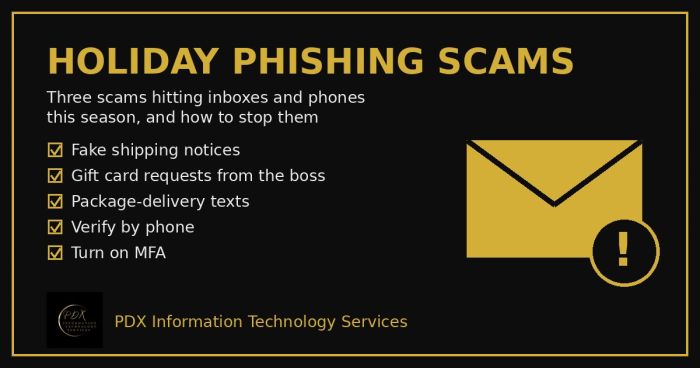
Holiday phishing scams are hitting Portland small businesses: fake shipping notices, gift card requests from the boss and delivery texts. How to stop them.
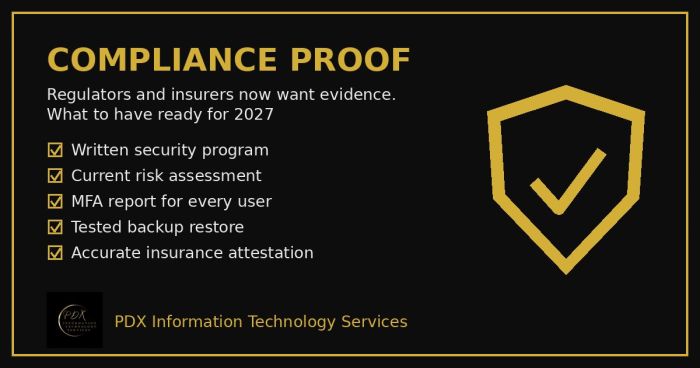
Cybersecurity compliance proof: HIPAA, CMMC, the FTC and cyber insurers now want documented evidence, not promises. See the checklist for 2027.
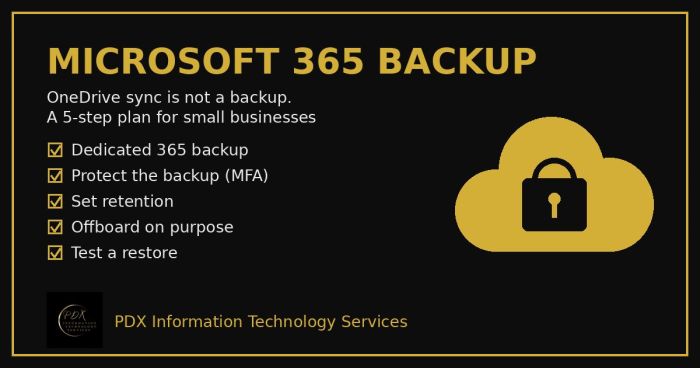
Microsoft 365 backup for small business: why OneDrive sync and the recycle bin aren’t a real backup, what can go wrong and a 5-step fix you can test.