
Vanguard Data Breach: What It Means for Your Business
The Vanguard data breach did not start with a sophisticated piece of malware. It started with a person. According to Vanguard’s own breach notice, an imposter posing as a legitimate contact tricked a Vanguard employee into handing over access to corporate accounts between July 29 and 31, 2026. From there, the attacker reached files inside “a limited set of cloud-based applications, like Microsoft 365,” and some of those files held personal information about Vanguard clients. Vanguard began mailing notices in November 2026, and its filing with the Texas Attorney General lists 280,047 people affected in total.
The short answer: if you or your employees have a Vanguard retirement account and get a notice letter, take the free credit monitoring, freeze your credit and expect convincing scam calls and emails that use your real details. If you own a small business, the bigger lesson is this: the same “call the employee, pretend to be someone trusted, get the login” playbook works against a five-person office running Microsoft 365 just as well as it works against a giant investment firm. You can shut most of it down this month with a few changes.
I’m Steve Shaff, owner of PDX Information Technology Services in Tualatin. I’ve been in IT since 1996, including years as a server admin, network admin, architect and IT manager at several Fortune 50 companies. I’ve watched social engineering beat expensive security tools more times than I can count. Here’s what happened at Vanguard in plain English, and the checklist I’d walk through with any Portland or Vancouver business owner this week.
What happened in the Vanguard data breach
Here is what the public record says so far, pulled from Vanguard’s filings with state attorneys general and from trade press coverage:
| Date (2026) | What was reported |
|---|---|
| July 29 to 31 | An unauthorized third party gained access to certain files in a limited number of cloud-based applications after a social engineering attack on a Vanguard employee (Vanguard sample notice filed with the California AG). |
| Mid-October | A post on a dark web forum claimed more than 14 million Vanguard-linked records. The security firm that flagged it called the claim unverified, and it remains unverified (PSCA). |
| On or around October 16 | After a review by a third-party data mining vendor, Vanguard determined the affected files contained personal information of certain clients (Vanguard letter to the Iowa AG). |
| November 4 | Vermont’s breach register lists Vanguard’s notification date, with Social Security numbers listed as exposed (PSCA). |
| November 11 | Vanguard’s sample notice was posted by the California AG, and a Vanguard spokesperson told ThinkAdvisor it was notifying “a couple hundred thousand clients,” mostly people tied to its retirement plan business. |
| November 13 | Vanguard’s report to the Texas Attorney General lists 280,047 people affected in total, including 10,201 Texas residents (Texas AG record via BreachTally). |
What was exposed? Vanguard says it varies by person and “may include name, Social Security number, and/or date of birth, and in some cases additional details associated with an individual’s account or profile.” Vanguard also says no client accounts were accessed, there was no access to its recordkeeping system or any system that can move money, and it found no malware or ransomware tied to the incident. Affected people are being offered three years of triple-bureau credit monitoring, fraud consultation and identity theft restoration at no cost.
Lawsuits followed quickly. At least two proposed class actions were filed in federal court in Pennsylvania, one by a client and one by a former employee, and both allege Vanguard failed to protect personal information and give timely notice. Those are allegations, not findings, and they haven’t been tested in court.
Why a Vanguard breach matters to a Portland small business
You might be thinking, “I’m not a Vanguard client, so this isn’t my problem.” There are three reasons I’d still pay attention.
1. Your employees may be affected
Vanguard says the data was mostly tied to people associated with its retirement plan business, which runs workplace plans like 401(k)s. If your company’s plan runs through Vanguard, or your employees carry old 401(k)s there from prior jobs, some of them may get a notice letter. Once a criminal has someone’s name, date of birth and Social Security number, the next step is usually a phone call or email that sounds very official. Your staff should know that before it happens.
2. Your business is the next target of the same trick
Vanguard described this as a “social engineering incident similar to those recently targeting organizations across the financial services, healthcare, and consumer goods industries.” That is the important sentence. The attacker didn’t break encryption. They talked their way in. In my experience, the most common version against small businesses looks like this:
- A call to an employee from someone claiming to be “IT” or “Microsoft support,” asking them to approve an MFA prompt or read back a code.
- A call to whoever handles IT (sometimes the office manager) from someone claiming to be a locked-out employee who needs a password reset or a new phone added to their account.
- An email or Teams message that looks like it’s from a vendor, leading to a fake Microsoft 365 sign-in page.
Once they’re in one Microsoft 365 account, they can quietly read OneDrive, SharePoint and email. That’s exactly the kind of data Vanguard says was accessed: files sitting in cloud apps.
3. Scammers will use the headline
Every big breach gets a wave of fake “Your account was affected, click here to verify” emails and calls. Some of those will land in your employees’ inboxes, including work inboxes. If someone clicks a fake Vanguard link at work, the damage can land on your network, not just their retirement account.
What the Vanguard breach is not
I want to be fair here, because panic doesn’t help anyone. Based on what Vanguard has said publicly:
- It was not a hack of client account logins. Vanguard says no client accounts were accessed.
- There is no sign the attacker could move money. Vanguard says there was no unauthorized access to its recordkeeping system or any system that can move money.
- The 14 million record claim on the dark web is unverified. Don’t repeat it as fact, and don’t let a scammer use it to scare you.
That said, a Social Security number doesn’t expire. The risk from this breach is long-tail identity fraud and targeted scams, not an empty account tomorrow morning.
Step-by-step checklist: what to do this week
I’ve split this into two parts. The first is for anyone who gets a Vanguard notice. The second is for you as the business owner, so your company doesn’t become the next “social engineering incident” in the news.
If you or an employee received a Vanguard notice
- Verify the letter on your own. Don’t call a phone number in an unexpected email or text. Log in to Vanguard by typing the address yourself, or call the number on the back of your statement, and ask whether you’re on the affected list.
- Enroll in the free credit monitoring. Vanguard is offering three years of triple-bureau monitoring and identity restoration. Use the enrollment code from the real letter.
- Freeze your credit at all three bureaus. A freeze is free and stops new credit from being opened in your name. Lift it temporarily when you actually apply for something.
- Get an IRS Identity Protection PIN. With a Social Security number and date of birth, a criminal can try to file a fake tax return in your name. An IRS IP PIN blocks that.
- Turn on the strongest login protection Vanguard offers for your account, and make sure your password there is unique and not used anywhere else.
- Pull your free credit reports from AnnualCreditReport.com and look for accounts you don’t recognize.
- If something looks wrong, report it and get a recovery plan at IdentityTheft.gov.
For the business owner: close the social engineering door
- Write a “we will never ask” rule and share it. Tell every employee in writing: IT will never call you and ask you to approve an MFA prompt, read back a code or give your password. Anyone who does is an attacker. Then hang up and call IT back at a known number.
- Lock down password and MFA resets. Whoever handles IT for you should not reset a password or register a new phone based on a phone call alone. Require a callback to the number on file or a manager’s confirmation. This is the step that gets skipped the most.
- Move to phishing-resistant MFA where you can. Text-message codes and simple “Approve” pushes can be talked out of people. Microsoft supports passkeys and other passwordless methods in Microsoft 365, and number matching in Microsoft Authenticator is a big improvement over plain push approvals.
- Turn on sign-in alerts for Microsoft 365. You want to know when someone logs in from a new country, a new device or an impossible location, and you want someone watching those alerts.
- Clean up who can see what in SharePoint and OneDrive. The Vanguard attacker got into files. Ask: does every employee really need access to every folder? Old “Everyone” shares and anonymous links are where breaches get bigger than they should be.
- Stop storing Social Security numbers and other sensitive data in loose files. Spreadsheets of employee or client SSNs sitting in OneDrive are exactly what an intruder looks for. Keep it in the system built for it (payroll, your plan provider), not in a document someone exported in 2019.
- Back up Microsoft 365 separately. Microsoft keeps the service running, but recovering your data after someone deletes or encrypts it is on you. I explain why in OneDrive sync is not a backup.
- Brief your team on Vanguard-themed scams this week. A five-minute heads-up at your next staff meeting is enough: “If you get a Vanguard email or call about the breach, don’t click, don’t call back from the message, verify on your own.”
- Check the dark web for your company domain. If your employees’ work emails and passwords are already circulating, that’s what makes social engineering easy. A dark web scan tells you where you stand.
The help desk call is the weak spot
Back when I worked help desk, the hardest part of the job wasn’t fixing computers. It was deciding whether the person on the phone was who they said they were. Someone sounds stressed, says they’re traveling, says their boss needs a file right now, and you want to help. That instinct to help is exactly what social engineers count on.
Big companies like Vanguard have training, policies and security teams, and an imposter still got in. Most small businesses I talk to in Portland, Tualatin, Beaverton and Vancouver have none of those things written down. Usually “IT” is the office manager, a nephew who’s good with computers, or whoever set up the Wi-Fi. That isn’t a criticism. It just means a phone call is often all it takes.
The fix isn’t expensive. It’s a written verification process, phishing-resistant MFA, alerts someone actually reads and a team that knows the playbook. If you’ve already read my posts on credential stuffing and leaked passwords and infostealer malware that bypasses MFA, you’ll see the pattern. Attackers go around your technology by going through your people.
What to do if you think someone already got in
If an employee tells you they approved a prompt they didn’t start, gave a code to a caller or entered their password on a strange page, act fast:
- Reset that user’s password and revoke all active sessions in Microsoft 365.
- Remove any MFA methods or devices you don’t recognize from the account.
- Check for new inbox rules that forward or hide email. Attackers love these.
- Review recent file access and sharing in OneDrive and SharePoint.
- Write down what happened and when. You may need it for your insurance carrier or for breach notification rules.
I walk through the full response in what to do after a business email data breach. And if the attacker is threatening to publish what they took, read how double extortion ransomware works before you respond to anyone.
How PDX IT helps with this
This is the work we do every day for small businesses across the Portland metro and Southwest Washington. Our managed IT services and proactive cybersecurity services cover the pieces in the checklist above: Microsoft 365 hardening, MFA, sign-in monitoring, email security from INKY to catch phishing before it reaches your team, and a help desk with a real identity verification process.
Dark web monitoring is included in both our Gold and Platinum plans. If your employees’ work credentials show up for sale, we hear about it and act on it. You can read how that works in dark web scanning for Portland small businesses.
Pricing is straightforward. Gold starts at $125 per user per month and includes dark web monitoring plus support for your current phone system. Platinum starts at $225 per user per month. Non-profits pay $100 and $180. Platinum adds SaaS Protect, which backs up your SharePoint and OneDrive data, so a compromised account doesn’t turn into lost files. Our agreements come with a 90-day opt-out, so you can see how we work before you’re locked in.
Frequently asked questions about the Vanguard data breach
Vanguard says no client accounts were accessed and there was no access to its recordkeeping system or any system that can move money. The attacker reached certain files in cloud applications like Microsoft 365, and some of those files contained client personal information. If you got a notice letter, your information was in those files, but your account itself was not logged into, according to Vanguard.
Vanguard says it varies by person and may include name, Social Security number and/or date of birth, and in some cases additional details tied to an individual’s account or plan. Not every data element was involved for every person.
Vanguard’s report to the Texas Attorney General lists 280,047 people affected in total. Earlier, a Vanguard spokesperson told ThinkAdvisor the company was notifying “a couple hundred thousand clients,” mostly people connected to its retirement plan business. A dark web claim of more than 14 million records is unverified, and Vanguard has not confirmed it.
Vanguard calls it a social engineering incident. An imposter posed as a legitimate contact and deceived an employee into providing access to corporate accounts between July 29 and 31, 2026. Vanguard says it found no malware or ransomware tied to the incident.
Verify the notice through Vanguard directly, enroll in the free three-year credit monitoring, freeze your credit at all three bureaus, get an IRS Identity Protection PIN and watch for scam calls and emails that use your real details. Report any fraud at IdentityTheft.gov.
Yes. Calling an employee or a help desk while pretending to be someone trusted works against businesses of every size, especially those on Microsoft 365. A written verification process for password and MFA resets, phishing-resistant MFA, sign-in alerts and staff training close most of that gap.
Yes. Dark web monitoring is included in both the Gold and Platinum plans from PDX Information Technology Services.
Talk to a local IT team before you’re the headline
The Vanguard data breach is a reminder that one convincing imposter can open the door to your files. If you’d like a second set of eyes on your Microsoft 365 setup, your reset process or your dark web exposure, I’m happy to talk it through. No pressure, just a straight answer about where you stand.
Reach out through our contact page, email sales@pdxittech.com or call 971-331-4871.
Request an IT assessment
Tell us a little about your business and a PDX IT team member will follow up to schedule an assessment. Prefer to talk? Call 971-331-4871.

About the author: Steve Shaff
Steve Shaff is the owner of PDX Information Technology Services, a managed IT provider he founded in 2020. From the Tualatin office he helps businesses across Portland Metro & Southwest Washington with IT support, cybersecurity and compliance. More about Steve · Contact PDX IT
JPMorgan Chase says attackers hit third-party vendors and accessed marketing data that may include customer names and emails, which a ransomware gang then leaked. Here’s what Chase customers should do, and the vendor checklist Portland-area business owners can use so their customer list isn’t next.
The FBI warned that ARTEX, an AI hacking tool, can take some intrusions from first targeting to privileged access in under three hours. Here’s what that means for Portland and Vancouver small businesses, and the checklist I’d put in place this week.
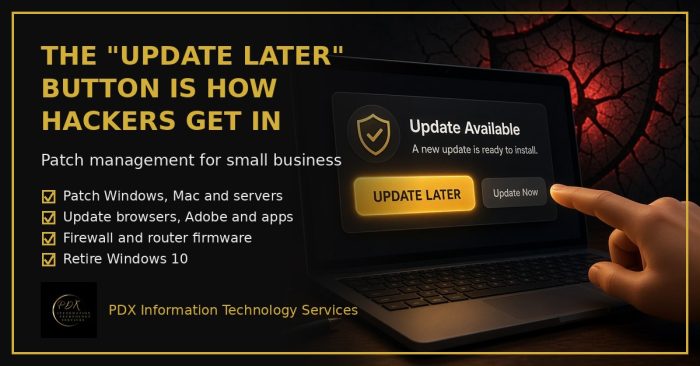
Exploiting unpatched software is now the most common way breaches start, and small businesses are most of the ransomware victims. Here’s what skipping updates really costs and the patching checklist I’d put in place this week.