
Restaurant QR Code Scams: How a Fake Menu Sticker Steals Your Card
Last updated:
At a lot of Portland restaurants these days, there’s no paper menu. You get a little QR code on a table tent, you scan it, and you order. It’s convenient, and I get why restaurants switched. But I run an IT company, and I worry about a simple trick that turns that little square into a trap for your customers. I want to explain how it works, because it takes a scammer seconds to pull off and it’s cheap to prevent.
The Swapped-QR Attack, Step by Step
Security people call this a “man-in-the-middle” attack. The scammer puts themselves between your diner and your real menu. The FBI warned about exactly this: criminals “tamper with both digital and physical QR codes to replace legitimate codes with malicious codes” (FBI IC3 PSA). Here’s how it plays out at a restaurant table:
- The scammer prints their own QR codes as stickers. Each one points to a website they control, often built to look like a restaurant menu or ordering page.
- They stick one over your real code. It can happen while they’re seated, paying, or just walking past a busy host stand. In one case reported in Malaysia, a man covered an eatery’s payment QR code with his own during a rush, and customers paid him instead of the restaurant (The Independent Singapore).
- Your diner scans it, trusting your table. Why wouldn’t they? It’s sitting on your table, under your logo.
- The phone opens the scammer’s fake menu. The FTC says a scammer’s code “could take you to a spoofed site that looks real but isn’t” (FTC consumer alert).
- The page asks for card details to order or “open a tab.” Whatever the diner types goes straight to the criminal. The FBI says these sites prompt victims “to enter login and financial information,” which can be used to steal funds.
- Or the page pushes a download. Some fake pages tell you to install an “ordering app” or a “secure viewer.” Both the FTC and FBI warn that a malicious QR code can lead to malware that steals your information, and the FBI’s advice is blunt: don’t download an app from a QR code; use your phone’s app store.
- The scam goes unnoticed. The diner thinks they ordered. The food doesn’t come, or a strange charge shows up later, and your restaurant takes the blame.
Nobody hacked your network or your point-of-sale system. The attacker just added a sticker. That’s what makes it so effective, and why owners need to treat their table codes like something worth guarding.
If you want the broader picture of QR phishing (sometimes called “quishing”) in email, parking lots and offices, I covered that in Beware the QR Code: Why Your Portland Business Needs Managed IT Services to Stay Safe. This post sticks to restaurants and menus.
Warning Signs for Diners
You don’t have to stop scanning menu codes. You just need to slow down for a few seconds. Here’s what I watch for myself:
- A sticker on top of a sticker. Raised edges, a code that’s crooked, a different color or finish than the rest of the table card. The FBI specifically says to check that a physical code hasn’t been covered “with a sticker placed on top of the original code.”
- A web address that doesn’t match the restaurant. Most phone cameras show a preview of the link before you open it. Look for misspellings, swapped letters, or a random domain that has nothing to do with the place you’re sitting in.
- Payment or login before you’ve even seen the menu. A real menu shows you food first. Be suspicious of a page that wants your card, a login, or personal details right away.
- A request to install an app. If a menu page says you must download something, close it. Get any legitimate app from the App Store or Google Play instead.
- Urgency or odd prices. Countdown timers, “limited time” pop-ups, or prices that don’t match what’s posted are red flags.
When in doubt, ask your server: “Is this your real ordering page?” Most staff will be glad you asked. If something feels off, pay at the counter or with your card in hand. The FBI also suggests avoiding payment through a site you reached by QR code and typing in a known, trusted address instead.
If you think you entered card details on a fake page, call your bank right away using the number on the back of your card, change any password you typed in, turn on multi-factor authentication, and report it at ReportFraud.ftc.gov or to the FBI at ic3.gov.
What Restaurant and Small Business Owners Should Do
Portland has a great restaurant scene, and a lot of it is small, independent, family-run places without an IT department. This is where I’d focus if I were in your shoes:
1. Use tamper-evident QR codes
Print codes directly on the table tent, menu card or acrylic stand rather than as a loose sticker. If you do use labels, choose tamper-evident ones that tear or show “VOID” when someone peels or covers them. Laminating the whole card makes a stuck-on overlay much easier to spot.
2. Check your codes every day
Make it part of opening or closing. Walk the room, look at each code, and scan a few with a staff phone to confirm they land on your real page. It takes a couple of minutes. Check host stands, windows, takeout counters and to-go bags too, anywhere a code is posted.
3. Use a short, branded URL and print it under the code
Put the address right under the QR code, something like yourrestaurant.com/menu. Now your diners can compare what’s printed with what their phone shows. If they don’t match, they know something’s wrong. A branded domain you control is far better than a generic link shortener nobody recognizes.
4. Keep the menu page simple, and keep payment on trusted platforms
A browse-only menu is a much smaller target than one that takes payment. If you take orders or payments by QR, use your established point-of-sale or ordering provider, and make sure your staff know what that page looks like.
5. Train your staff
Your servers and hosts are your best defense. Teach them what a covered code looks like, what your real menu address is, and what to say if a guest asks whether a code is legit. Tell them to pull any suspicious code and let a manager know. The same habits help with phishing emails and texts, which I break down in A Deep Dive Into Phishing Scams.
6. Have a plan if you find a fake
Remove it, photograph it, check your cameras if you have them, and inspect every other code in the building. Consider posting a short note for guests, and report it to local police and the FBI at ic3.gov.
When to Call an IT Provider
A lot of this is common sense you can handle yourself. But it’s worth bringing in help when:
- You’re not sure who controls your menu domain, your QR code generator account, or your ordering platform logins.
- You want branded short URLs, dynamic QR codes you can update, or multi-factor authentication set up on the accounts behind them.
- A guest reports a strange charge or a fake page, and you need to figure out whether anything else was touched.
- Staff devices or the restaurant’s Wi-Fi need to be locked down, or your team needs regular security awareness training.
That’s the kind of work we do every day through our proactive IT and cybersecurity services. We’re a managed IT provider based in Tualatin, working with small businesses across the Portland metro, from Hillsboro to Gresham and Wilsonville to Vancouver, WA, with no trip fee anywhere in our service area. Our managed plans come with a 90-day opt-out, so you can see whether we’re the right fit.
The Bottom Line
QR menus aren’t going away, and they don’t need to. A little attention, like printed codes, a visible branded link, daily checks and a trained staff, takes most of the risk out of the table. I’d rather your customers remember your food than a fraud charge.
If you’d like a hand reviewing your QR codes, menu links and the accounts behind them, contact us or call me at 971-331-4871.
– Steve Shaff, Owner, PDX Information Technology Services
Request an IT assessment
Tell us a little about your business and a PDX IT team member will follow up to schedule an assessment. Prefer to talk? Call 971-331-4871.

About the author: Steve Shaff
Steve Shaff is the owner of PDX Information Technology Services, a managed IT provider he founded in 2020. From the Tualatin office he helps businesses across Portland Metro & Southwest Washington with IT support, cybersecurity and compliance. More about Steve · Contact PDX IT
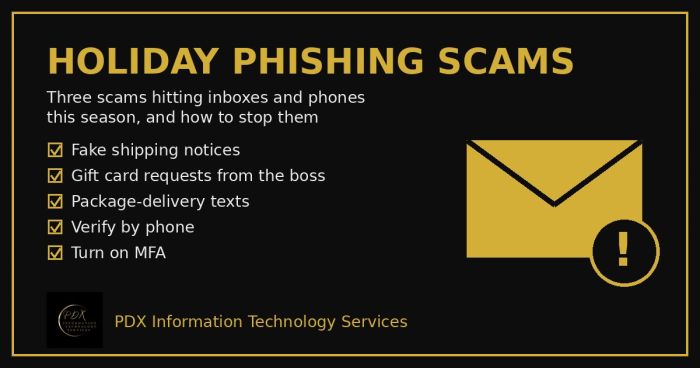
Holiday phishing scams are hitting Portland small businesses: fake shipping notices, gift card requests from the boss and delivery texts. How to stop them.
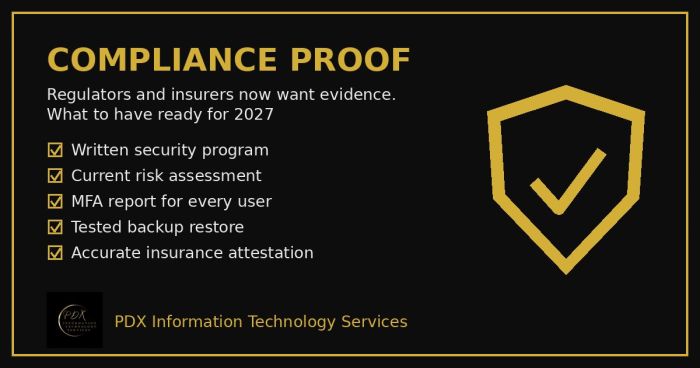
Cybersecurity compliance proof: HIPAA, CMMC, the FTC and cyber insurers now want documented evidence, not promises. See the checklist for 2027.
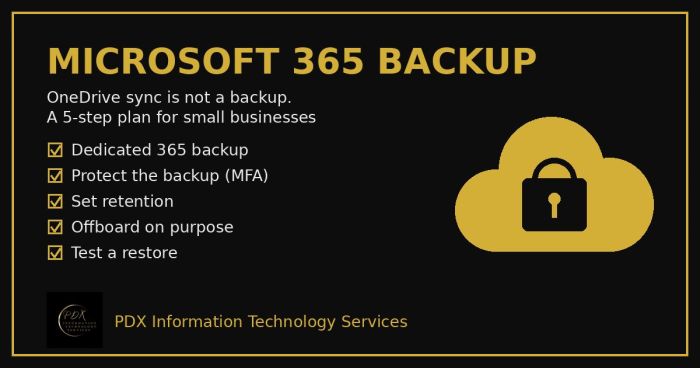
Microsoft 365 backup for small business: why OneDrive sync and the recycle bin aren’t a real backup, what can go wrong and a 5-step fix you can test.