
Your Business Email Showed Up in a Data Breach: What to Do Next (A Step-by-Step Plan)
Last updated:
It usually arrives as a short, unsettling message. A breach alert from a password manager. A notice from a website you signed up for years ago. A line in a dark web scan report. The message says the same thing every time: your business email address was found in a data breach.
Earlier in this series we covered why dark web scanning matters and how credential stuffing turns one leaked password into a break-in. This post is the practical follow-up. If your business email is in a data breach, what exactly should you do, and in what order?
Below is a step-by-step plan written for owners and office managers at small businesses around Portland, Tualatin, Beaverton, Lake Oswego and Vancouver, WA. You don’t need to be technical to follow it. Where a step needs an IT person, we’ll say so.
First, Take a Breath: What the Alert Actually Means
A breach alert means a copy of some information tied to your email address is now in the hands of people who shouldn’t have it. Most of the time, the breach happened at another company: a software vendor, an online store, a conference sign-up site or a social network where someone at your business once created an account with their work email.
That is different from your own systems being hacked. It does not automatically mean anyone has logged into your mailbox. But it does mean three things are now more likely:
- Targeted phishing. Criminals know your address is real and active, and sometimes they know which service you use.
- Password attacks. If a password was part of the leak, it will be tried on your email, banking and other business logins.
- Impersonation. Leaked names, titles and phone numbers make fake emails and calls more convincing.
The goal of the steps below is simple: make sure the leaked information is useless to an attacker, and confirm nobody has already used it.
Step 1: Confirm the Leak and Find Out What Was Exposed
Before you change anything, figure out what you’re dealing with. The free service Have I Been Pwned lets you enter an email address and see which known breaches it appears in, along with the types of data each breach exposed. It is run by security researcher Troy Hunt and is widely used by IT teams and government agencies.
Look closely at the “compromised data” for each breach. It changes how urgent your next steps are:
| What was exposed | What it means | How urgent |
|---|---|---|
| Email address only | Expect more phishing and spam aimed at that address | Lower, but warn the user |
| Name, title, phone, company | Better ammunition for impersonation and fake invoices | Medium |
| Password or password hash | The password (or a version that can sometimes be cracked) is out there | High: act today |
| Security questions, dates of birth, addresses | Can help someone reset accounts or pass identity checks | High |
If the alert came from a dark web scan rather than a public breach site, ask whoever ran the scan for the same details: the source, the date and whether a password was included.
Business tip: check every address at your company, not just the one in the alert. If one person’s work email was in a breach, others often are too. Have I Been Pwned also offers a domain search for people who can prove they control the domain, which is a job your IT provider can handle.
Step 2: Change the Password, Everywhere It Was Used
If a password was part of the breach, change it right away, and not only on the site that was breached.
The real danger is reuse. If that employee used the same or a similar password on Microsoft 365, Google Workspace, your bank, payroll or accounting software, all of those are now at risk. Change the password on every account that shared it.
When you pick the new password, follow current guidance from NIST and CISA:
- Make it long. A passphrase of several random words beats a short password with symbols.
- Make it unique. One password, one account, no exceptions.
- Don’t just add a number to the old one. Attackers try those variations first.
- Use a password manager so nobody has to remember dozens of unique passwords.
If the breached account is the person’s main work email, the reset should come first, before the steps below. If you suspect the mailbox is already compromised, do the reset from a different, trusted computer.
Step 3: Turn On MFA (and Confirm It Is Really On)
Multi-factor authentication (MFA) means a password alone isn’t enough to log in. The person also has to approve a prompt in an app, enter a code or use a security key. CISA calls MFA one of the most important steps any organization can take, and it is the single best protection when a password has leaked.
For a small business, that means:
- MFA on every email account, including shared mailboxes that people sign in to, the owner’s account and any old admin accounts.
- MFA on banking, payroll, accounting and remote access tools.
- An app-based method (like Microsoft Authenticator) instead of text messages wherever possible.
Then check that it’s actually enforced. We often hear “we have MFA” when it’s really “some people turned it on.” In Microsoft 365, an admin can confirm whether security defaults or Conditional Access policies require MFA for everyone. Microsoft explains security defaults on Microsoft Learn.
One more rule to share with your team: never approve an MFA prompt you didn’t start. An unexpected prompt usually means someone else has the password.
Step 4: Check Microsoft 365 for Inbox Rules and Forwarding
This is the step most small businesses skip, and it’s the one that matters most if someone already got in.
When attackers get into a mailbox, one of the first things they often do is quietly create an inbox rule. A typical rule might:
- Forward copies of every email to an outside address.
- Move any message containing words like “invoice,” “payment” or “wire” to an obscure folder.
- Delete replies from a certain customer or vendor so the real person never sees a warning.
These rules let a criminal keep watching and keep stealing even after the password is changed. They are a common setup for the invoice and payment fraud we’ve written about before.
What to check:
- Inbox rules. In Outlook, open Settings and look at Rules. Anything you don’t recognize, especially rules that forward, delete or move mail, is a red flag.
- Mailbox forwarding. In Outlook on the web, check the Forwarding setting. In the Microsoft 365 admin center, an admin can check forwarding for each user.
- Connected apps and delegates. Look for unfamiliar apps with access to the mailbox, and for other people added as delegates.
Microsoft documents how admins can detect and fix malicious Outlook rules and how to respond to a compromised email account. If you use Google Workspace, the same idea applies: check filters, forwarding and third-party app access. (And if you’re still running the business on a personal Gmail account, read why free Gmail is a risk for business.)
Don’t delete a suspicious rule without writing it down first. Take a screenshot showing the rule, where it forwards and when you found it. That record may matter later for insurance or reporting.
Step 5: Sign Out of Every Session
Changing a password doesn’t always kick out someone who is already signed in. Sessions on phones, browsers and apps can stay active for a while.
After the password reset, sign the account out everywhere. In Microsoft 365, an admin can revoke the user’s sessions so every device has to sign in again with the new password and MFA. The user can also use the “sign out everywhere” option in their account security settings.
Expect a little inconvenience: the employee will need to sign back in on their phone, laptop and Outlook. That’s the point.
Step 6: Look Back at Recent Activity
Now check whether anyone actually used the account. You’re looking for things like:
- Sign-ins from unusual places, like another country or a city where nobody on your team works.
- Sent messages the person doesn’t remember, especially to customers, vendors or your finance team.
- Changes to payment details, like a “new bank account” email from a vendor or a request to update direct deposit.
- New devices registered to the account.
A Microsoft 365 admin can review sign-in logs and, depending on your licensing, search the audit log for mailbox activity. If anything looks off, stop here and get help before going further. A confirmed break-in changes the plan from “cleanup” to “incident.”
Step 7: Warn Your Staff (and Possibly Your Contacts)
People are your early warning system, so tell them what happened in plain terms. A short message is enough:
- An email address at our company appeared in a data breach at another company.
- Expect phishing emails that look more convincing than usual, possibly mentioning that service.
- Don’t approve any MFA prompt you didn’t start.
- Verify any request to change payment details or send money by calling a number you already have, not one in the email.
- Report anything odd right away.
CISA has a short, shareable guide on how to recognize and report phishing that works well for this.
If the mailbox was actually accessed and sent emails to outsiders, you may also need to warn customers or vendors directly so they don’t act on fake invoices or links that came from your real address.
Step 8: Decide Whether You Have Reporting Duties
Here’s the important distinction:
- If the breach happened at someone else’s company and your email just appeared in their data, you usually have nothing to report. The breached company carries the notification duty.
- If someone got into your own systems, for example by logging into a mailbox that held customer information, you may have legal duties to notify people or regulators.
Both Oregon and Washington have breach notification laws, and the Oregon Department of Justice and the Washington Attorney General each publish breach guidance and notice lists (Oregon DOJ data breaches, Washington AG data breach notifications). Medical and dental offices, CPAs, tax preparers and financial advisors can have extra federal rules on top of that, with tight deadlines.
We covered those rules in detail in What Portland CPAs, Financial Advisors, and Medical Offices Must Report After a Data Breach. If money was stolen, you can also file a report with the FBI’s Internet Crime Complaint Center (IC3). If personal information about you was exposed, the FTC’s IdentityTheft.gov walks you through recovery steps.
When in doubt, talk to your attorney and your cyber insurance carrier early. Many policies have notice requirements of their own.
Step 9: Set Up Ongoing Monitoring
A one-time cleanup handles today’s alert. It doesn’t tell you about next month’s breach.
New breaches are disclosed constantly, and old stolen data keeps getting combined and resold. That’s why ongoing monitoring matters:
- Dark web monitoring watches for your company’s email addresses and credentials showing up in breach dumps and criminal marketplaces, and alerts you when something new appears.
- Sign-in alerts flag logins from unusual locations or risky sign-in patterns.
- Email security filtering catches the targeted phishing that often follows a leak.
- Regular reviews of inbox rules, forwarding and admin accounts catch problems a busy office would miss.
The aim is to hear about a leak from your own monitoring, not from a customer who got a strange invoice.
Your One-Page Response Checklist
Print this and keep it near whoever handles IT at your office:
| Step | What to do | Who |
|---|---|---|
| 1 | Confirm the breach and what data was exposed (Have I Been Pwned or scan report) | Owner or office manager |
| 2 | Change the password on every account that used it | Affected employee |
| 3 | Confirm MFA is required on email and key business apps | IT provider or admin |
| 4 | Check inbox rules, forwarding, delegates and connected apps | IT provider or admin |
| 5 | Revoke sessions and sign out everywhere | IT provider or admin |
| 6 | Review recent sign-ins, sent mail and payment change requests | IT provider or admin |
| 7 | Warn staff, and contacts if the mailbox sent anything | Owner |
| 8 | Decide on reporting duties with your attorney and insurer | Owner |
| 9 | Turn on ongoing dark web monitoring and sign-in alerts | IT provider |
When to Call for Help Right Away
Some situations are past do-it-yourself territory. Get professional help immediately if:
- You found a forwarding rule or inbox rule nobody created.
- Someone sent emails from the account that the owner didn’t write.
- Payment details were changed or money was sent to a new account.
- An admin account, or the owner’s account, is involved.
- You handle health, tax or financial records and think customer data may have been viewed.
In those cases, speed and a clean record of what happened both matter. A managed IT provider can lock things down, collect evidence and help you work through reporting.
How PDX IT Helps
PDX Information Technology Services is based in Tualatin and supports small businesses across the Portland metro area and Vancouver, WA. Through our managed IT services and proactive cybersecurity services, we help owners handle breach alerts calmly and keep them from turning into real incidents.
- Dark web monitoring is included in both our Gold and Platinum plans, so new exposures of your company’s credentials get flagged for you.
- We enforce MFA, review sign-ins and check Microsoft 365 for suspicious inbox rules and forwarding.
- Platinum adds INKY email protection to help catch the targeted phishing that follows a leak.
- If an account is compromised, we walk you through cleanup and help you document what happened.
- Our plans come with a 90-day opt-out: if it isn’t working for you in the first 90 days, you can cancel without penalties.
FAQ: Business email in a data breach
My email was found in a data breach. Does that mean I’ve been hacked?
Not necessarily. Usually it means another company you had an account with was breached. Your own mailbox is only at risk if a password was exposed and reused, or if someone has since logged in. Follow the steps above to confirm.
What should I do first if my business email is in a data breach?
Find out what was exposed. If a password was included, change it on every account that used it, confirm MFA is on and check your mailbox for rules or forwarding you didn’t create.
Is Have I Been Pwned safe to use?
Yes. Have I Been Pwned is a well-known free service run by security researcher Troy Hunt. Checking an email address there shows which known breaches it appears in. It does not ask for your password.
How do I check for suspicious forwarding in Microsoft 365?
In Outlook, review your Rules and Forwarding settings for anything you didn’t set up. A Microsoft 365 admin can also check forwarding and inbox rules for every user from the admin tools.
Do I have to report it if my email showed up in someone else’s breach?
Usually not. The breached company carries the notification duty. If someone accessed your own systems or customer data, Oregon, Washington and some federal rules may require notice, so talk to your attorney and insurer.
Can I get my email address removed from the dark web?
No. Once data is leaked, it gets copied and resold, and there’s no way to pull it back. What you can do is make it useless: unique passwords, MFA and ongoing monitoring so you hear about new leaks quickly.
Got a Breach Alert and Not Sure What to Do?
We’re happy to look at it with you, run a free dark web scan for your company’s email domain and explain what we find in plain English. Contact us, call Steve at 971-331-4871 or email sales@pdxittech.com. Even if you never work with us, you’ll leave knowing where you stand.
This article is general information for small business owners, not legal advice.
{“@context”: “https://schema.org”, “@type”: “FAQPage”, “mainEntity”: [{“@type”: “Question”, “name”: “My email was found in a data breach. Does that mean I’ve been hacked?”, “acceptedAnswer”: {“@type”: “Answer”, “text”: “Not necessarily. Usually it means another company you had an account with was breached. Your own mailbox is only at risk if a password was exposed and reused, or if someone has since logged in. Follow the steps above to confirm.”}}, {“@type”: “Question”, “name”: “What should I do first if my business email is in a data breach?”, “acceptedAnswer”: {“@type”: “Answer”, “text”: “Find out what was exposed. If a password was included, change it on every account that used it, confirm MFA is on and check your mailbox for rules or forwarding you didn’t create.”}}, {“@type”: “Question”, “name”: “Is Have I Been Pwned safe to use?”, “acceptedAnswer”: {“@type”: “Answer”, “text”: “Yes. Have I Been Pwned is a well-known free service run by security researcher Troy Hunt. Checking an email address there shows which known breaches it appears in. It does not ask for your password.”}}, {“@type”: “Question”, “name”: “How do I check for suspicious forwarding in Microsoft 365?”, “acceptedAnswer”: {“@type”: “Answer”, “text”: “In Outlook, review your Rules and Forwarding settings for anything you didn’t set up. A Microsoft 365 admin can also check forwarding and inbox rules for every user from the admin tools.”}}, {“@type”: “Question”, “name”: “Do I have to report it if my email showed up in someone else’s breach?”, “acceptedAnswer”: {“@type”: “Answer”, “text”: “Usually not. The breached company carries the notification duty. If someone accessed your own systems or customer data, Oregon, Washington and some federal rules may require notice, so talk to your attorney and insurer.”}}, {“@type”: “Question”, “name”: “Can I get my email address removed from the dark web?”, “acceptedAnswer”: {“@type”: “Answer”, “text”: “No. Once data is leaked, it gets copied and resold, and there’s no way to pull it back. What you can do is make it useless: unique passwords, MFA and ongoing monitoring so you hear about new leaks quickly.”}}]}Request an IT assessment
Tell us a little about your business and a PDX IT team member will follow up to schedule an assessment. Prefer to talk? Call 971-331-4871.

About the author: Steve Shaff
Steve Shaff is the owner of PDX Information Technology Services, a managed IT provider he founded in 2020. From the Tualatin office he helps businesses across Portland Metro & Southwest Washington with IT support, cybersecurity and compliance. More about Steve · Contact PDX IT
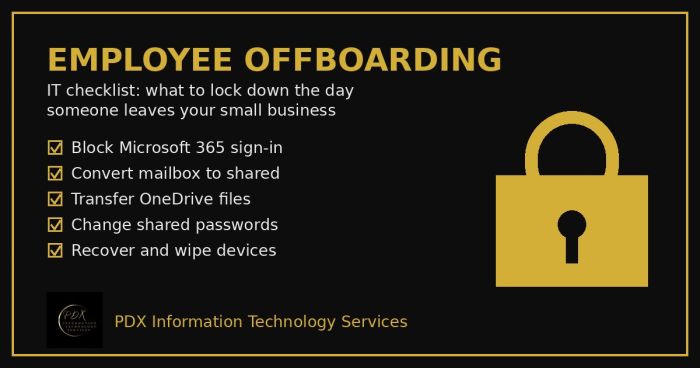
Portland employee offboarding IT checklist: lock Microsoft 365, save the mailbox and OneDrive files, change shared passwords and wipe company devices.
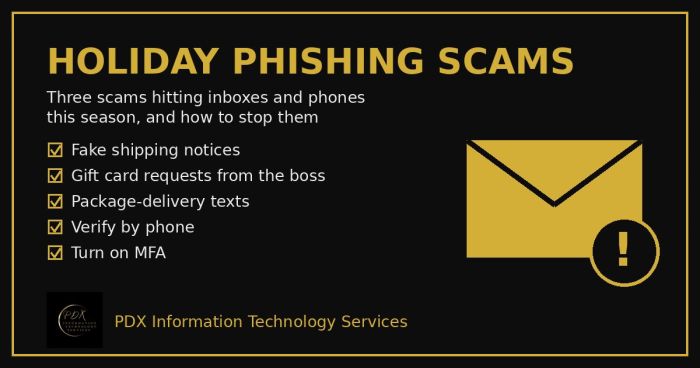
Holiday phishing scams are hitting Portland small businesses: fake shipping notices, gift card requests from the boss and delivery texts. How to stop them.
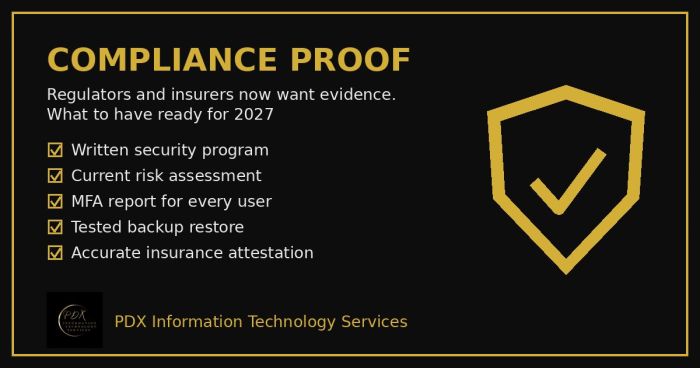
Cybersecurity compliance proof: HIPAA, CMMC, the FTC and cyber insurers now want documented evidence, not promises. See the checklist for 2027.