
Your Passwords May Already Be for Sale: Why Dark Web Scanning Matters for Portland Small Businesses
Last updated:
Most small business owners I talk to picture hackers working hard to break into their network. The truth is usually more boring and more worrying. Often nobody breaks in at all. They log in, using an email address and password that one of your employees reused on some other website that got breached years ago.
Those stolen logins end up on the dark web, where they are bought, sold and traded. A dark web scan tells you whether your company’s are out there. This post explains, in plain English, what that means for your business and what to do about it. No technical background needed.
What the Dark Web Is (the Short Version)
The dark web is a part of the internet you can’t reach with a normal browser or find on Google. Plenty of it is harmless, but it’s also where criminals run marketplaces for stolen data: email addresses, passwords, credit card numbers and personal records.
Here’s how your information gets there. Your bookkeeper signs up for a shipping site, a webinar or an online store using her work email. Years later that site gets breached. The list of emails and passwords is copied and sold. Your business never did anything wrong, but your company email is now on a list criminals use every day.
Why This Is a Business Problem, Not Just an IT Problem
Reused passwords open the front door
People reuse passwords. That’s not a character flaw; it’s human. But it means one leaked password from a gym website can be the same password that opens your employee’s Microsoft 365 mailbox. Verizon’s Data Breach Investigations Report consistently lists stolen credentials, along with phishing, among the most frequent causes of data breaches.
When we run scans for Portland-area companies, this pattern shows up again and again. One local company had more than 1,000 exposed records tied to its domain, and many of the leaked passwords had clearly been reused across accounts.
Email takeover leads to invoice fraud
Once someone is inside a mailbox, they rarely make noise. They read. They learn who pays whom, when invoices go out and how your people write. Then they send a “we changed banks” email to your customer, or approve a fake payment from inside your own account. The FBI’s 2024 Internet Crime Report lists business email compromise losses of about $2.77 billion in a single year. We covered how these scams play out in detail in The Invoice Looks Right. The Bank Account Doesn’t.
Ransomware often starts with a simple login
Ransomware gangs don’t always need fancy tools. A valid username and password for remote access or email is often all they need to get started. Leaked credentials are cheap, and they give an attacker a quiet way in before anyone notices.
Customer trust is hard to win back
If your email account is used to scam your own customers, they won’t blame a website in another country. They’ll remember the message came from you. For a small business that runs on referrals and reputation, that hurts more than the dollar loss.
Insurance and compliance questions get harder
Cyber insurance applications now regularly ask about multi-factor authentication (MFA), password practices and monitoring. If you handle health, financial or customer data, a breach can also start reporting deadlines. Our guide on what Portland CPAs, advisors and medical offices must report after a breach walks through those clocks. Knowing about exposed credentials early is a lot cheaper than explaining them after an incident.
What a Dark Web Scan Actually Does
A dark web scan checks known breach data and criminal marketplaces for email addresses on your company’s domain. You get a report that shows:
- Which work email addresses have shown up in breaches
- When and where they were exposed, when that’s known
- Whether a password (or part of one) was included
It doesn’t touch your computers or network, and it doesn’t take your team’s time. It simply shows you what criminals may already know about you.
Why Dark Web Scanning Is Not One-and-Done
This is the part most owners miss. A clean scan today only means you were clean today.
New breaches happen constantly. Every week another retailer, app, school, clinic or software vendor gets hit, and the stolen lists get posted, resold and combined with older ones. Your employees keep signing up for new sites with their work email. Someone new joins the team and brings their old habits along. Any of those can put fresh company logins on the dark web next month, even if this month’s report looked fine.
Think of it like checking your bank statement. Looking once a year doesn’t protect you; you look regularly, so you catch the strange charge before it turns into a real problem. Dark web scanning works the same way:
- Scan monthly at a bare minimum. Ongoing monitoring that watches continuously and alerts you when a new exposure appears is even better.
- Act quickly on each alert. The value is in changing a leaked password before a criminal tries it, not weeks later.
- Re-check after changes, such as a new hire, a departing employee or news of a big breach at a service your team uses.
The criminals aren’t running a one-time check on your business. They’re testing leaked passwords every day. Your defense has to keep up.
What to Do If Your Scan Finds Something
Don’t panic, but don’t sit on it either. Exposure is very common, and the clock starts the moment those logins hit a criminal marketplace. What matters is what you do next:
- Change the exposed passwords, starting with email, banking and any remote access accounts.
- Stop the reuse. Give your team a password manager so every account gets its own password.
- Turn on multi-factor authentication for email and every important business app. A stolen password alone then isn’t enough.
- Set a payment rule: any request to change bank details gets confirmed by phone, using a number you already have.
- Train your people to spot phishing and fake login pages. Our post on AI cybersecurity for small business covers how these scams look in 2026.
- Keep watching. As covered above, new breaches happen every week, so ongoing monitoring beats a one-time look.
How PDX IT Helps
If you’d like help, PDX Information Technology Services is a managed IT provider based in Tualatin, serving businesses from Hillsboro to Gresham and Wilsonville to Vancouver, WA. We’ve offered dark web scanning since 2022, and ongoing dark web monitoring is included in both our Gold and Platinum plans. If you’re curious, you can compare what each plan covers on our managed services page, see our cybersecurity services, or check what managed IT costs in Portland.
Frequently Asked Questions
Is the dark web illegal to visit?
Visiting it isn’t illegal in itself, but it’s not a place a business owner should go poking around. Scanning tools and security providers search breach data safely for you.
My business is small. Would criminals really care?
Yes. Most of this is automated. Criminals test leaked passwords against thousands of businesses at once, and small businesses are attractive because they often lack MFA and monitoring.
If my email shows up, have I been hacked?
Not necessarily. It means a password tied to that email was leaked somewhere. It becomes a real risk if that password, or a similar one, is still in use. Change it and turn on MFA.
Can you remove my information from the dark web?
No one can reliably delete leaked data once it’s been copied and traded. The fix is to make it useless: new passwords, no reuse and MFA.
We had a scan last year and it was clean. Are we fine?
Not necessarily. A clean scan only covers what was known at that moment. New breaches surface all the time, so scanning needs to be ongoing, not one-and-done.
How often should we scan?
At a bare minimum, monthly. Continuous monitoring with alerts is better, so you hear about a new exposure as soon as it shows up.
Curious What’s Out There?
If you’d like to see what’s already floating around with your company’s name on it, we’re happy to run a free dark web scan, no strings attached. Call Steve at 971-331-4871 (9713314871) or email sales@pdxittech.com, and he’ll go over the results with you in plain English. Even if you never work with us, you’ll know where you stand.
Request an IT assessment
Tell us a little about your business and a PDX IT team member will follow up to schedule an assessment. Prefer to talk? Call 971-331-4871.

About the author: Steve Shaff
Steve Shaff is the owner of PDX Information Technology Services, a managed IT provider he founded in 2020. From the Tualatin office he helps businesses across Portland Metro & Southwest Washington with IT support, cybersecurity and compliance. More about Steve · Contact PDX IT
Most stolen passwords never get cracked. They get reused. Credential stuffing is how criminals turn an old breach at some unrelated website into a login to your company email. Here is how it works and how Portland-area small businesses can shut it down.
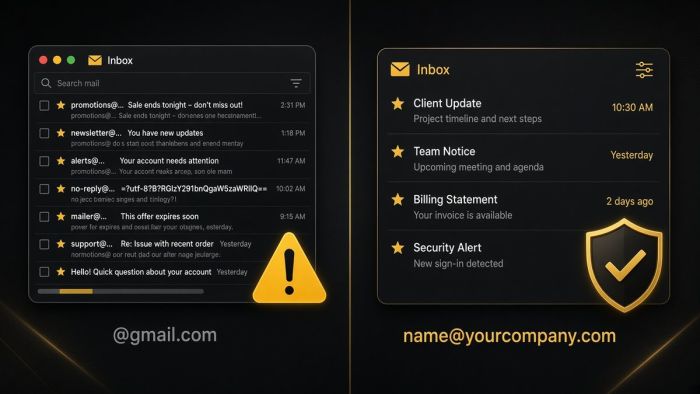
If your business email ends in @gmail.com, you are taking on risks you may not see until something goes wrong. Here is what they are, and how Portland-area businesses move to professional email on their own domain.
AI meeting notetakers can give every small business a perfect memory of its calls. They also record, transcribe, and store conversations that may include client details, HR issues, and passwords. Here is how Portland metro businesses can get the time savings without the privacy mess.