
Double Extortion Ransomware: When Gangs Sell Your Stolen Data on the Dark Web (A Small Business Guide)
Last updated:
Ransomware used to be a simple, ugly deal. Criminals scrambled your files and charged you to unscramble them. If you had good backups, you could restore, skip the payment and get back to work.
Many ransomware gangs have adjusted to that. Before they lock anything, they quietly copy your data out of your network. Then they make two threats instead of one: pay to get your systems back, and pay again (or pay more) to keep your client files, payroll records and emails off the internet. Security agencies call this double extortion ransomware, and it is a big reason the dark web matters to businesses that have never thought about it.
This is the fourth post in our dark web series for small businesses around Portland, Tualatin, Beaverton, Lake Oswego and Vancouver, WA. Earlier posts covered why dark web scanning matters, how credential stuffing turns one leaked password into a break-in and what to do when your business email shows up in a data breach. This one looks at the other side of the market: what happens when your own business is the source of the stolen data.
What Is Double Extortion Ransomware?
Double extortion is a ransomware attack with two levers:
- Encryption. Your files, servers or cloud data are locked so you can’t work.
- Data theft and exposure. Before encrypting, the attackers copy sensitive data and threaten to publish it, sell it or send it to your clients if you don’t pay.
The U.S. Cybersecurity and Infrastructure Security Agency (CISA) describes this pattern in its #StopRansomware guide, noting that ransomware actors increasingly exfiltrate (copy out) data and threaten to release it as added pressure to pay.
Some groups skip the encryption entirely and just steal and threaten. Others add more pressure, such as calling employees or emailing the victim’s customers. Either way, the key change is the same: backups alone no longer solve the problem. Backups get your files back. They do nothing to get your stolen data back.
Where Stolen Data Ends Up: Leak Sites and Dark Web Markets
When people say a ransomware gang “posted the data,” they usually mean a data leak site. These are websites, typically reachable only through the Tor network, that many ransomware groups run to name their victims. A typical listing shows the company name, a countdown timer and a sample of stolen files as proof.
If the victim doesn’t pay, the gang may:
- Publish everything on the leak site for anyone to download.
- Sell the data to other criminals on dark web forums and markets.
- Hand it to partners who specialize in fraud, phishing or identity theft.
Once data is out, it tends to stay out. Copies get mirrored, repackaged and resold. Email addresses and passwords from stolen files can end up in the combo lists we described in our credential stuffing post. Client names and invoices become raw material for fake invoice and payment fraud.
That is why this matters even after the crisis is “over.” The ransomware event might last a week. The stolen data can be used against your business, your staff and your clients for years.
What Kind of Data Do Ransomware Gangs Want From Small Businesses?
Attackers go after whatever creates the most pressure to pay or the most resale value. For a small business, that often means:
| Data type | Why criminals want it | Who gets hurt |
|---|---|---|
| Client and patient records | Identity theft, extortion, regulated data that triggers notification rules | Your clients and your reputation |
| Tax returns, financial statements | Tax fraud, account takeover | Clients of CPAs, bookkeepers and advisors |
| Payroll and HR files | Social Security numbers, bank details, home addresses | Your employees |
| Email archives | Invoice details, vendor contacts, private conversations | Your vendors and partners |
| Contracts, bids, pricing | Embarrassment and leverage, competitor interest | Your business |
| Saved passwords and VPN details | Access to sell to the next attacker | Everyone connected to your network |
Notice that most of this data isn’t “IT data.” It lives in shared drives, Microsoft 365, accounting software and old file servers that nobody has cleaned up in years. The more of it you keep, and the more widely it’s shared, the more there is to steal.
How Ransomware Gangs Get In
Double extortion attacks rarely start with anything exotic. CISA’s guide points to the same entry points again and again:
- Phishing emails that steal a password or install malware.
- Stolen or reused credentials for email, remote access or VPNs, often bought on the dark web.
- Unpatched internet-facing systems such as firewalls, VPN appliances and remote desktop.
- Weak remote access, especially remote desktop (RDP) exposed to the internet without multi-factor authentication.
- Trusted vendors whose access to your network gets abused (see why your security is only as strong as your weakest vendor).
There is a dark web link at the start of many attacks too. Criminal groups often buy access from “initial access brokers,” people who break in or collect working logins and then sell them. A leaked employee password you never heard about can be the first step.
Warning Signs Before the Ransom Note
Ransomware gangs often spend time inside a network before they strike, finding the valuable data and copying it out. Signs worth taking seriously include:
- Sign-ins to Microsoft 365 or VPN from unusual locations or at odd hours.
- New admin accounts, or existing accounts suddenly given more access.
- Security tools turned off or uninstalled on a computer or server.
- Large, unexplained uploads or outbound traffic, especially overnight.
- New compressed archives (ZIP or RAR files) appearing on servers.
- Your company’s email addresses or passwords turning up in a dark web scan.
None of these proves an attack on its own. But they are exactly the kind of things a monitored security service watches for, and catching them early can be the difference between a blocked intrusion and a leak site listing. Our post on SOC vs. MDR for small business explains how round-the-clock monitoring works.
How to Protect Your Business From Double Extortion
Because double extortion has two levers, you need defenses for both: keep attackers out, and make stolen data less useful if they get in.
1. Lock down logins
- Turn on multi-factor authentication (MFA) for email, remote access, banking, payroll and every admin account.
- Use unique passwords for every account, stored in a password manager.
- Remove accounts for former employees and old vendors promptly.
- Monitor for your company’s credentials on the dark web so you can reset them before they’re used.
2. Stop phishing at the inbox
Most ransomware still needs someone to click. An email security layer that scans links and attachments and flags impersonation helps a lot. PDX IT uses INKY for email security, which adds warning banners to suspicious messages so staff can spot them before they act. Pair that with short, regular security awareness training.
3. Patch and close the doors
- Keep firewalls, VPN appliances, servers and computers patched on a schedule.
- Don’t expose remote desktop directly to the internet.
- Retire old systems that no longer get security updates.
4. Shrink what can be stolen
This is the part many businesses skip, and it matters most for double extortion:
- Delete what you don’t need. Old client files, scanned IDs and years-old tax documents are liabilities if you’re not required to keep them.
- Limit access. Not everyone needs every shared folder. Give people access to what their job requires.
- Encrypt sensitive data on laptops and in storage.
- Know where your sensitive data lives, so you can answer “what did they take?” quickly if the worst happens.
5. Keep backups the attackers can’t touch
Backups don’t stop data theft, but they still decide whether you can recover without paying for a decryption key. CISA recommends keeping offline, encrypted backups and testing them regularly. A 3-2-1 backup strategy (three copies, two types of storage, one off-site) is a solid baseline. For servers, PDX IT uses Datto, with nightly backups to the cloud and a full backup over the weekend.
6. Write down your response plan
Decide now who you will call, who can approve shutting systems down, where your cyber insurance policy is and how you’ll reach staff if email is down. CISA’s guide includes a ransomware response checklist that is a good starting point.
If a Ransomware Gang Says It Has Your Data
If you get a ransom note, or find your company named on a leak site, take these steps in roughly this order:
- Isolate affected systems. Disconnect infected computers and servers from the network, but don’t wipe them. Evidence matters.
- Call your IT provider and your cyber insurance carrier. Many policies require you to use approved response firms and to notify them quickly.
- Report it. The FBI asks victims to report ransomware through the Internet Crime Complaint Center (IC3), and CISA accepts reports through its #StopRansomware site.
- Don’t engage the attackers on your own. Let your response team and insurer guide any contact.
- Figure out what was taken. This drives every decision that follows, including legal notifications.
- Reset credentials across the business, starting with admin and email accounts, once the attackers are locked out.
Should you pay?
That is a business and legal decision to make with your insurer, attorney and law enforcement, not alone in a panic. Keep two facts in mind. First, the FBI does not encourage paying a ransom, because payment doesn’t guarantee you’ll get your data back and it funds more attacks. Second, paying does not make stolen data disappear. You are relying on a criminal’s promise to delete it. The U.S. Treasury’s Office of Foreign Assets Control has also warned that ransomware payments to sanctioned groups can create sanctions risk for the people who make or facilitate them.
Breach Notification Rules in Oregon and Washington
If personal information was stolen, you may have legal duties to tell people, regardless of whether you pay. A few examples (this is general information, not legal advice; talk to your attorney):
- Oregon: Under ORS 646A.604, businesses must notify affected consumers in the most expeditious manner possible, without unreasonable delay, and no later than 45 days after discovering a breach. If more than 250 consumers are affected, the Oregon Attorney General must also be notified. The Oregon Department of Justice has a data breach page for businesses and consumers.
- Washington: Under RCW 19.255.010, notice must go out no more than 30 calendar days after the breach is discovered, and the Washington Attorney General must be notified if more than 500 Washington residents are affected. See the Washington AG’s data breach page.
- Healthcare, tax and financial firms may have more rules, such as HIPAA, the FTC Safeguards Rule and IRS reporting. Our guide to data breach reporting for Portland CPAs, advisors and medical offices walks through those.
Clocks start when you discover the breach, so knowing quickly what was taken is not just an IT question. It’s a legal one.
After the Attack: Watching the Dark Web for Your Data
Even after systems are restored, the stolen data can keep surfacing. Ongoing dark web monitoring helps you:
- Spot company email addresses and passwords as they appear, so you can reset them first.
- Warn employees and clients about targeted phishing that uses stolen details.
- Track whether data tied to your domain keeps circulating.
Dark web monitoring is included in PDX IT’s Gold and Platinum managed IT plans, along with the monitoring, patching, email security and backup work described above. You can see how our managed IT services and proactive cybersecurity services fit together. And if you decide to switch to PDX IT, our 90-day opt-out means you can cancel in the first 90 days with no penalties.
FAQ: Double extortion ransomware
What is double extortion ransomware?
Double extortion ransomware is an attack where criminals copy a victim’s data before encrypting it, then demand payment both to unlock systems and to keep the stolen data from being published or sold on the dark web.
Do backups protect against double extortion?
Backups help you restore locked systems without paying for a decryption key, but they do not stop stolen data from being leaked. You also need strong logins, email security, monitoring and less sensitive data stored in the first place.
What is a ransomware data leak site?
A data leak site is a website, usually on the Tor network, where ransomware groups list victims, post samples of stolen files and publish or sell the full data if a ransom is not paid.
If we pay the ransom, will the gang delete our data?
There is no guarantee. You are relying on a criminal’s promise, and the FBI does not encourage paying ransoms. Any payment decision should involve your insurer, attorney and law enforcement.
Do we have to notify anyone if ransomware gangs steal our data?
Often, yes. Oregon and Washington both have breach notification laws with deadlines and attorney general reporting thresholds, and healthcare, tax and financial businesses may have extra federal rules. Talk to your attorney promptly.
Is dark web monitoring included in PDX IT’s plans?
Yes. Dark web monitoring is included in PDX IT’s Gold and Platinum managed IT plans for businesses across the Portland metro and Vancouver, WA.
Talk to a Local IT Team Before It Happens
Double extortion works because it hits two weak spots at once: how easy it is to get in, and how much valuable data is sitting there once someone does. Both can be fixed, and it’s far cheaper to fix them before a ransom note than after.
If you’d like a second set of eyes on your backups, logins and dark web exposure, PDX Information Technology Services is based in Tualatin and supports small businesses across the Portland metro and Vancouver, WA. Contact us, email sales@pdxittech.com or call 971-331-4871. We’re happy to talk through where you stand.
{“@context”: “https://schema.org”, “@type”: “FAQPage”, “mainEntity”: [{“@type”: “Question”, “name”: “What is double extortion ransomware?”, “acceptedAnswer”: {“@type”: “Answer”, “text”: “Double extortion ransomware is an attack where criminals copy a victim’s data before encrypting it, then demand payment both to unlock systems and to keep the stolen data from being published or sold on the dark web.”}}, {“@type”: “Question”, “name”: “Do backups protect against double extortion?”, “acceptedAnswer”: {“@type”: “Answer”, “text”: “Backups help you restore locked systems without paying for a decryption key, but they do not stop stolen data from being leaked. You also need strong logins, email security, monitoring and less sensitive data stored in the first place.”}}, {“@type”: “Question”, “name”: “What is a ransomware data leak site?”, “acceptedAnswer”: {“@type”: “Answer”, “text”: “A data leak site is a website, usually on the Tor network, where ransomware groups list victims, post samples of stolen files and publish or sell the full data if a ransom is not paid.”}}, {“@type”: “Question”, “name”: “If we pay the ransom, will the gang delete our data?”, “acceptedAnswer”: {“@type”: “Answer”, “text”: “There is no guarantee. You are relying on a criminal’s promise, and the FBI does not encourage paying ransoms. Any payment decision should involve your insurer, attorney and law enforcement.”}}, {“@type”: “Question”, “name”: “Do we have to notify anyone if ransomware gangs steal our data?”, “acceptedAnswer”: {“@type”: “Answer”, “text”: “Often, yes. Oregon and Washington both have breach notification laws with deadlines and attorney general reporting thresholds, and healthcare, tax and financial businesses may have extra federal rules. Talk to your attorney promptly.”}}, {“@type”: “Question”, “name”: “Is dark web monitoring included in PDX IT’s plans?”, “acceptedAnswer”: {“@type”: “Answer”, “text”: “Yes. Dark web monitoring is included in PDX IT’s Gold and Platinum managed IT plans for businesses across the Portland metro and Vancouver, WA.”}}]}Request an IT assessment
Tell us a little about your business and a PDX IT team member will follow up to schedule an assessment. Prefer to talk? Call 971-331-4871.

About the author: Steve Shaff
Steve Shaff is the owner of PDX Information Technology Services, a managed IT provider he founded in 2020. From the Tualatin office he helps businesses across Portland Metro & Southwest Washington with IT support, cybersecurity and compliance. More about Steve · Contact PDX IT
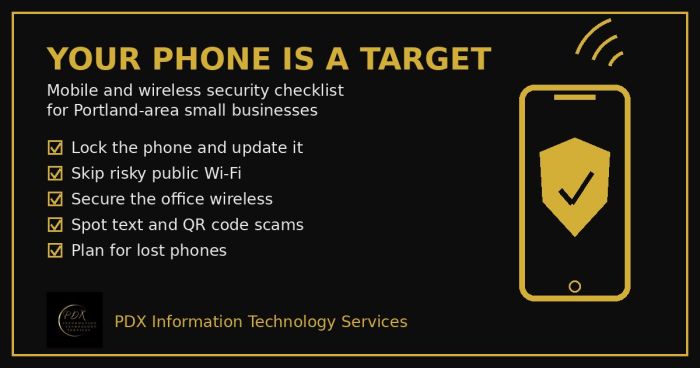
Portland small business mobile security checklist: lock phones, avoid risky public Wi-Fi, secure office wireless, spot text scams and handle lost phones.
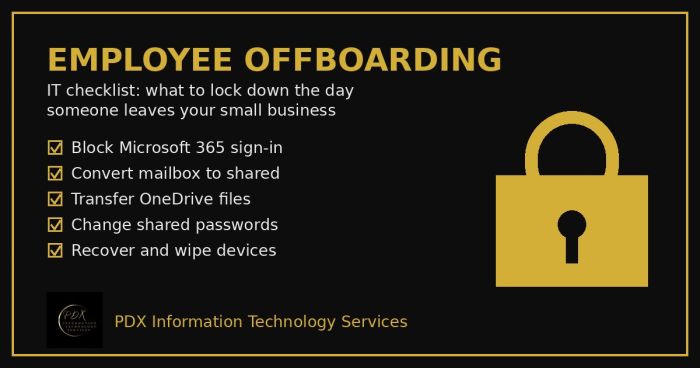
Portland employee offboarding IT checklist: lock Microsoft 365, save the mailbox and OneDrive files, change shared passwords and wipe company devices.
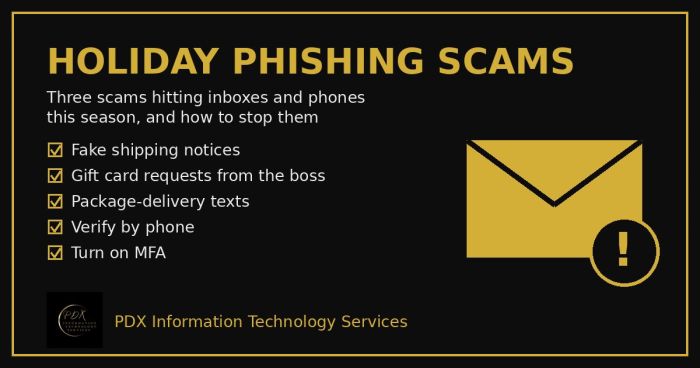
Holiday phishing scams are hitting Portland small businesses: fake shipping notices, gift card requests from the boss and delivery texts. How to stop them.