
Infostealer Malware: How Stolen Session Cookies Get Past MFA (and How to Stop It)
Last updated:
Infostealer malware is a small program that quietly copies the saved passwords and live login sessions out of a web browser, ships them to a criminal’s server and gets them sold on the dark web. The part that catches business owners off guard: a stolen session cookie can let an attacker into your Microsoft 365 or other cloud accounts without ever seeing an MFA prompt, because as far as the service is concerned, you already logged in.
The short answer: MFA is still essential, but it protects the moment you sign in, not the session after. To stop infostealers you need to (1) keep the malware off every device that touches company accounts, including personal laptops, (2) stop saving passwords in the browser, (3) make stolen sessions useless or short-lived, and (4) watch the dark web so you hear about a stolen log before someone uses it. The checklist below walks through all of it.
This is part five of our dark web series. Earlier posts covered why dark web scanning matters, how credential stuffing turns one leaked password into a break-in, what to do when your business email shows up in a data breach and how double extortion ransomware turns stolen data into a second threat. The first three were mostly about passwords. This one is about what comes after the password, and how stealer logs feed the ransomware crews we covered in part four.
What Infostealer Malware Actually Takes
I’ve been in IT since 1996, and for most of that time “the hacker got the password” was the whole story. Infostealers changed that. According to Microsoft Threat Intelligence, a typical infostealer such as StealC goes after:
- Saved usernames and passwords in Chrome, Edge, Firefox and other browsers
- Session cookies, the tokens that keep you signed in so you don’t have to log in on every click
- Autofill data and saved credit cards
- Email client passwords, including saved Outlook account settings
- Saved logins for file transfer tools, crypto wallets, messaging apps and more
- Screenshots of your desktop and files that match the attacker’s search rules
All of that gets bundled into what the criminal market calls a “log.” One infected computer produces one log, and that log can contain the keys to your email, your bank portal, your accounting software and your line-of-business apps all at once.
Why a Stolen Cookie Beats MFA
Here’s the plain-English version. When you sign in to Microsoft 365 and approve the MFA prompt, the service hands your browser a session cookie or token. From then on, your browser shows that token instead of asking you to prove yourself again. That’s why you aren’t typing a code every five minutes.
If an infostealer copies that token, the attacker can load it into their own browser and pick up your session where you left off. No password typed. No code requested. No push notification on your phone. Microsoft puts it directly: stolen session cookies “could allow an attacker to bypass multifactor authentication (MFA),” and because the attacker is using legitimate credentials, the activity “might not raise immediate alarms.”
That doesn’t mean MFA is pointless. It still blocks the far more common attacks that only have a password, like the credential stuffing we covered earlier in this series. It means MFA is one layer, not the finish line.
How the Malware Gets on a Computer
Infostealers rarely break in through a software flaw. They get invited in by ordinary behavior. Microsoft’s research lists the usual routes:
- Fake downloads from search results and ads. Someone searches for a free PDF tool or a driver, clicks a top result and installs a working program with a stealer bundled inside.
- “Cracked” software and game cheats. This is a big one on family computers. A teenager downloads a free game mod on the same laptop a parent uses to check work email.
- ClickFix pages. A website shows a fake error or “verify you are human” box and tells you to press a few keys and paste a command into Windows. The user runs the attacker’s script themselves.
- Phishing email attachments and links, still a reliable route when a campaign targets a specific company.
- Other malware that is already on the machine and downloads a stealer on command.
Notice that most of these happen on a computer nobody is watching. That leads to the statistic every small business owner should know.
The Personal Laptop Problem
Verizon’s 2025 Data Breach Investigations Report analyzed infostealer logs and found that 46% of compromised systems that held corporate logins were non-managed devices carrying both personal and business credentials. Verizon’s read is that these are most likely personal devices used for work, or company devices used outside policy.
In small businesses this is everywhere. The office manager checks email from a home PC on Sunday night. The owner logs into the accounting portal from a kid’s laptop on vacation. The bookkeeper works from her own machine because “it was easier.” None of those computers has the company’s security tools on it, and none of them shows up in anyone’s alerts.
The same Verizon report correlated infostealer logs with ransomware victims and found that 54% of those victims had their domains show up in infostealer logs or marketplace postings, and 40% had corporate email addresses in the stolen credentials. Verizon is careful to say this suggests the credentials could have been used for initial access, not that every attack started there. But it’s a strong signal that stealer logs and later break-ins land on the same organizations.
Where the Logs End Up
Microsoft reports that stolen logs often appear on dark web markets or Telegram channels within hours, at roughly $10 to $50 per log, with premium logs containing bank or corporate access going for $100 or more. Buyers include initial access brokers, people who test the stolen logins and resell working access to ransomware crews and fraud gangs. That pipeline is how stealer logs turn into double extortion ransomware attacks on small businesses. Microsoft also notes that the gap between theft and attack varies widely: some intrusions happen within 48 to 72 hours, while other credentials sit unused for months.
Law enforcement is pushing back. In May 2025, Microsoft and the U.S. Department of Justice disrupted Lumma Stealer, after Microsoft identified more than 394,000 infected Windows computers in two months (DOJ announcement). In June 2026, Microsoft’s Digital Crimes Unit and Europol went after StealC and Amadey infrastructure. Takedowns help, but new stealers are rented out as a service, so you can’t count on the market staying down.
The 10-Step Infostealer Defense Checklist
This is the order I’d tackle it in for a 5 to 50 person office. Steps 1 through 4 you can start this week. Some of the later steps need an IT person with admin access to Microsoft 365.
Step 1: Decide which devices may touch company accounts
Make a simple list: which computers and phones are allowed to sign in to email, files and business apps. If a personal laptop is on the list, it either gets the same security tools as company machines or it gets limited to web access with stricter rules. If you don’t make this decision, Verizon’s numbers say one gets made for you.
Step 2: Put real endpoint protection on every allowed computer
Built-in antivirus with cloud protection turned on is the floor. For a business, you want managed endpoint detection that someone actually monitors, so a stealer gets caught by its behavior even when the file is brand new. Microsoft also recommends turning on tamper protection so malware can’t simply switch the antivirus off.
Step 3: Stop saving passwords in the browser
The browser’s password vault is the first place infostealers look. Move everyone to a business password manager, then turn off password saving in Chrome and Edge through policy. This one change takes the biggest single prize out of a stealer log.
Step 4: Remove local admin rights for daily work
If the user who clicks the fake download can’t install software, a lot of these infections fail. Give people a standard account for daily work and keep admin rights for the times they’re truly needed.
Step 5: Block the common delivery tricks
Train staff on ClickFix by name: no legitimate website will ever ask you to press Windows+R and paste a command. Microsoft Defender users can also turn on attack surface reduction rules, which block several of the techniques stealers rely on. And keep downloads to approved software sources, not search results.
Step 6: Move to phishing-resistant sign-in where you can
Passkeys and FIDO2 security keys tie the login to the real website and the real device, which shuts down fake login pages. CISA calls this the gold standard in its phishing-resistant MFA fact sheet, and Microsoft documents how to turn on passkeys in Entra ID. Start with the owner, finance and anyone with admin rights.
Step 7: Make stolen sessions short-lived or device-bound
If you have Microsoft 365 Business Premium or Entra ID P1, Conditional Access lets you require compliant devices, block risky locations and shorten sign-in frequency for sensitive apps. Microsoft’s Token Protection goes further by binding sign-in tokens to the device they were issued to, so a stolen token can’t be replayed from another machine. Today it covers specific apps and platforms (like Exchange Online, SharePoint and Teams desktop apps), so roll it out with a pilot group first.
Step 8: Watch for sign-ins that don’t fit
Turn on alerts for sign-ins from new countries, impossible travel and unfamiliar devices. Microsoft Entra flags many of these as risky sign-ins on the right license. A replayed session from a different location is one of the few clues a stealer leaves behind.
Step 9: Know how to kill sessions fast
Changing a password does not always end an active session. If you suspect a stolen log, an admin needs to revoke the user’s sessions, reset the password, check MFA methods for anything new, and look for mailbox rules or forwarding the user didn’t create. Then clean or rebuild the infected computer. Resetting the password while the stealer is still on the machine just hands the attacker the new one.
Step 10: Monitor the dark web for your domain
Stealer logs are sold by domain and website. Dark web monitoring watches for your company’s email addresses and logins in breach dumps and stealer markets and tells you when one shows up, so you can run Step 9 before anyone uses it. That early warning is the whole point of this series.
Your One-Page Checklist
| Step | What to do | Who usually does it |
|---|---|---|
| 1 | List which devices may access company accounts | Owner + IT |
| 2 | Monitored endpoint protection with tamper protection | IT |
| 3 | Password manager; turn off browser password saving | IT + staff |
| 4 | Remove local admin rights for daily work | IT |
| 5 | ClickFix training; attack surface reduction rules | IT + staff |
| 6 | Passkeys or security keys for owners, finance, admins | IT |
| 7 | Conditional Access, sign-in frequency, Token Protection | IT |
| 8 | Alerts for unusual and risky sign-ins | IT |
| 9 | Written plan to revoke sessions and clean the device | IT |
| 10 | Ongoing dark web monitoring for your domain | IT provider |
Warning Signs a Stealer May Already Be Involved
Call your IT provider right away if you see any of these:
- A login alert from a location or device you don’t recognize, even though MFA “wasn’t triggered”
- Inbox rules or forwarding you didn’t create
- Password reset emails you didn’t request for several unrelated sites
- A coworker who recently installed a “free” tool, game mod or browser extension and now has odd pop-ups
- A dark web report showing a company login paired with a website URL, which is the typical format of a stealer log
How PDX IT Helps
We’re based in Tualatin and support small businesses across Portland, the west side suburbs and Vancouver, WA. Dark web monitoring is included in our Gold and Platinum plans, so new exposures of your company’s credentials get flagged instead of discovered after a break-in. We pair that with managed endpoint protection, Microsoft 365 sign-in hardening, password manager rollouts and session cleanup when something does go wrong. Platinum adds INKY email protection to help catch the phishing that delivers a lot of this malware.
You can compare what each plan includes on our managed services page or read more about our proactive cybersecurity services. Every managed plan comes with a 90-day opt-out: if it isn’t working for you in the first 90 days, you can cancel with no penalties.
FAQ: Infostealer malware
What is infostealer malware?
Infostealer malware is a program that secretly copies saved passwords, session cookies, autofill data and other credentials from a computer and sends them to criminals, who often sell them on dark web markets as “logs.”
Can infostealer malware bypass MFA?
Yes, in many cases. If it steals a live session cookie, an attacker can reuse your already-approved session without triggering a new MFA prompt. Phishing-resistant sign-in, device-bound tokens and short sessions reduce that risk.
How do I know if my computer has an infostealer?
Often you won’t see anything, because many stealers delete themselves after sending the data. Clues include unfamiliar sign-in alerts, unexpected password reset emails and your logins appearing in a dark web report. A managed endpoint protection tool is the most reliable way to catch one.
Does changing my password fix a stolen session cookie?
Not on its own. An admin should also revoke all active sessions, review MFA methods and mailbox rules, and clean or rebuild the infected computer before setting the new password.
Are personal computers really a risk to my business?
Yes. Verizon’s 2025 Data Breach Investigations Report found that 46% of infected systems holding corporate logins were non-managed devices, most likely personal computers used for work.
How does dark web monitoring help with infostealers?
It watches for your company’s email addresses and logins in breach dumps and stealer markets and alerts you when they appear, giving you a chance to reset passwords and revoke sessions before an attacker uses them.
Want to Know If Your Logins Are Already Out There?
We’re happy to run a free dark web scan for your company’s email domain and go over the results with you in plain English, including whether anything looks like it came from a stealer log. Contact us, call Steve at 971-331-4871 or email sales@pdxittech.com. Even if you never work with us, you’ll know where you stand.
This article is general information for small business owners, not legal or insurance advice.
{“@context”: “https://schema.org”, “@type”: “FAQPage”, “mainEntity”: [{“@type”: “Question”, “name”: “What is infostealer malware?”, “acceptedAnswer”: {“@type”: “Answer”, “text”: “Infostealer malware is a program that secretly copies saved passwords, session cookies, autofill data and other credentials from a computer and sends them to criminals, who often sell them on dark web markets as \”logs.\””}}, {“@type”: “Question”, “name”: “Can infostealer malware bypass MFA?”, “acceptedAnswer”: {“@type”: “Answer”, “text”: “Yes, in many cases. If it steals a live session cookie, an attacker can reuse your already-approved session without triggering a new MFA prompt. Phishing-resistant sign-in, device-bound tokens and short sessions reduce that risk.”}}, {“@type”: “Question”, “name”: “How do I know if my computer has an infostealer?”, “acceptedAnswer”: {“@type”: “Answer”, “text”: “Often you won’t see anything, because many stealers delete themselves after sending the data. Clues include unfamiliar sign-in alerts, unexpected password reset emails and your logins appearing in a dark web report. A managed endpoint protection tool is the most reliable way to catch one.”}}, {“@type”: “Question”, “name”: “Does changing my password fix a stolen session cookie?”, “acceptedAnswer”: {“@type”: “Answer”, “text”: “Not on its own. An admin should also revoke all active sessions, review MFA methods and mailbox rules, and clean or rebuild the infected computer before setting the new password.”}}, {“@type”: “Question”, “name”: “Are personal computers really a risk to my business?”, “acceptedAnswer”: {“@type”: “Answer”, “text”: “Yes. Verizon’s 2025 Data Breach Investigations Report found that 46% of infected systems holding corporate logins were non-managed devices, most likely personal computers used for work.”}}, {“@type”: “Question”, “name”: “How does dark web monitoring help with infostealers?”, “acceptedAnswer”: {“@type”: “Answer”, “text”: “It watches for your company’s email addresses and logins in breach dumps and stealer markets and alerts you when they appear, giving you a chance to reset passwords and revoke sessions before an attacker uses them.”}}]}Request an IT assessment
Tell us a little about your business and a PDX IT team member will follow up to schedule an assessment. Prefer to talk? Call 971-331-4871.

About the author: Steve Shaff
Steve Shaff is the owner of PDX Information Technology Services, a managed IT provider he founded in 2020. From the Tualatin office he helps businesses across Portland Metro & Southwest Washington with IT support, cybersecurity and compliance. More about Steve · Contact PDX IT
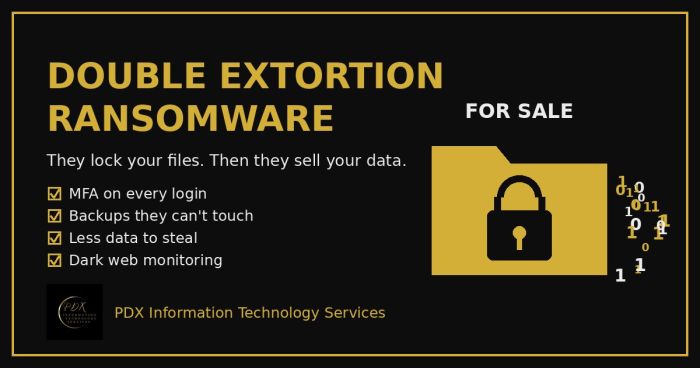
Modern ransomware gangs don’t just lock your files. They copy your data first, then threaten to publish or sell it on the dark web. Here is how double extortion works and what Portland-area small businesses can do before, during and after an attack.
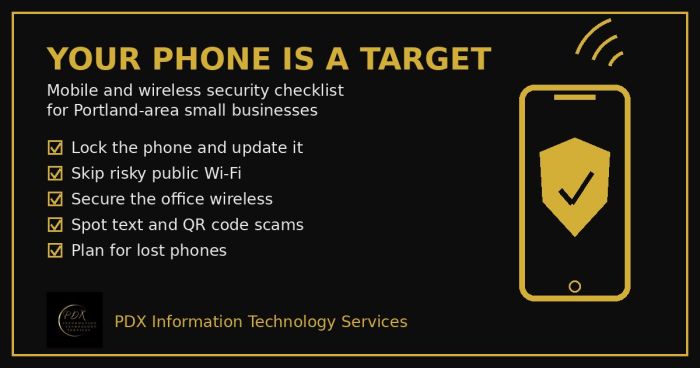
Portland small business mobile security checklist: lock phones, avoid risky public Wi-Fi, secure office wireless, spot text scams and handle lost phones.
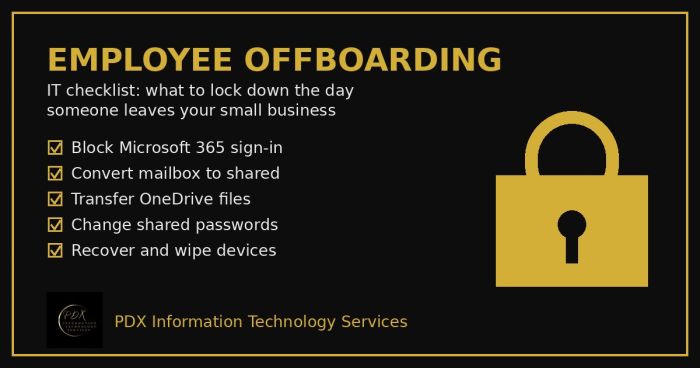
Portland employee offboarding IT checklist: lock Microsoft 365, save the mailbox and OneDrive files, change shared passwords and wipe company devices.