
Credential Stuffing: How One Leaked Password Opens Your Business Email (and How to Stop It in 2026)
Last updated:
On Monday we talked about why dark web scanning matters: your employees’ work email addresses and passwords may already be for sale online. The natural next question is, “So what? Somebody has an old password from a shopping site. Why should that worry me?”
The answer is a technique called credential stuffing. It is the main way leaked passwords turn into real break-ins, and it is aimed squarely at small businesses that haven’t locked down their logins. This post explains how it works in plain English and what you can do about it this week.
What Credential Stuffing Is
Credential stuffing is when criminals take lists of usernames and passwords stolen in one breach and try them, automatically, on lots of other websites and services. The OWASP Foundation, a nonprofit that tracks web security threats, describes it as the automated injection of stolen username and password pairs to fraudulently gain access to user accounts.
Nobody is guessing your password. Nobody is “hacking” in the movie sense. They already have a password your employee used somewhere else, and they are simply checking whether it still works on:
- Microsoft 365 or Google Workspace email
- Your bank or payroll portal
- Remote access tools and VPNs
- Accounting, CRM and practice management software
- Shipping, vendor and supplier portals
It is cheap, fast and almost fully automated. Software can try one leaked list against thousands of logins while the attacker does something else.
Why It Works So Well Against Small Businesses
People reuse passwords
This is the whole engine. If your office manager used the same password for a webinar signup in 2019 and for her Microsoft 365 account today, a breach at that webinar company is effectively a breach of your email. Reuse turns someone else’s security problem into yours.
Small businesses often skip MFA
Multi-factor authentication (MFA) means a password alone isn’t enough to log in; you also need a code, an app approval or a security key. It is the single most effective block against credential stuffing, and CISA, the federal cybersecurity agency, urges every organization to turn it on. Larger companies usually have it everywhere. Small offices often have it on some accounts, but not all, and attackers only need one gap.
Nobody is watching the sign-in logs
Even when a stuffing attempt works, the login often looks normal. There’s no alarm and no pop-up. Without someone reviewing sign-in alerts, an attacker can sit in a mailbox for weeks, reading invoices and learning how your team talks.
Old breaches never really go away
Leaked password lists get combined, resold and reused for years. A breach your employee forgot about long ago can still be part of a list someone is testing today. That’s why a clean scan last year doesn’t mean you’re clean now.
What Happens After a Successful Login
Once a criminal gets into a business email account, the damage usually follows a pattern:
- They read quietly. Who pays whom, when invoices go out, which vendors you trust.
- They set up hiding spots. Inbox rules that forward or delete certain messages so you don’t see replies.
- They send convincing fraud. “We changed banks, please update our payment details,” sent from a real account, so it passes every gut check. We walk through how these scams play out in The Invoice Looks Right. The Bank Account Doesn’t.
- They phish your contacts. Your customers and vendors get a link from you, and they trust it because it really did come from your mailbox.
- They move deeper. The same password may work on other systems, or the mailbox may hold password reset emails for them.
If you handle health, financial or client data, a compromised mailbox can also start legal reporting deadlines. Our guide on what Portland CPAs, advisors and medical offices must report after a breach explains those clocks.
Warning Signs Your Business Is Being Targeted
You may not see the attack itself, but you might notice the side effects:
- Account lockouts or “unusual sign-in activity” alerts that nobody can explain
- MFA prompts an employee didn’t request (never approve these; report them)
- Password reset emails for accounts someone didn’t try to reset
- Customers or vendors asking about an email “you” sent that you didn’t
- Sent items or inbox rules nobody remembers creating
- A dark web scan showing company email addresses with passwords attached
Any one of these is worth a call to your IT provider the same day.
How to Shut Credential Stuffing Down
The good news: credential stuffing is one of the most preventable attacks out there. You don’t need a big budget. You need a few basics done everywhere, not just in most places.
1. Turn on MFA for every account that matters
Start with email, then banking, payroll, remote access and your main business apps. In Microsoft 365, make sure it applies to every user, including the owner, the shared admin account and that one employee who “doesn’t like the app.” Phishing-resistant options like authenticator app number matching or security keys are better than text message codes.
2. End password reuse with a password manager
Give your team a business password manager so every account gets its own long, unique password. When one site gets breached, only that one password is exposed, and it opens nothing else. CISA’s guidance on strong passwords recommends long, random, unique passwords and a password manager to keep track of them.
3. Check passwords against known breach lists
The U.S. National Institute of Standards and Technology recommends in its digital identity guidelines (SP 800-63B) that new passwords be checked against lists of passwords known to be compromised. In practice, that means using tools that block known-leaked passwords instead of forcing everyone to change passwords on a calendar.
4. Monitor the dark web continuously
A one-time scan tells you about yesterday. Ongoing dark web monitoring alerts you when a new company email and password shows up, so you can change it before someone tries it. Free tools like Have I Been Pwned are useful for checking a single address, but a business needs coverage for its whole domain, with someone acting on each alert.
5. Filter the phishing that follows a leak
Exposed email addresses don’t just get password attempts. They get targeted phishing, often fake Microsoft sign-in pages designed to steal the new password you just set. That’s why we use INKY, an email security filter that scans incoming messages and flags impersonation and phishing before your team clicks.
6. Watch sign-ins and lock down old doors
Turn on sign-in alerts, block legacy sign-in methods that skip MFA, and review inbox forwarding rules. Remove accounts for former employees right away. Every forgotten account with a reused password is an open window.
7. Set a payment verification rule
Make it company policy: any change to bank details gets confirmed by phone using a number you already have, never a number from the email. This one rule stops a lot of the money loss even if a mailbox is compromised.
A Quick Self-Check
Answer these honestly:
| Question | Good answer |
|---|---|
| Is MFA on for every email account, including the owner’s? | Yes, every one |
| Does the team use a password manager? | Yes, company-provided |
| Do you know if company emails appear in breach data? | Yes, and it’s monitored |
| Does someone review risky sign-in alerts? | Yes, every week or sooner |
| Are former employees’ accounts disabled the day they leave? | Yes |
| Is there a phone-verification rule for payment changes? | Yes, written down |
If you answered “no” or “not sure” to two or more, credential stuffing is a real risk for your business right now.
How PDX IT Helps
PDX Information Technology Services is a managed IT provider based in Tualatin, serving small businesses across the Portland metro area and Vancouver, WA. Ongoing dark web monitoring is included in both our Gold and Platinum plans, and we pair it with MFA rollout, Microsoft 365 sign-in hardening, password manager setup and INKY email protection, so a leaked password stays an inconvenience instead of a break-in.
You can compare what each plan covers on our managed services page, see our cybersecurity services, or read why we recommend moving off free Gmail for business. Every managed plan comes with a 90-day opt-out: if it isn’t working for you in the first 90 days, you can cancel with no penalties.
FAQ: Credential stuffing
What is credential stuffing in simple terms?
It is when criminals take usernames and passwords stolen from one website and automatically try them on other sites, like your business email, hoping people reused the same password.
How is credential stuffing different from password guessing?
Password guessing tries common passwords against an account. Credential stuffing uses real passwords that a real person already used somewhere else, which is why it works so often.
Does MFA stop credential stuffing?
MFA blocks most of it, because a stolen password alone is no longer enough to log in. It needs to be on every important account, and employees should never approve an MFA prompt they didn’t start.
Should we make employees change passwords every 90 days?
NIST no longer recommends forced periodic changes without a reason. It is better to use long, unique passwords, check them against breach lists and change them right away when monitoring shows a leak.
Our dark web scan found exposed passwords. Have we been hacked?
Not necessarily. It means those passwords are available to criminals. Change them, make sure they aren’t reused anywhere else and confirm MFA is on. Then review recent sign-ins for anything unusual.
Can a small business really be a target?
Yes. Credential stuffing is automated and doesn’t care how big you are. Small businesses are attractive because they often have gaps in MFA and nobody watching sign-ins.
Want to Know If Your Passwords Are Out There?
We’re happy to run a free dark web scan for your company’s email domain and go over the results with you in plain English. Call Steve at 971-331-4871 or email sales@pdxittech.com. Even if you never work with us, you’ll know exactly where you stand.
This article is general information for small business owners, not legal advice.
Request an IT assessment
Tell us a little about your business and a PDX IT team member will follow up to schedule an assessment. Prefer to talk? Call 971-331-4871.

About the author: Steve Shaff
Steve Shaff is the owner of PDX Information Technology Services, a managed IT provider he founded in 2020. From the Tualatin office he helps businesses across Portland Metro & Southwest Washington with IT support, cybersecurity and compliance. More about Steve · Contact PDX IT
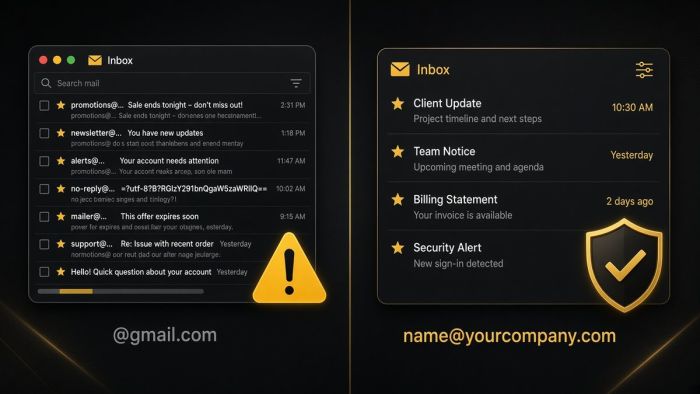
If your business email ends in @gmail.com, you are taking on risks you may not see until something goes wrong. Here is what they are, and how Portland-area businesses move to professional email on their own domain.
AI meeting notetakers can give every small business a perfect memory of its calls. They also record, transcribe, and store conversations that may include client details, HR issues, and passwords. Here is how Portland metro businesses can get the time savings without the privacy mess.
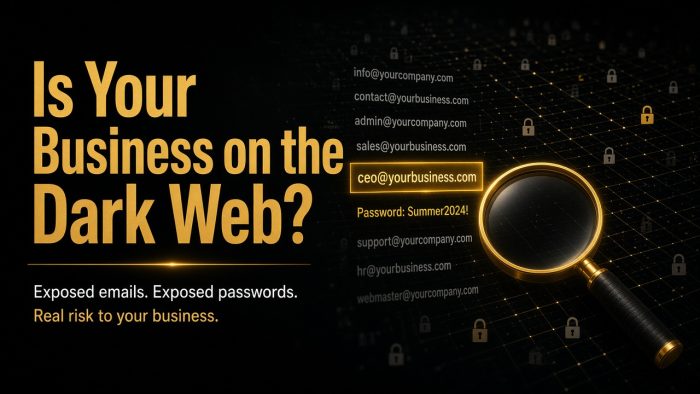
Most small business owners I talk to picture hackers working hard to break into their network. The truth is usually more boring and more worrying. Often nobody breaks in at…