
AI for Construction Companies in 2026: Jobsite Productivity Without Leaking Bids or Plans
Last updated:
Your estimator is already asking ChatGPT to rewrite a scope narrative on a personal phone in the parking lot. Your PM is pasting change-order language into a free chatbot between site walks. That is AI for construction companies in 2026 — not autonomous robots pouring concrete, but everyday text tools leaking bid strategy, unit prices, and unfinished plans into accounts you do not control.
For GCs and specialty contractors with roughly 10–40 people in Portland, Lake Oswego, Beaverton, Hillsboro, Vancouver WA, and Clackamas, the opportunity is real: faster estimating drafts, cleaner RFI language, better schedule narratives, toolbox-talk outlines. The risk is also real: one paste of a confidential takeoff or owner document into a consumer AI app can put competitive advantage and contract obligations on the wrong side of a Terms of Service checkbox.
This post is the construction-specific angle in our AI series. For general tool choices, see AI productivity tools and policies. For threat patterns, see AI cybersecurity for small business. For tenant hardening before Copilot, see Microsoft 365 Copilot security. For the written rulebook your office and field both need, use our AI acceptable use policy guide. Healthcare clinics have a separate AI and HIPAA post — this article stays on bids, plans, jobsites, and subcontractors.
What AI for construction companies should mean in 2026
Ignore the trade-show demos of fully autonomous jobsite robots for a moment. For most Portland metro contractors, useful AI for construction companies looks like:
- Drafting and rewriting (scopes, RFIs, submittal cover notes, owner updates)
- Summarizing long emails, meeting notes, and inspection punch lists
- First-pass estimating narratives and quantity-check questions — not blindly trusting AI math
- Scheduling language and look-ahead summaries a PM still owns
- Safety toolbox-talk outlines and training reminders
- Marketing and proposal boilerplate that marketing or ownership reviews
It does not mean letting a chatbot set your bid price, approve a wire to a "new" vendor bank account, or replace a licensed professional’s judgment on structural, electrical, or code questions. AI drafts. Humans own the send button, the bid number, and the stamp.
If you already work with a local managed IT partner or IT Provider Portland firms that understand field vs office, treat AI as another layer on top of devices, Microsoft 365, and email security — not a separate science project.
High-value uses (with human review)
Estimating drafts — not estimating autopilot
AI can help an estimator turn rough notes into a clearer scope narrative, suggest missing trade categories to check, or rewrite a clarification email to a supplier. It should not invent quantities from a photo of a napkin sketch and ship that number into your bid without a human takeoff.
Practical pattern:
- Work from your estimating system and drawings in company-controlled storage.
- Use approved AI only for language and checklists, with placeholders instead of live unit prices when possible.
- A senior estimator or PM reviews every external bid-related output.
RFIs, submittals, and change-order language
Project admins and PMs spend hours polishing RFI wording and submittal cover letters. Approved AI under company accounts can draft clearer questions and standardize tone. Change-order narratives especially need human review: wrong quantities, wrong dates, or soft language that weakens entitlement can cost real money.
Never paste the full owner contract, GC/sub agreement, or confidential pricing schedule into a free personal chatbot to "make this sound stronger."
Schedule narratives and look-aheads
AI is useful for turning a PM’s bullet list into a readable look-ahead for the owner or superintendent. It is poor at inventing critical-path logic you have not given it. Keep Primavera/MS Project/Excel as the source of truth; use AI for communication wrap-around.
Safety toolbox talks and training outlines
Generic toolbox-talk outlines (fall protection refresher themes, weather extremes, housekeeping) are a good restricted or approved-tool use case when no incident specifics or employee medical details are included. Keep real incident reports and disciplinary notes out of consumer AI.
Marketing and proposal boilerplate
Past project descriptions that are already public, capability statements, and first-draft LinkedIn posts are reasonable AI assists — still reviewed for accuracy and licensing claims. Do not feed pipeline bid strategy or unnamed "confidential healthcare remodel for XYZ" details into marketing prompts.
Construction never-paste list (print for the trailer and the office)
Make this list memorable for estimators, PMs, supers, and office staff:
Never paste into an unapproved / personal AI tool:
- Bid strategy, win themes, margins, and contingency logic
- Unit prices, supplier quotes marked confidential, and buyout sheets
- Unfinished or controlled plans, specs, and BIM extracts the owner restricts
- Owner confidential documents, NDAs, and private financials
- Subcontractor pricing packages and bid tabs before award
- Payroll, certified payroll detail, SSNs, and bank account numbers
- Wire instructions, vendor banking changes, and payment portals credentials
- Passwords, MFA codes, VPN configs, and Procore/Bluebeam/company portal logins
- Incident reports with employee medical or identifiable sensitive detail
- Anything you would not hand a competing GC in the bid room
Usually OK in approved company tools (with judgment):
- Public marketing copy and already-awarded project blurbs with no secrets
- Generic process questions using placeholders ("Trade X," "Owner Y")
- Toolbox-talk outlines with no real incident PII
- Rewriting your own non-confidential email drafts that contain no pricing
When someone says "I removed the owner name," remember dates, addresses, unique scopes, and dollar ranges still identify projects. Prefer company-controlled AI or redacted templates. Pair this list with a written AI acceptable use policy so field and office hear the same rules.
Jobsite shadow AI: personal phones and free apps
Shadow AI on a construction company is usually not malice. It is a super who cannot get into SharePoint from the trailer Wi-Fi, an estimator racing a bid deadline, or a PE rewriting an RFI on a personal ChatGPT account because "the office AI login is confusing."
Why construction is especially exposed:
- Field staff live on phones, not always on managed laptops
- Bid season creates deadline pressure that skips process
- Subcontractors and temps get temporary access and little training
- Project data often sits in a mix of email, Procore/other PM tools, and OneDrive/SharePoint with uneven permissions
How to replace shadow AI instead of only yelling about it:
- Inventory — anonymous survey: what AI apps are people already using on personal phones for work?
- Approved path — company Microsoft 365 Copilot/Copilot Chat and/or a paid team AI workspace with SSO and MFA, documented in one page.
- Offline-friendly habits — templates and checklists in SharePoint/Teams that work when trailer internet is bad, so people are not forced to improvisation.
- Amnesty window — two weeks to disclose and migrate without punishment.
- Then enforce — company data in banned consumer AI is treated like emailing a bid tab to a personal Gmail.
- MDM / company phones where justified — for people who routinely handle plans and pricing in the field, a managed device beats a policy PDF alone.
Technical controls (conditional access, blocking risky extensions, DLP where licensed) help. They do not replace training with construction examples. For the broader security baseline under AI use, see cybersecurity for small businesses (2026).
Microsoft 365 and Copilot for GCs and specialty contractors
Many Portland metro contractors already run email, Teams, and SharePoint. Copilot can speed summaries and drafts — and it generally respects existing permissions. That is good news and a warning: years of "Everyone except external" project sites, leftover guest links, and "Domain Users" on the whole company file share become an AI-searchable problem.
Before you scale Copilot seats:
- Audit SharePoint/Teams project sites: who can see which job?
- Separate active jobs from archive; remove ex-employees and old subs from membership
- Stop using personal OneDrive as the company plan vault
- Require MFA everywhere; prefer company SSO for any AI tool that sees project files
- Train: Copilot answers from what you can already open — do not paste bids into consumer ChatGPT "because Copilot felt limited"
Deep dive: Microsoft 365 Copilot security for small business. If you need IT Support Portland or Portland IT Support help cleaning permissions before AI features go wide, that work usually pays for itself the first time a sub should not have seen another sub’s pricing.
Email, BEC, and change-order payment scams
Construction finance is a favorite target: vendor bank-change emails, fake lien-waiver requests, spoofed owner payment instructions, and AI-polished messages that sound exactly like your GC or supplier. Generative AI made the grammar better; the callback habit still matters.
Practical stack for contractors:
- INKY (impersonation-aware email security on PDX IT Platinum plans) to flag lookalike and display-name attacks — we use the product name INKY only
- Written rule: any change to wire instructions, remittance banks, or "urgent pay this new invoice" gets a callback on a known number, not the number in the email
- Dual control on large payments
- Train AP and PMs with fake change-order and vendor-change examples, not generic phishing slides
AI policy without inbox defenses is incomplete; inbox defenses without a never-paste / callback culture are also incomplete. See also AI cybersecurity for small business.
30-day practical checklist (10–40 person contractor)
Days 1–7 — Decide
- Name an owner (ops + estimating lead + IT/MSP)
- List AI tools already in use (office and phones)
- Draft a one-page AI addendum with construction never-paste bullets
- Decide approved / restricted / banned tools by name
Days 8–14 — Fix the foundation
- MFA on Microsoft 365 and major PM platforms
- Quick SharePoint/Teams access review on active jobs
- Confirm backups and who can share external links
- Turn on or verify phishing filtering (INKY on Platinum)
Days 15–21 — Replace shadow AI
- Offer the approved AI path with SSO
- 30-minute training: never-paste list, three bad jobsite examples, one good estimating-draft example
- Include supers, estimators, PMs, AP, and regular subs who get company email
Days 22–30 — Enforce and calendar
- End the amnesty window
- Spot-check: are people still using personal ChatGPT for bid language?
- Add a quarterly AI + permissions review to the calendar
- Document who approves new AI tools (one named role)
You do not need a 40-page AI strategy. You need a short policy, working approved tools, cleaner permissions, and email habits that survive bid week.
Soft next step
If you want help putting AI for construction companies on solid IT rails — never-paste policy, Microsoft 365 hygiene before Copilot, jobsite device guidance, or email hardening with INKY — PDX Information Technology Services can help. We provide IT Services Portland, Portland Tech Support, and IT Consulting Oregon for SMBs, including contractors across Portland, Lake Oswego, Beaverton, Hillsboro, Vancouver WA, and Clackamas. On-site support runs from Hillsboro to Gresham to Wilsonville to Vancouver WA, including Portland, Beaverton and Clackamas, with no trip fee.
As a local IT Firm Portland businesses can call without a jargon tax, we publish managed IT plans plainly — Gold from $100/user, Platinum from $180/user (Platinum adds SOC/MDR, cloud protection, phishing filtering with INKY, training, and dark web monitoring). We also offer a 90-day opt-out if the fit is wrong with no penalties. Local cost context: Managed IT Services Cost Portland (2026). Buyer checklist: what to look for in managed IT services in Portland.
- Book: pdxittech.com/contact
- Email: sales@pdxittech.com
- Call: 971-331-4871
FAQ
What is AI for construction companies in practice?
It is mostly drafting, summarizing, and checklist help for estimating language, RFIs, schedules, safety talks, and proposals — always with human review — not unmanned jobsite robots or unsupervised bid pricing.
Can estimators use ChatGPT on personal phones?
Only if your policy allows personal AI for non-confidential work. Bid tabs, unit prices, plans, and owner documents belong in company-controlled tools or not in AI at all. Most contractors should ban company bid data in consumer accounts.
What should never be pasted into AI tools?
Bid strategy and margins, confidential unit prices, controlled plans/specs, owner confidential files, sub pricing before award, payroll/banking/wires, and passwords. Print the never-paste list for the trailer.
How do we stop jobsite shadow AI?
Inventory what people use, offer an approved SSO AI path, train with construction examples, run a short amnesty, then enforce. Blocking everything with no alternative pushes work to personal phones.
Is Microsoft 365 Copilot safe for project files?
Copilot generally uses what the user can already access. Fix SharePoint/Teams oversharing on project sites before you add seats. Details: Copilot security guide.
How does AI relate to vendor payment and change-order fraud?
Attackers use AI to write convincing bank-change and urgent-pay emails. Combine INKY email security with callback-on-known-number rules for any payment or vendor banking change.
Do subcontractors need the same AI rules?
Yes if they receive your plans, pricing, or owner data. Put AI expectations in onboarding and terminate access when the subcontract ends.
How is this different from your AI acceptable use policy post?
The AUP post is the industry-agnostic template. This article applies it to construction: bids, plans, field phones, RFIs, and payment scams.
How is this different from healthcare AI guidance?
Clinics need HIPAA, BAAs, and ePHI controls — see AI HIPAA for Portland healthcare. Contractors need bid secrecy, plan control, and jobsite device habits. Different regulated secrets, same "AI drafts / humans own outcomes" rule.
Can a Portland managed IT provider help a 20-person GC?
Yes. An MSP can help with Microsoft 365 permissions, approved AI tooling, email security, policy drafting, and training tailored to estimators and field staff — ongoing managed services, not a one-time PDF.
PDX Information Technology Services — Tualatin office; serving the Portland metro, Lake Oswego and Vancouver WA.
Request an IT assessment
Tell us a little about your business and a PDX IT team member will follow up to schedule an assessment. Prefer to talk? Call 971-331-4871.

About the author: Steve Shaff
Steve Shaff is the owner of PDX Information Technology Services, a managed IT provider he founded in 2020. From the Tualatin office he helps businesses across Portland Metro & Southwest Washington with IT support, cybersecurity and compliance. More about Steve · Contact PDX IT
Most stolen passwords never get cracked. They get reused. Credential stuffing is how criminals turn an old breach at some unrelated website into a login to your company email. Here is how it works and how Portland-area small businesses can shut it down.
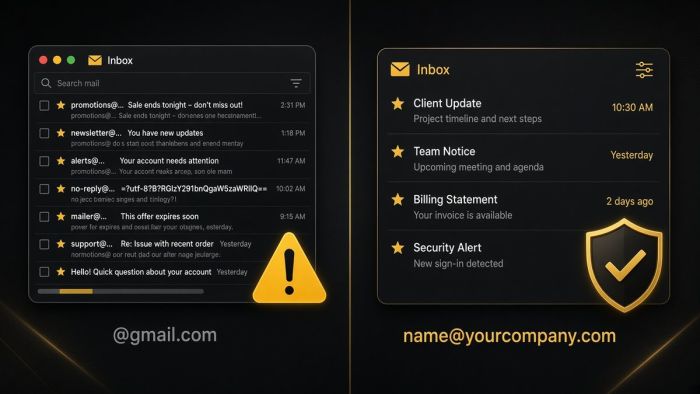
If your business email ends in @gmail.com, you are taking on risks you may not see until something goes wrong. Here is what they are, and how Portland-area businesses move to professional email on their own domain.
AI meeting notetakers can give every small business a perfect memory of its calls. They also record, transcribe, and store conversations that may include client details, HR issues, and passwords. Here is how Portland metro businesses can get the time savings without the privacy mess.