
SonicWall SSL-VPN MFA Bypass: What Portland Businesses Should Do Now
Last updated:
If your office uses a SonicWall firewall for remote access, this week is a good time to confirm the firmware and how people sign in. On November 6, 2026, the U.S. Cybersecurity and Infrastructure Security Agency (CISA) added CVE-2026-19868 to its Known Exploited Vulnerabilities catalog. The issue sits in SonicOS SSL-VPN when SAML is used for login. In plain English: someone who already has valid credentials for another allowed login method may be able to skip the SAML path, and with it the multi-factor authentication (MFA) you thought was required.
The short answer: treat this as an urgent firewall update, not a next-quarter project. Confirm whether SSL-VPN with SAML is enabled, install the fixed SonicOS release for your generation, review alternate authentication methods, and check VPN logs for odd sessions. Federal civilian agencies have a remediation due date of November 20, 2026 under CISA's Binding Operational Directive. Small businesses are not under that order, but the same exploited catalog is the practical "do this soon" list.
This post is separate from our recent infostealer / stolen-cookie MFA bypass guide. That one was about malware stealing browser sessions. This one is about a firewall authentication enforcement bug.
What CISA and SonicWall say happened
CISA's KEV entry describes SonicOS SSLVPN as containing a use-of-single-factor-authentication vulnerability: a user with valid credentials for an alternate authentication method may bypass SAML authentication controls, and successful exploitation may also bypass SAML-enforced MFA. CISA lists the vendor advisory as SNWLID-2026-0014, with a due date of 2026-11-20 for federal agencies.
Credible security reporting that quotes the vendor advisory (including SecurityWeek) adds useful operational detail:
- The SSL-VPN path is in scope when SAML login is enabled.
- An attacker still needs valid credentials for another allowed authentication method. This is not a "no password, walk right in" bug.
- SonicWall's product security team investigated a report of potential exploitation and urged customers to upgrade.
- Fixed releases reported for Gen7: 7.3.4-7013 and later; Gen8: 8.2.3-8015 and later. Affected builds reported include Gen7 7.3.3-7015 and earlier, and Gen8 8.2.2-8015 and earlier.
- The vendor lists no workaround. The fix is the firmware upgrade.
- The same advisory wave also covered other SonicOS issues; even if SAML is off, staying current still matters.
Always confirm the exact build for your appliance model in SonicWall's current advisory before you schedule downtime. Do not rely on a shortened version number from an old inventory spreadsheet.
Why Portland small businesses should care
SonicWall boxes show up in a lot of 10 to 100 person offices because they are familiar, affordable, and often came with the last network refresh. Remote staff, accountants working from home, and owners who VPN in after hours all sit behind that SSL-VPN portal.
If SAML is how you enforce MFA for VPN, this flaw can create a gap between the policy you think you have and the checks the firewall actually applies. Pair that with a reused or stolen password from a dark web log (see our infostealer post), and you have a realistic path into the network.
I have been in IT since 1996. The pattern I see in small businesses is not "we ignore patches on purpose." It is "the firewall was set up three years ago, SAML was turned on for Microsoft 365 logins, and nobody has a calendar reminder to check SonicWall advisories." That is fixable this week.
Practical checklist for SMBs
1. Inventory the appliance
Write down the model (TZ, NSa, NSv, and so on), generation (Gen7 or Gen8), and the full SonicOS version string from the management UI. Screenshot it. If a managed service provider or prior vendor owns the admin login, get them on the phone today.
2. Confirm whether SSL-VPN and SAML are enabled
If SSL-VPN is off, this specific CVE may not apply the way it does for SAML-enabled portals. Still plan the firmware update for the other fixed issues in the same advisory set. If SSL-VPN is on and Authentication Type is SAML, prioritize the upgrade.
3. Schedule the fixed firmware
Use SonicWall's documented fixed builds for your generation (reported: Gen7 7.3.4-7013+, Gen8 8.2.3-8015+). Take a configuration backup first. Plan a short after-hours window, because VPN users will drop during the reboot. Tell staff in advance.
4. Reduce alternate login paths you do not need
The vulnerability description hinges on valid credentials for an alternate authentication method. Review which local users, LDAP, RADIUS, or other methods can still authenticate to SSL-VPN. Remove unused paths. Keep an emergency break-glass account offline and documented, not sitting as a soft back door.
5. Restrict who can reach the VPN portal
Where practical, limit SSL-VPN source IPs to known office ranges, known home ranges, or a zero-trust access broker. Internet-wide portals get scanned constantly.
6. Review recent VPN logs
Look for successful VPN sessions that do not line up with identity-provider sign-in records, especially sessions tied to local or alternate-method accounts. Compare timestamps with Microsoft Entra or your IdP logs. Investigate anything that looks off before you declare the upgrade done.
7. Pair the patch with password and endpoint hygiene
A firmware fix closes this hole. It does not revoke a password that was already stolen. Unique passwords in a business password manager, monitored endpoint protection, and dark web monitoring still matter. Our proactive cybersecurity services page covers how we package that for local businesses.
What not to do
- Do not wait for "a quiet month." CISA listed active exploitation evidence when it added the CVE.
- Do not assume MFA through SAML still covers every login path until the fixed build is installed.
- Do not expose the SonicWall management interface to the open internet "just for convenience."
- Do not invent your own workaround. The vendor says there is none for this issue.
How PDX IT helps
We support Portland-area small businesses from our Tualatin office at 8215 SW Tualatin-Sherwood Road, Suite 200. If you are not sure whether your SonicWall is on a fixed build, or whether SAML VPN is even enabled, we can check it with you, schedule the upgrade, and review VPN authentication methods so you are not guessing.
Compare plans on our managed services page. Every managed plan includes a 90-day opt-out: if it is not working for you in the first 90 days, you can cancel with no penalties.
FAQ: SonicWall SSL-VPN MFA bypass
What is CVE-2026-19868?
It is a SonicWall SonicOS SSL-VPN authentication-enforcement vulnerability. CISA describes it as allowing a user with valid credentials for an alternate authentication method to bypass SAML controls, which may also bypass SAML-enforced MFA.
Do I need to patch if I do not use SAML?
This CVE is tied to SSL-VPN with SAML enabled. You should still review SonicWall's full advisory for your generation, because the same update set addresses other SonicOS issues.
Is this the same as stolen session cookies bypassing MFA?
No. Stolen cookies (infostealers) reuse an already-approved browser session. This firewall issue is about authentication enforcement on the SonicOS SSL-VPN service. Defenses overlap (good passwords, monitoring, least privilege) but the fix here is firmware.
When do federal agencies have to remediate?
CISA's KEV catalog lists a due date of November 20, 2026 for federal civilian executive branch agencies under BOD 26-04. Private businesses should treat that as a strong signal to move quickly.
Who should I call if I do not manage the firewall myself?
Call the person or company that last touched the SonicWall. If that is us, call 971-331-4871. If you are between providers, contact us and we can help assess exposure.
Need a SonicWall patch check this week?
Contact us, call Steve at 971-331-4871, or email sales@pdxittech.com. We will tell you plainly whether your appliance needs the fixed build and what downtime to expect.
This article is general information for small business owners, not legal advice. Confirm firmware versions against SonicWall's current advisory for your exact model.
{ “@context”: “https://schema.org”, “@type”: “FAQPage”, “mainEntity”: [ { “@type”: “Question”, “name”: “What is CVE-2026-19868?”, “acceptedAnswer”: { “@type”: “Answer”, “text”: “It is a SonicWall SonicOS SSL-VPN authentication-enforcement vulnerability. CISA describes it as allowing a user with valid credentials for an alternate authentication method to bypass SAML controls, which may also bypass SAML-enforced MFA.” } }, { “@type”: “Question”, “name”: “Do I need to patch if I do not use SAML?”, “acceptedAnswer”: { “@type”: “Answer”, “text”: “This CVE is tied to SSL-VPN with SAML enabled. Still review SonicWall’s full advisory for your generation because the same update set addresses other SonicOS issues.” } }, { “@type”: “Question”, “name”: “Is this the same as stolen session cookies bypassing MFA?”, “acceptedAnswer”: { “@type”: “Answer”, “text”: “No. Stolen cookies reuse an already-approved browser session. This issue is about authentication enforcement on SonicOS SSL-VPN. The fix here is firmware.” } }, { “@type”: “Question”, “name”: “When do federal agencies have to remediate?”, “acceptedAnswer”: { “@type”: “Answer”, “text”: “CISA’s KEV catalog lists a due date of November 20, 2026 for federal civilian executive branch agencies under BOD 26-04.” } }, { “@type”: “Question”, “name”: “Who should I call if I do not manage the firewall myself?”, “acceptedAnswer”: { “@type”: “Answer”, “text”: “Call the person or company that last touched the SonicWall, or contact PDX IT Services at 971-331-4871 for an exposure check.” } } ] }Request an IT assessment
Tell us a little about your business and a PDX IT team member will follow up to schedule an assessment. Prefer to talk? Call 971-331-4871.

About the author: Steve Shaff
Steve Shaff is the owner of PDX Information Technology Services, a managed IT provider he founded in 2020. From the Tualatin office he helps businesses across Portland Metro & Southwest Washington with IT support, cybersecurity and compliance. More about Steve · Contact PDX IT
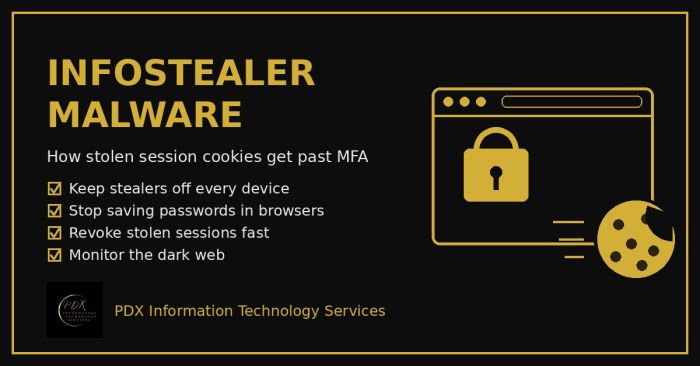
Infostealer malware copies saved passwords and live session cookies from a browser and sells them on the dark web, which lets attackers walk past MFA. Here’s how it works and a practical 10-step plan for Portland-area small businesses.
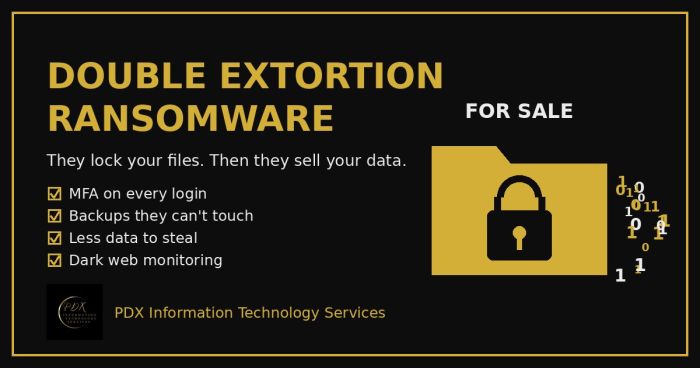
Modern ransomware gangs don’t just lock your files. They copy your data first, then threaten to publish or sell it on the dark web. Here is how double extortion works and what Portland-area small businesses can do before, during and after an attack.
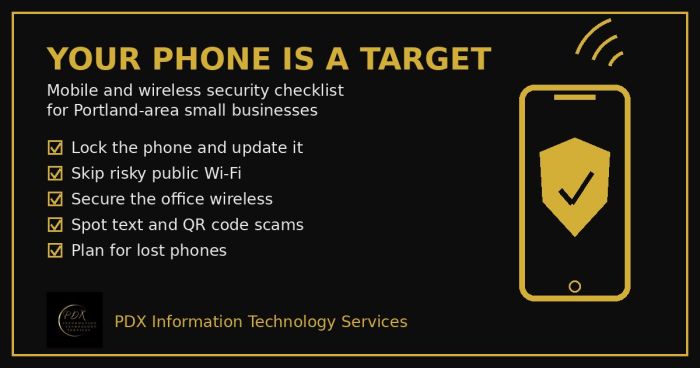
Portland small business mobile security checklist: lock phones, avoid risky public Wi-Fi, secure office wireless, spot text scams and handle lost phones.