
Payroll Diversion Scams: How a Fake “Change My Direct Deposit” Email Steals Paychecks (A Small Business Guide)
Last updated:
On Thursday, October 22, a short, friendly email landed in a local office’s Info@ inbox. It carried the name of someone on staff, and it asked one simple question:
“Prior to the next payday, I’d love to make an amendment to my current bank by replacing it with a new one. What info do I need to provide?”
It wasn’t from the employee. It was a payroll diversion scam, and if someone had answered it and updated the bank details, the next paycheck would have gone straight to a criminal’s account. The real employee would have found out on payday, when the money didn’t show up.
Here’s the actual email, redacted:

This guide walks through how these scams work, the red flags in this real example, how to protect your business and what to do if a paycheck has already been sent to the wrong account.
What Is a Payroll Diversion Scam?
Payroll diversion (also called direct deposit fraud) is a form of business email compromise (BEC). A criminal pretends to be an employee and asks HR, payroll or the office manager to change where that person’s paycheck is deposited. The FBI’s Internet Crime Complaint Center (IC3) lists business email compromise among the scams it tracks and takes reports on.
The attack usually goes like this:
- Research. The scammer finds a real employee’s name, often from LinkedIn, a “Meet Our Team” page or a press release.
- Impersonation. They send an email using that name, usually from a free webmail account, sometimes from a lookalike domain, and occasionally from the employee’s real mailbox if it has been hacked.
- The ask. A short, polite request to update direct deposit “before the next payday,” often asking what form or details are needed.
- The switch. If payroll replies, the scammer sends a new account number (often a prepaid card or a “money mule” account) or a filled-in direct deposit form.
- The payout. The next paycheck goes to the scammer, who moves the money out quickly.
No malware and no hacking is needed for the basic version. It only takes a name, an email address and someone trying to be helpful.
The Red Flags in This Email
Once you know what to look for, this email gives itself away.
1. “You don’t often get email from…” Microsoft 365 showed a warning banner at the top of the message saying the recipient doesn’t usually get email from this address. If a coworker you know triggers that banner, stop and check.
2. The right name, the wrong address. The display name matched a real person. The address behind it did not belong to the company. Always look at the actual sending address, not just the name.
3. Payday urgency. “Prior to the next payday” adds just enough time pressure to push someone to act before thinking.
4. A vague request that asks you to do the work. “What info do I need to provide?” is bait. The scammer wants you to reply, confirm the inbox is monitored and send them your direct deposit form.
5. Sent to a shared inbox. A real employee would go to their manager or log into the payroll portal. Sending a banking change to a general Info@ address is a sign the sender doesn’t actually know how your office works.
6. A generic sign-off. A plain “Regards” with no title, phone number or company signature doesn’t match how your staff normally write.
Why Small Businesses Are Targets
Small offices often handle payroll changes informally. The office manager knows everyone, payroll is one of ten jobs on their plate, and “just email me your new bank info” feels efficient. Scammers count on that. New hires are an especially easy cover story, since coworkers don’t know their writing style yet and a banking update from someone new seems normal.
How to Protect Your Business
1. Verify every bank change by phone, using a number you already have
Never use a phone number or link from the email asking for the change. Call the employee on the number in your HR records, or walk over to their desk. Thirty seconds of checking stops the scam.
2. Put a written payroll-change process in place
Decide, in writing, that direct deposit changes happen only:
- by the employee themselves inside your payroll portal (Gusto, ADP, Paychex or whatever you use), behind their own login and MFA, or
- in person, with ID and a signed form.
Never by email and never by text. Add a confirmation step, like a notice to the employee’s existing contact info when banking details change, and tell every new hire about the policy on day one. When the rule is clear, “sorry, I can’t do that over email” is easy to say.
3. Turn on multi-factor authentication (MFA)
MFA won’t stop a fake Gmail, but it makes it much harder for a scammer to take over a real employee’s mailbox or payroll login and send the same request from a trusted address, which is much harder to spot. CISA’s guide to turning on MFA is a good starting point.
4. Strengthen email security
- Keep Microsoft 365’s first-contact and [EXTERNAL] sender tagging turned on.
- Set up SPF, DKIM and DMARC so others can’t easily spoof your domain.
- Add an advanced email security layer. We deploy INKY, which flags display-name impersonation, lookalike senders and unusual first-time senders with clear warning banners right in the message.
5. Train your team on the real thing
Ten minutes at a staff meeting with a redacted example like the one above works better than a long annual seminar. CISA’s guide to recognizing and reporting phishing and its overview of social engineering and phishing attacks are worth sharing.
6. Watch for leaked credentials
Many account takeovers start with an employee password exposed in an old data breach. Dark web monitoring alerts you when your business email addresses show up in leaked data, so you can reset passwords before a scammer uses them. It’s included in our Gold and Platinum managed IT plans.
What to Do If a Paycheck Was Already Diverted
Move fast. The sooner you act, the better the chance of getting money back.
- Call your bank and your payroll provider immediately. Ask them to stop or recall the deposit and to contact the receiving bank.
- File a report with the FBI’s IC3 at ic3.gov. Include the email, the sending address, dates, amounts and the receiving account details.
- Report it to the FTC at ReportFraud.ftc.gov.
- Fix the payroll record and confirm the correct bank details with the real employee in person.
- Check whether an account was compromised. Have your IT provider review sign-ins, mailbox forwarding rules and MFA on the employee’s email and payroll accounts. If a real mailbox was used, reset the password and revoke active sessions.
- Take care of the employee. Decide how you’ll cover the missed paycheck while recovery is underway, and document everything for your insurer and records.
- Warn your team. The same scammer often tries more than one person.
FAQ: Payroll Diversion Scams
What is a payroll diversion scam?
A payroll diversion scam is when a criminal impersonates an employee and asks payroll or HR to change the employee’s direct deposit account, so the next paycheck goes to the criminal instead. It’s a type of business email compromise.
How can I tell if a direct deposit change request is fake?
Check the actual sending address, not just the display name. Watch for “You don’t often get email from” or [EXTERNAL] banners, payday urgency, vague requests asking what info to send, and messages sent to a shared inbox. Then verify by calling the employee on a number you already have on file.
Should I reply to the email to check if it’s real?
No. Replying confirms your inbox is active and opens a conversation the scammer is ready for. Verify through a separate channel, like a phone call to a known number or an in-person conversation.
Can a diverted paycheck be recovered?
Sometimes, if you act quickly. Contact your bank and payroll provider right away to request a recall, and report the incident to the FBI at ic3.gov. Recovery isn’t guaranteed, which is why prevention matters.
Does MFA stop payroll diversion scams?
MFA doesn’t stop a scammer from sending an email from a free account, but it makes it much harder to break into a real employee’s email or payroll login. That blocks the most convincing version of the scam, where the request comes from a real internal address.
Where should I report a payroll diversion scam?
Report it to the FBI’s Internet Crime Complaint Center at ic3.gov and to the FTC at ReportFraud.ftc.gov. Also tell your bank, your payroll provider and your IT provider.
How PDX IT Helps
PDX Information Technology Services is a managed IT and cybersecurity company in Tualatin, working with small businesses across Portland, Beaverton, Lake Oswego and Vancouver, WA. We help make sure emails like this get flagged before anyone acts on them:
- Email security with INKY plus tuned Microsoft 365 protections. See our proactive IT and cybersecurity services.
- MFA and account monitoring across email and business apps.
- Dark web monitoring, included in our Gold and Platinum plans.
- Short, practical security training built around real examples.
- Simple written policies for payroll changes and vendor payments. For the vendor-invoice version of this scam, read our guide to invoice payment fraud and business email compromise. If your email has shown up in a breach, see what to do next.
Our managed IT services come with a 90-day opt-out, so you can see how we work without a long-term lock-in.
Not sure how your office would handle an email like this? Contact us, email sales@pdxittech.com or call 971-331-4871. We’re at 8215 SW Tualatin-Sherwood Rd, Suite 200, Tualatin, OR 97062.
{“@context”: “https://schema.org”, “@type”: “FAQPage”, “mainEntity”: [{“@type”: “Question”, “name”: “What is a payroll diversion scam?”, “acceptedAnswer”: {“@type”: “Answer”, “text”: “A payroll diversion scam is when a criminal impersonates an employee and asks payroll or HR to change the employee’s direct deposit account, so the next paycheck goes to the criminal instead. It’s a type of business email compromise.”}}, {“@type”: “Question”, “name”: “How can I tell if a direct deposit change request is fake?”, “acceptedAnswer”: {“@type”: “Answer”, “text”: “Check the actual sending address, not just the display name. Watch for \”You don’t often get email from\” or [EXTERNAL] banners, payday urgency, vague requests asking what info to send, and messages sent to a shared inbox. Then verify by calling the employee on a number you already have on file.”}}, {“@type”: “Question”, “name”: “Should I reply to the email to check if it’s real?”, “acceptedAnswer”: {“@type”: “Answer”, “text”: “No. Replying confirms your inbox is active and opens a conversation the scammer is ready for. Verify through a separate channel, like a phone call to a known number or an in-person conversation.”}}, {“@type”: “Question”, “name”: “Can a diverted paycheck be recovered?”, “acceptedAnswer”: {“@type”: “Answer”, “text”: “Sometimes, if you act quickly. Contact your bank and payroll provider right away to request a recall, and report the incident to the FBI at ic3.gov. Recovery isn’t guaranteed, which is why prevention matters.”}}, {“@type”: “Question”, “name”: “Does MFA stop payroll diversion scams?”, “acceptedAnswer”: {“@type”: “Answer”, “text”: “MFA doesn’t stop a scammer from sending an email from a free account, but it makes it much harder to break into a real employee’s email or payroll login. That blocks the most convincing version of the scam, where the request comes from a real internal address.”}}, {“@type”: “Question”, “name”: “Where should I report a payroll diversion scam?”, “acceptedAnswer”: {“@type”: “Answer”, “text”: “Report it to the FBI’s Internet Crime Complaint Center at ic3.gov and to the FTC at ReportFraud.ftc.gov. Also tell your bank, your payroll provider and your IT provider.”}}]}Request an IT assessment
Tell us a little about your business and a PDX IT team member will follow up to schedule an assessment. Prefer to talk? Call 971-331-4871.

About the author: Steve Shaff
Steve Shaff is the owner of PDX Information Technology Services, a managed IT provider he founded in 2020. From the Tualatin office he helps businesses across Portland Metro & Southwest Washington with IT support, cybersecurity and compliance. More about Steve · Contact PDX IT
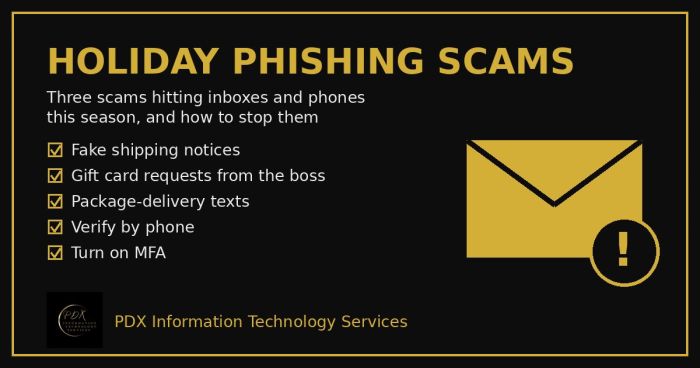
Holiday phishing scams are hitting Portland small businesses: fake shipping notices, gift card requests from the boss and delivery texts. How to stop them.
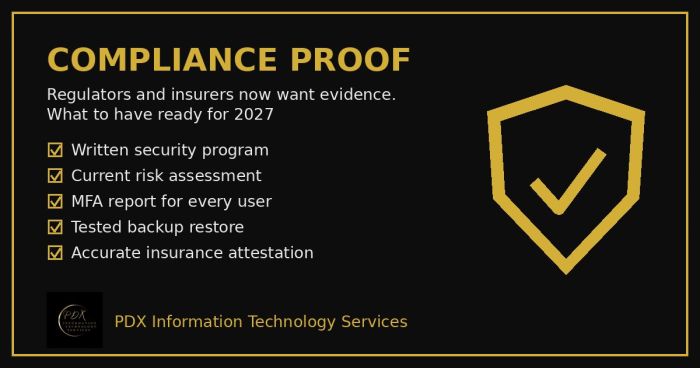
Cybersecurity compliance proof: HIPAA, CMMC, the FTC and cyber insurers now want documented evidence, not promises. See the checklist for 2027.
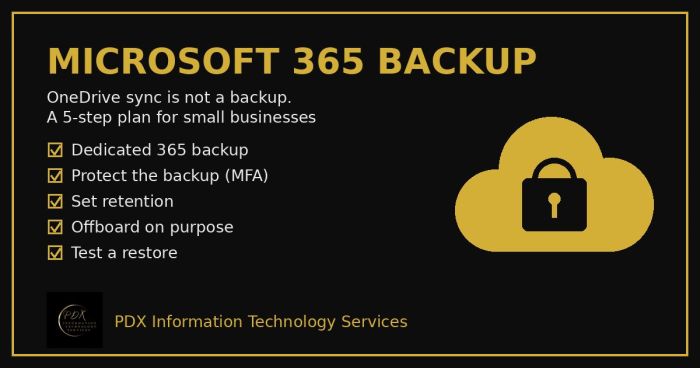
Microsoft 365 backup for small business: why OneDrive sync and the recycle bin aren’t a real backup, what can go wrong and a 5-step fix you can test.