
Computer Maintenance for Small Business: A Practical 2026 Checklist
Last updated:
Computers rarely fail without warning. More often they get slower, updates pile up, a backup quietly stops working, and eventually something important breaks at a bad time. Regular maintenance is the boring work that prevents most of that. Here is a checklist a small Portland office can use, whether you do it yourself or have a provider handle it.
Keep software and operating systems updated
Install Windows, macOS and Microsoft 365 updates on a regular schedule, and update browsers, PDF readers and line-of-business applications too. Many attacks use known flaws that already have a fix available.
Check that backups actually restore
Confirm that backup jobs complete, that data is stored somewhere other than the office, and that someone has tried restoring a file or a full machine recently. A backup you have never tested is a guess.
Review security basics
- Endpoint protection is installed and reporting on every computer.
- Multi-factor authentication is on for email and remote access.
- Local administrator rights are limited to those who need them.
- Screen locks and disk encryption are enabled on laptops.
Look after the hardware
Track the age of each computer, replace failing drives before they fail completely, keep firmware current on firewalls and switches, and clean up dust and cabling in the server closet. A simple replacement plan spreads cost across years instead of landing all at once.
Tidy accounts and licenses
Remove accounts for people who have left, review shared mailboxes, and make sure licenses match the people who actually use them.
Who should do this?
If nobody in your company owns these tasks, they tend to slip. Managed IT services turn the checklist into a recurring routine handled by a team, with reporting so you can see what was done.
Related reading
- IT support and help desk for everyday computer problems
- Data backup and recovery for Portland businesses
- Cybersecurity for small businesses (2026): what to look for
Talk to a local team
PDX Information Technology Services provides managed IT, cybersecurity and compliance support for small businesses in Portland, Lake Oswego, Beaverton, Hillsboro and Vancouver, WA. Plans start at $100 per user per month (Gold) and $180 per user per month (Platinum). Call 971-331-4871 or book a free assessment.
Request an IT assessment
Tell us a little about your business and a PDX IT team member will follow up to schedule an assessment. Prefer to talk? Call 971-331-4871.

About the author: Steve Shaff
Steve Shaff is the owner of PDX Information Technology Services, a managed IT provider he founded in 2020. From the Tualatin office he helps businesses across Portland Metro & Southwest Washington with IT support, cybersecurity and compliance. More about Steve · Contact PDX IT
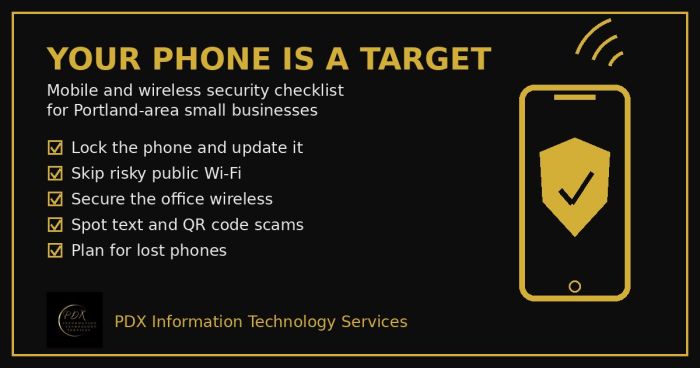
Portland small business mobile security checklist: lock phones, avoid risky public Wi-Fi, secure office wireless, spot text scams and handle lost phones.
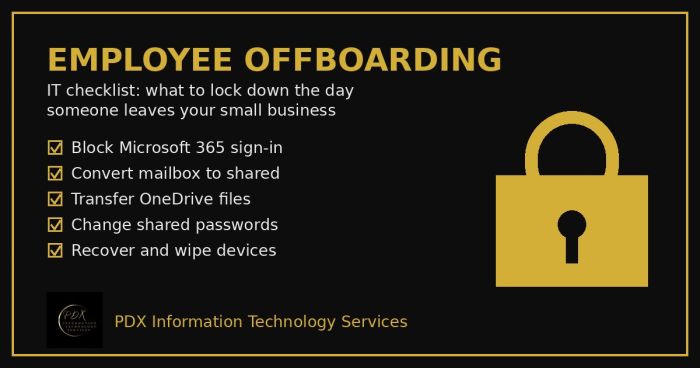
Portland employee offboarding IT checklist: lock Microsoft 365, save the mailbox and OneDrive files, change shared passwords and wipe company devices.

Holiday phishing scams are hitting Portland small businesses: fake shipping notices, gift card requests from the boss and delivery texts. How to stop them.