
How To Quickly Shift To A WFH Business
As a business owner today, you are now facing unprecedented challenges to help deal with the coronavirus pandemic. You are asked to self-isolate and practice social distancing to “flatten the curve.” You are asked to allow your employees to work from home to reduce possible exposure and slow the spread of COVID-19.
These are all reasonable requests. However, as a business owner you also need to maximize productivity, bring in revenue and try to grow your business in these demanding times. How can you accomplish these goals when your office is now a ghost town and productivity has fallen off a cliff?
The answer lies in setting up your office to function remotely. If you’ve never implemented a work-from-home policy before, it may seem like a whole different world. Managing an entirely remote workforce goes far beyond giving your employees a laptop and reminding them to check in every once in a while. After all, there are many factors most business owners haven’t ever had to consider, such as:
- What technologies do I need?
- How can my employees work from home without compromising the security of our network?
- How can I make this new work environment as easy, comfortable and productive as possible?
We understand these are unique times. We know that “business as usual” is going to be quite different for an undetermined amount of time. But together we can help you adjust to today’s new normal by giving you the tools, technologies and insights to create a secure and productive work-from-home business environment. Here are three important considerations to getting you set up and running a successful work-from-home business:
1. Don’t allow employees to use home computers or devices. Their mindset may be, “Well, I’m working from home so I may as well use my home computer.” This is a dangerous mistake. Our team works hard to ensure your company computers and network are secure and protected from malware, viruses and cyber-attacks. Their home computers and devices could be littered with tons of downloaded music, videos, images and more. Because it’s more exposed, it can invite malware into your network. Rather, provide a company-approved and secured computer/laptop for employees to use at home.
2. Secure their WiFi access point. Without a secure WiFi access point, you’re essentially leaving a back door open to hackers. That’s because WiFi signals are often broadcast far beyond your employees’ homes and out into streets. Yes, drive-by hacking is popular among cybercriminals today. A few tips for securing your employees’ WiFi access points:
- Use stronger encryption and a more complex password
- Hide your network name
- Use a firewall
These security measures are not difficult to set up. But if you have any questions or need assistance, we will be happy to help get your employees set up remotely.
3. Use a two-factor authentication VPN. VPN stands for virtual private network. It’s essentially a private, encrypted tunnel that goes direct to your IT network in your office. Ideally, you’ll want your VPN to support two-factor authentication. This means it’s doubly secure because your employees will need to call in to access the network. If you don’t have a VPN for your employees to use, you can consider other services, such as GoToMyPC or Zoho. While these products are not as secure, at least they keep your home network from being exposed.
As business owners ourselves, we too are having to pivot and work differently than we ever have before. However, because we have the technology and infrastructure in place, we are still surprisingly productive.
Our team wants to help your business survive and thrive during today’s unique environment. If you and your IT team need extra hands right now…or solutions to help your employees work SECURELY from home…we have software tools, expert staff and resources we’d like to offer you to keep your business as productive as possible.
Here’s my email, if you wish to book a quick 10- to 15-minute call to discuss: steve@pdxittech.com.
Please know that this is not a sales call but simply an outreach to help a fellow business owner stay afloat.
Related reading: managed IT in Vancouver, WA, Streamlining IT for Small Business Owners: The Power of Managed Services to Propel Your Business Forward and Don’t Fall For Office 365 Zoom Notification Phishing Email.
Request an IT assessment
Tell us a little about your business and a PDX IT team member will follow up to schedule an assessment. Prefer to talk? Call 971-331-4871.

About the author: Steve Shaff
Steve Shaff is the owner of PDX Information Technology Services, a managed IT provider he founded in 2020. From the Tualatin office he helps businesses across Portland Metro & Southwest Washington with IT support, cybersecurity and compliance. More about Steve · Contact PDX IT
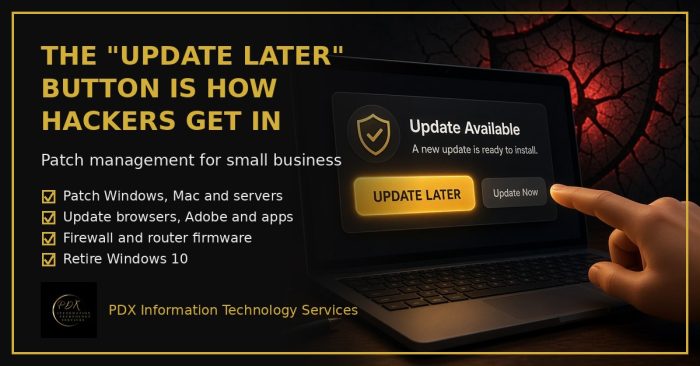
Exploiting unpatched software is now the most common way breaches start, and small businesses are most of the ransomware victims. Here’s what skipping updates really costs and the patching checklist I’d put in place this week.

The Vanguard data breach started when an imposter tricked an employee into giving up access, exposing files in cloud apps like Microsoft 365. Here’s what to do if you or your staff got a notice, and the checklist Portland-area business owners can use to stop the same social engineering trick.
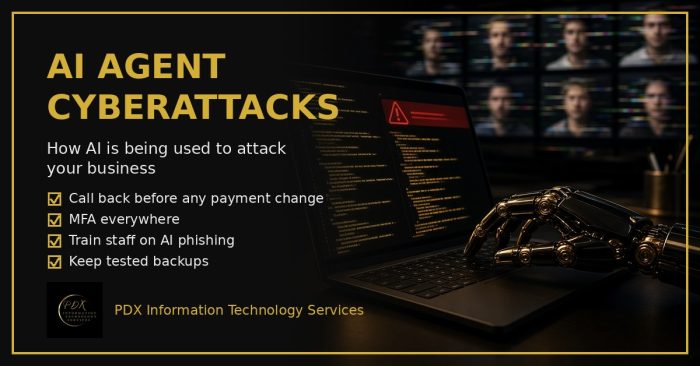
A viral video says the first AI agent cyberattack was just confirmed. The real story is a year old, and the follow-up is worse: AI-run attacks have spread to ordinary criminals. Here’s how AI is being used against small businesses right now and the checklist I’d put in place this week.