
Benefits Of Remote IT Support: Faster Fixes, Lower Costs
Something breaks at 2 PM on a Tuesday. Your team can’t access a critical application, and every minute of downtime chips away at productivity and revenue. The old approach, waiting hours (or days) for a technician to physically show up, just doesn’t cut it anymore. That’s where the benefits of remote IT support become impossible to ignore. A qualified technician connects to your systems within minutes, diagnoses the issue, and resolves it while your staff gets back to work. No travel time, no scheduling delays.
For small and mid-size businesses across the Pacific Northwest, remote support has shifted from a nice-to-have to a core part of how IT gets done. At PDX IT Services, remote troubleshooting and maintenance make up a significant portion of the support we deliver to Portland-area businesses every day. It’s how we keep response times short and costs manageable, without sacrificing the quality of service our clients expect from an enterprise-grade IT partner.
This article breaks down exactly what remote IT support is, how it works in practice, and why it consistently outperforms traditional on-site-only models on cost, speed, and flexibility. Whether you’re weighing your options for the first time or looking to get more from your current setup, you’ll walk away with a clear picture of what remote support can actually do for your business.
What remote IT support is and how it works
Remote IT support is a delivery model where technicians connect to your computers, servers, and network devices over the internet to diagnose and resolve technical issues. Instead of scheduling a visit and waiting for someone to drive to your office, a support engineer accesses your systems using secure remote access software and starts working on the problem within minutes of your request. No truck rolls, no downtime waiting for a calendar slot.
The tools that make it possible
Modern remote support relies on software that creates an encrypted connection between the technician and your device. Tools built on protocols like Microsoft’s Remote Desktop Protocol allow technicians to see your screen, run diagnostics, push software updates, and correct configuration errors in real time. Your staff doesn’t need any technical knowledge to get a session started. Most platforms require only a lightweight agent installed on your device or a short one-time access code that takes seconds to share.

Here’s what a typical remote support interaction looks like from your side:
- You submit a ticket, call in, or send a message describing the problem
- A technician picks up the request and asks permission to connect
- The secure session opens, often in under five minutes
- The technician works through the issue while you watch or continue other tasks
- A resolution note gets logged so the same problem doesn’t repeat without a documented fix
Proactive monitoring vs. reactive troubleshooting
Proactive remote monitoring means your IT provider watches your systems continuously for warning signs: failing drives, missed backups, unauthorized access attempts, or unusual network behavior. Your provider can often identify and fix a developing problem before it affects a single person on your team. This approach is fundamentally different from waiting for something to visibly break before calling for help.
Catching a failing drive before it crashes costs far less than recovering from data loss after the fact.
Reactive support handles the break-fix scenarios: a user can’t authenticate, an application stops responding, or a connection drops during a client call. Both modes reflect the real benefits of remote IT support, but pairing proactive monitoring with fast reactive response gives your business the most complete coverage. At PDX IT Services, we run both approaches in parallel so that routine system health stays strong day-to-day while urgent issues get resolved the same day they surface. Together, they form a support model that keeps your operations moving rather than constantly playing catch-up.
Why remote IT support matters for SMBs
Small and mid-size businesses face a persistent IT challenge: the volume and complexity of technical needs keeps growing, but the budget for dedicated staff rarely keeps pace. Remote IT support closes that gap by giving you access to a capable, multi-skilled team on demand, without the overhead that comes with hiring specialists for every role your business might eventually need.
The resource gap that remote support fills
Most SMBs stretch a single person, or an employee wearing multiple hats, across every IT task. That arrangement holds until a serious problem surfaces, and then it breaks down fast. Remote managed services give your business access to a broader team with expertise across security, infrastructure, user support, and compliance. Rather than relying on one generalist, you get deep coverage that scales with your operations as your team or technical footprint grows.
Here are the gaps that remote support typically fills for SMBs:
- Cybersecurity monitoring and response without a dedicated security analyst
- Day-to-day help desk support for staff issues
- Proactive system maintenance without adding internal headcount
- Compliance and documentation support for regulated industries
Speed and coverage without geographic limits
Geography used to determine how fast you could get help. If your provider was across town during heavy traffic, a minor fix stretched into a half-day disruption. Remote support removes that bottleneck entirely, connecting a technician to your systems within minutes regardless of where either party is located. For Pacific Northwest businesses with staff spread across multiple sites or working from home, this translates to consistent response times and the same quality of support whether your team sits in one Portland office or across several locations.
Reliable, fast access to skilled support regardless of location is one of the most practical benefits of remote IT support for any growing SMB.
Top benefits of remote IT support for business
The benefits of remote IT support stack up quickly when you compare them to the slow, expensive, and geographically limited nature of on-site-only models. Your business doesn’t need to absorb travel delays or scheduling friction just to get technical problems resolved. Remote support delivers skilled help faster, at lower cost, and with access to a wider range of expertise than most SMBs could hire internally.
Faster response and reduced downtime
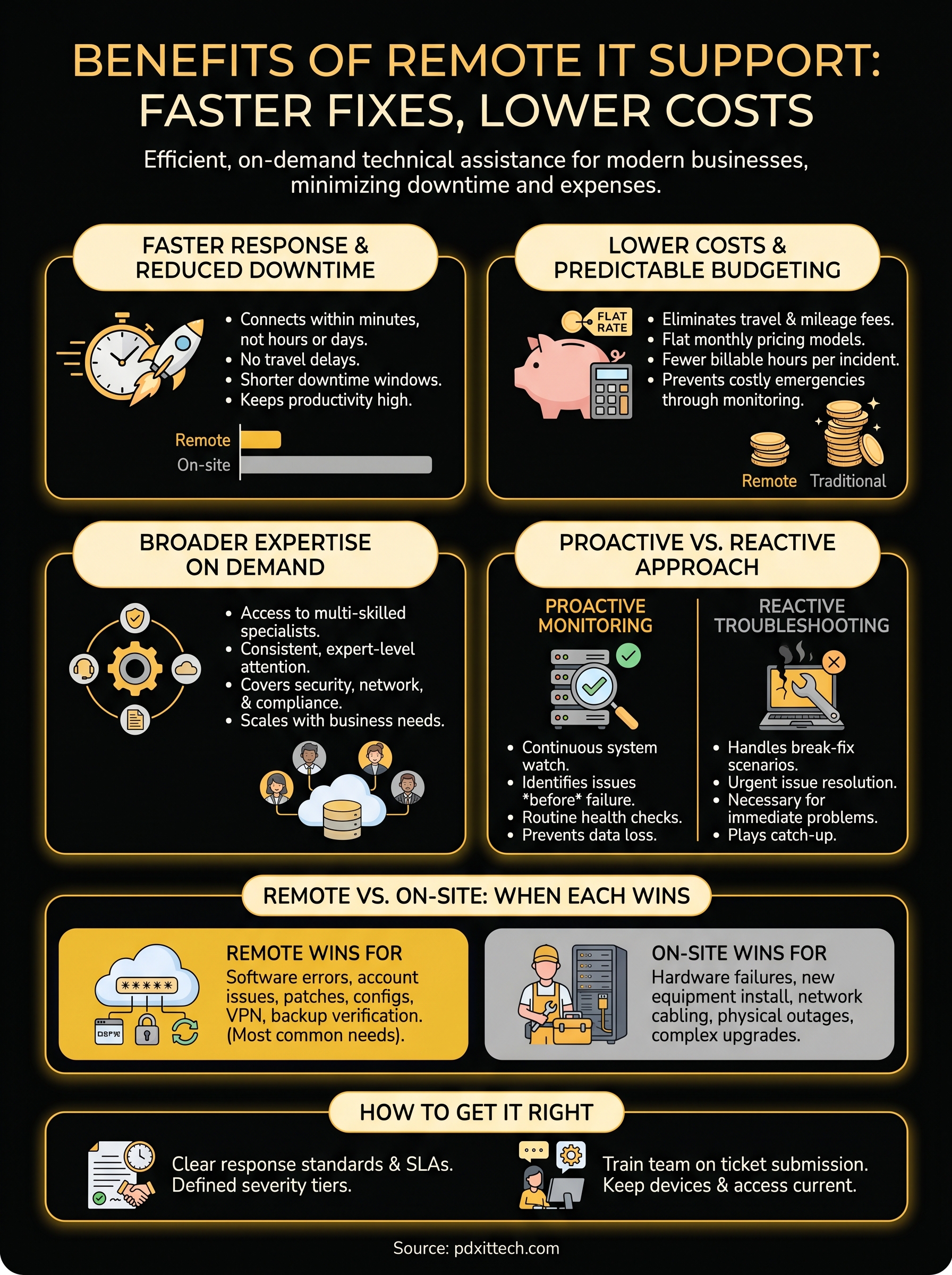
When something breaks, speed determines how much that problem costs you. Remote technicians connect to your systems within minutes of a request rather than hours. That faster start time translates into shorter downtime windows, fewer frustrated users, and less revenue lost per incident.
The difference between a 10-minute remote resolution and a 4-hour on-site wait can represent thousands of dollars in lost output for a small team.
Lower costs and predictable budgeting
On-site visits carry built-in overhead that you absorb whether it’s itemized on your invoice or not. Travel time, mileage, and scheduling delays all inflate the real cost of a fix. Remote support eliminates that overhead entirely. Most remote managed service agreements also run on flat monthly pricing, which makes budgeting far easier than paying unpredictable break-fix bills.
Here’s where the savings typically show up:
- No travel or mileage charges per visit
- Faster resolution means less billable time per incident
- Proactive monitoring reduces the frequency of costly emergencies
Broader expertise on demand
No single technician covers every technology your business runs. A remote support team gives you access to specialists across security, networking, compliance, and end-user support without hiring each one separately. When a niche problem surfaces, the right person handles it. Your systems get consistent, expert-level attention across every layer of your environment rather than a generalist stretched too thin.
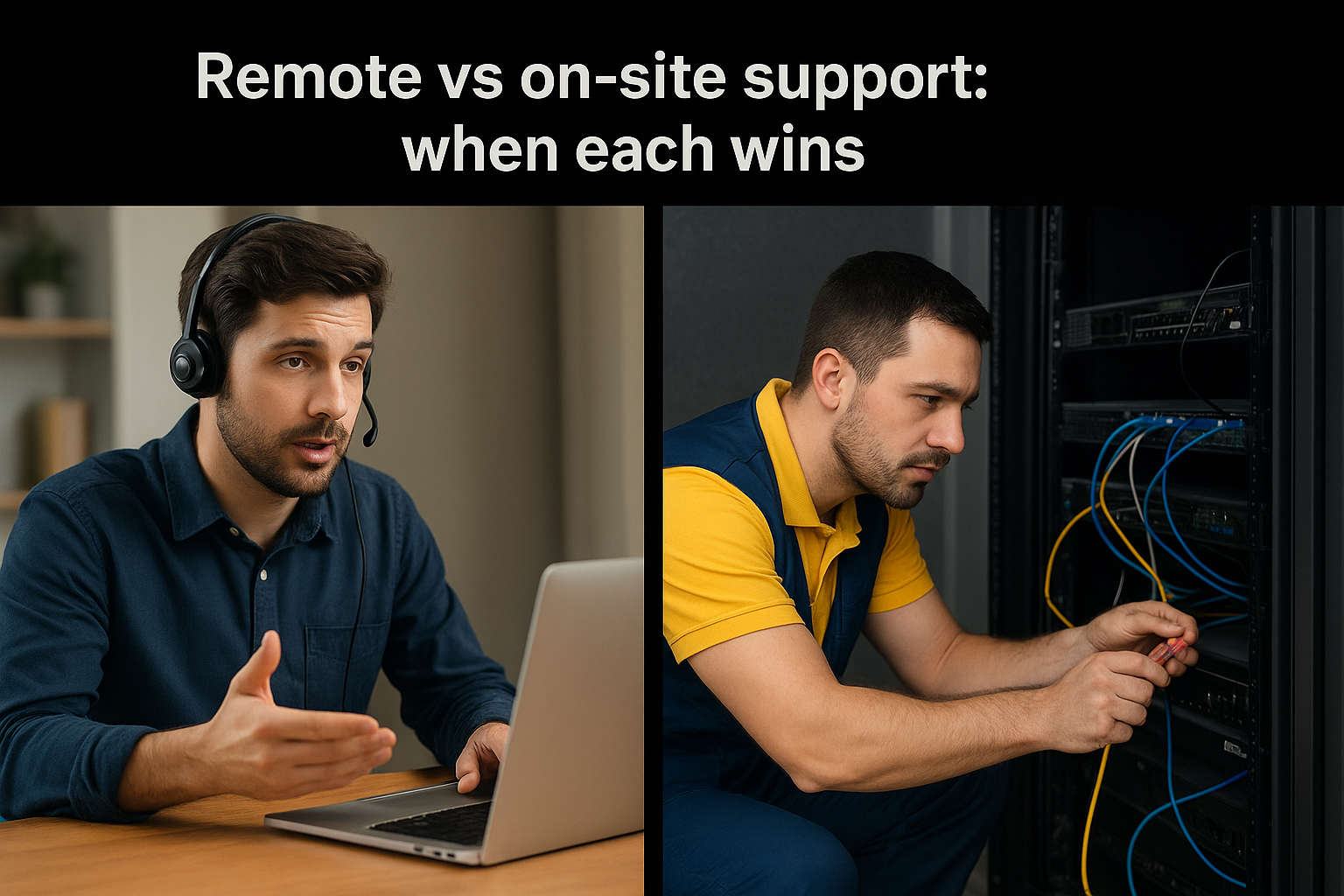
Remote vs on-site support: when each wins
Remote support handles the vast majority of day-to-day IT issues faster and cheaper than any on-site visit could. But certain situations genuinely require physical presence, and understanding the difference helps you set realistic expectations and get the right kind of help when it counts. The benefits of remote IT support are substantial, but knowing where on-site visits still earn their place makes your overall support strategy stronger.
When remote support wins
Remote support covers the widest range of common business IT needs. Software errors, user account issues, application crashes, security alerts, and network configuration problems all resolve faster over a remote session than through a scheduled on-site visit. Most help desk interactions fall into this category, which means your team spends far less time waiting and far more time working.
Here are the scenarios where remote support consistently outperforms on-site:
- Password resets and account lockouts
- Application errors and software configuration
- Security patching and system updates
- VPN and remote access troubleshooting
- Backup verification and monitoring alerts
When on-site support wins
Physical hardware failures, new equipment installations, and network cabling work require hands on the actual devices. A technician can’t replace a failed drive or rack a new server from a remote session. Similarly, office-wide outages caused by physical infrastructure failures need someone on location to trace and fix the root cause.
A good IT partner knows which problem belongs in which category and dispatches the right response without making you figure it out.
On-site visits also make sense during initial setup of new workstations, office moves, or complex infrastructure upgrades. These are planned, project-based engagements rather than reactive support, and the physical work involved justifies the visit.
How to get remote IT support right
Getting the most from remote IT support comes down to preparation and clear expectations on both sides. The technology works well when your provider has the right tools and your team understands how the process functions. Without a few deliberate decisions up front, even the best remote support model can fall short of what your business actually needs.
Choose a provider with clear response standards
Not all remote IT providers operate the same way. Before signing any agreement, ask specifically about response time guarantees and escalation paths. A provider should tell you exactly how long it takes from ticket submission to a technician actively working on your issue. Look for documented severity tiers so you know which problems trigger an immediate response versus a next-business-day queue.
Confirm these commitments before you sign anything:
- Defined response times for each issue severity level
- Proactive monitoring included alongside reactive break-fix coverage
- Clear documentation of what falls inside and outside your contract scope
- A dedicated contact or team already familiar with your environment
Set up your team for seamless remote access
Your staff plays a direct role in how smoothly remote sessions run. Training your team to submit clear, detailed support tickets cuts diagnosis time significantly. A ticket that includes the error message, which device is affected, and what the user already tried gives a technician a faster path to resolution from the moment they connect.
The benefits of remote IT support compound when your provider and your team build a consistent, familiar workflow together.
Access also needs to stay current. Confirm that all devices your staff uses are enrolled in your monitoring platform and that remote access software stays updated. Gaps in coverage create blind spots that only surface at the worst possible moment.
Next steps for your IT support
The benefits of remote IT support are clear: faster response times, lower costs, broader expertise, and consistent coverage that keeps your business running without the overhead of a traditional on-site model. You now have a solid picture of how remote support works, where it outperforms on-site visits, and how to set your team up to get the most from it. The next step is putting that knowledge into action for your specific business needs.
PDX IT Services works with small and mid-size businesses across the Pacific Northwest to deliver proactive remote monitoring, responsive help desk support, and strategic IT planning without the cost of building a full internal team. Your business deserves reliable, expert-level IT support that scales alongside your operations. If you’re ready to close the gap between where your IT stands today and where it needs to be, reach out to the PDX IT Services team to start the conversation.
Get In Touch
Share On Social Media
Other Recent Blog Articles

The Voice on the Phone Isn’t Who You Think It Is: AI Scams Are Coming for Portland Small Businesses
A few years ago, “phishing email” was the scariest phrase in small business IT. Bad spelling, a sketchy link, a fake invoice from “Microsoft Support.” Most of us got pretty…
Your Cybersecurity Is Only as Strong as Your Weakest Vendor
The Nintendo TinyPulse Breach Is a Wake-Up Call for Every Business Nintendo is one of the most recognized brands on the planet. They guard their intellectual property fiercely, have weathered…

Fake IT Workers Are Showing Up at Offices — And They’re After Your Data
Cybercrime has never been more brazen. Ransomware gangs have long relied on phishing emails and malicious software to compromise businesses — but a group known as the Silent Ransom Group has taken…